


Raycasting
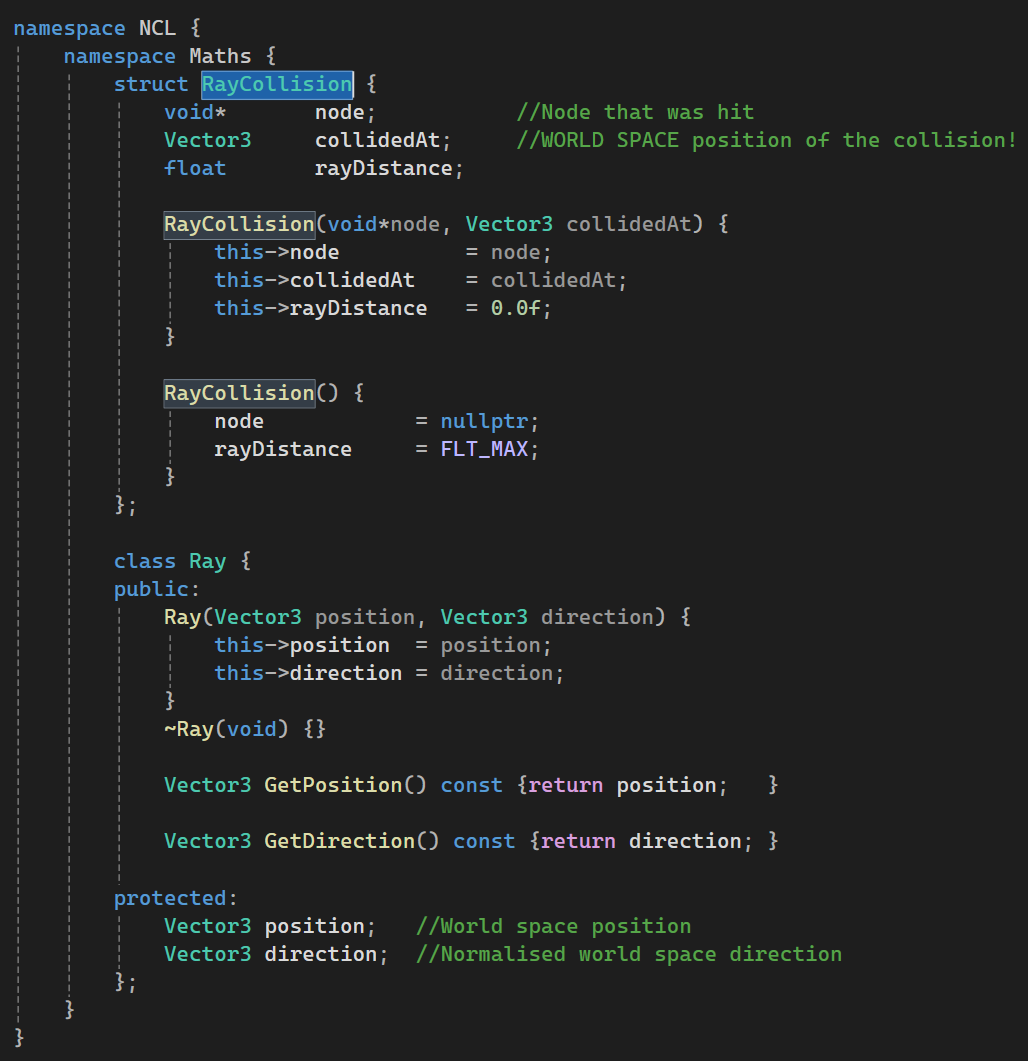
- Firstly, I created a Ray.h, wherein I created Ray Collision as a struct and Ray as a class.
Where I used it:
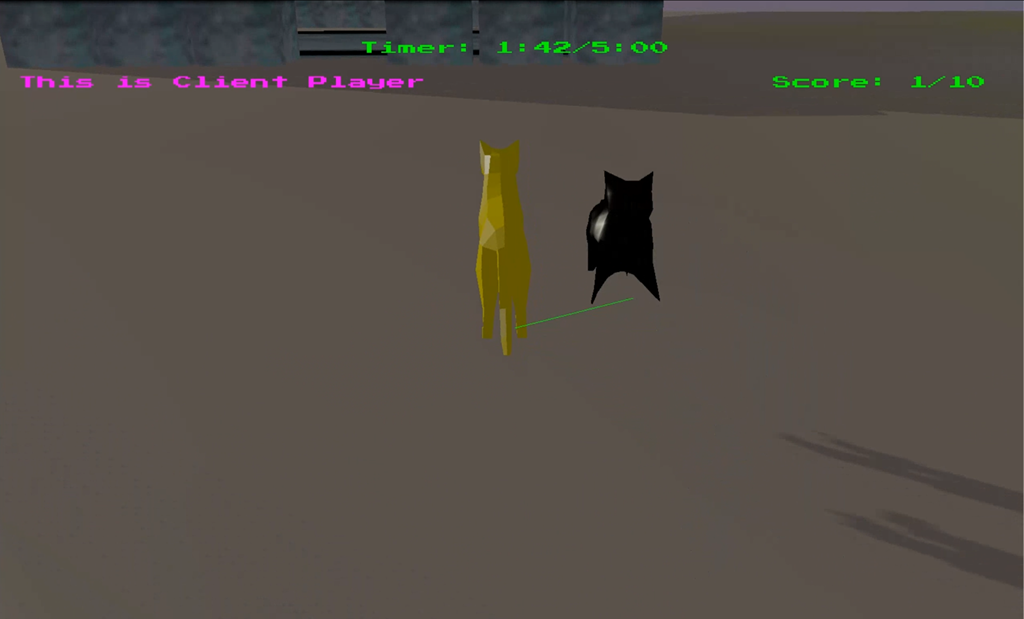
I used Raycasting to check whether the character is grounded or not.

Linear and Angular Motion
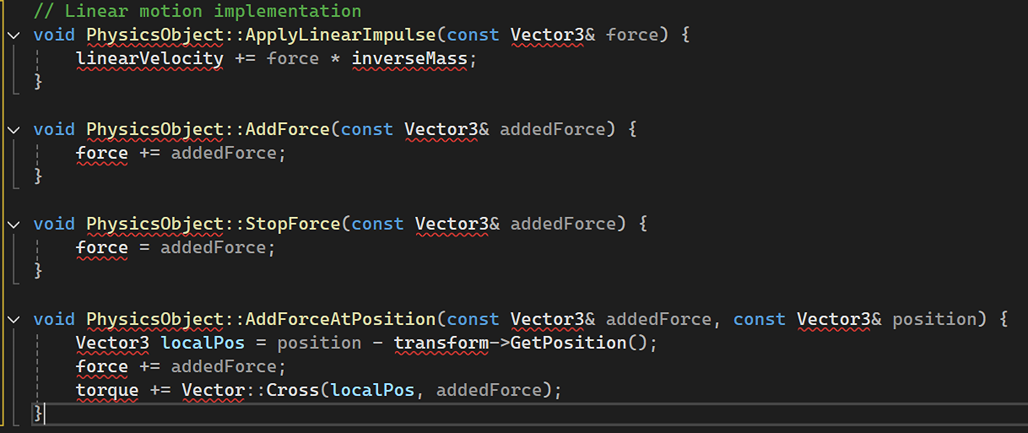
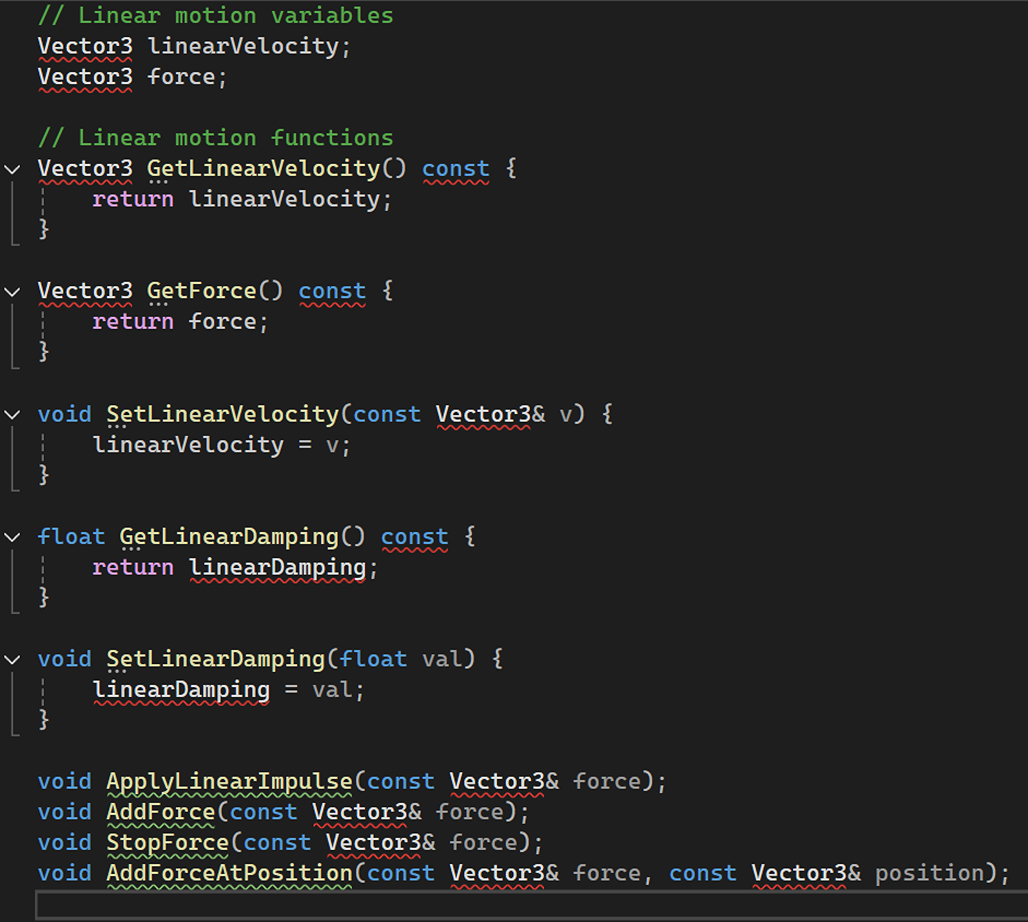
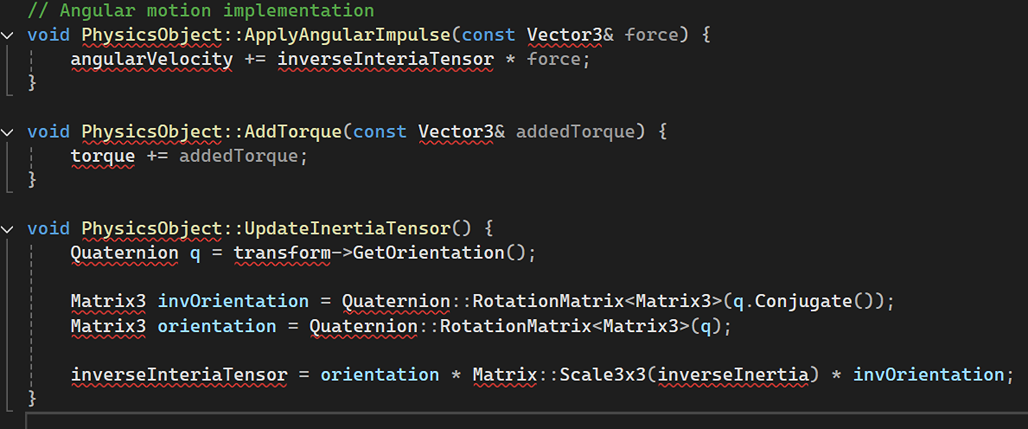
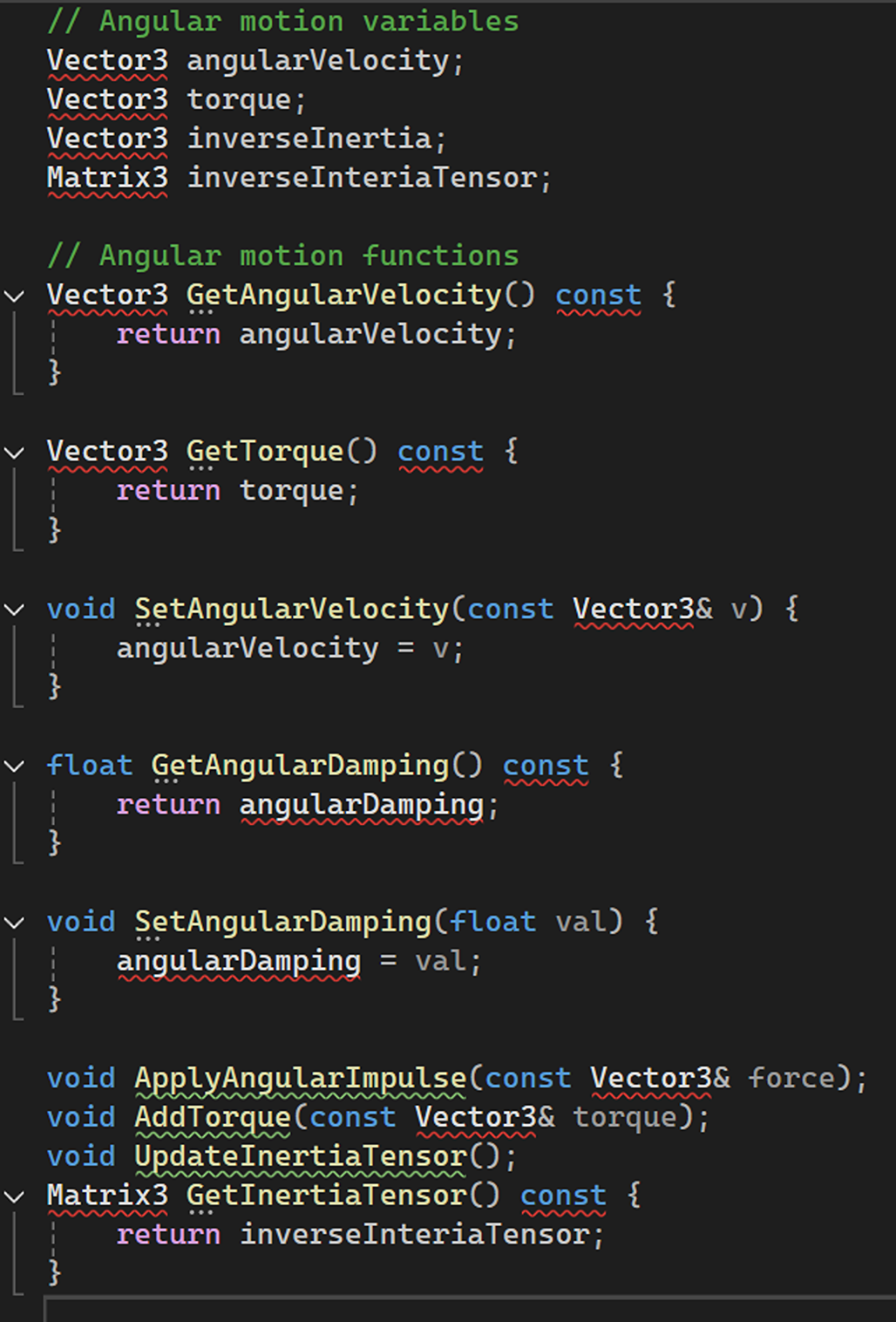
Angular Motion Implementation:
Collision Detection
Core Structure:
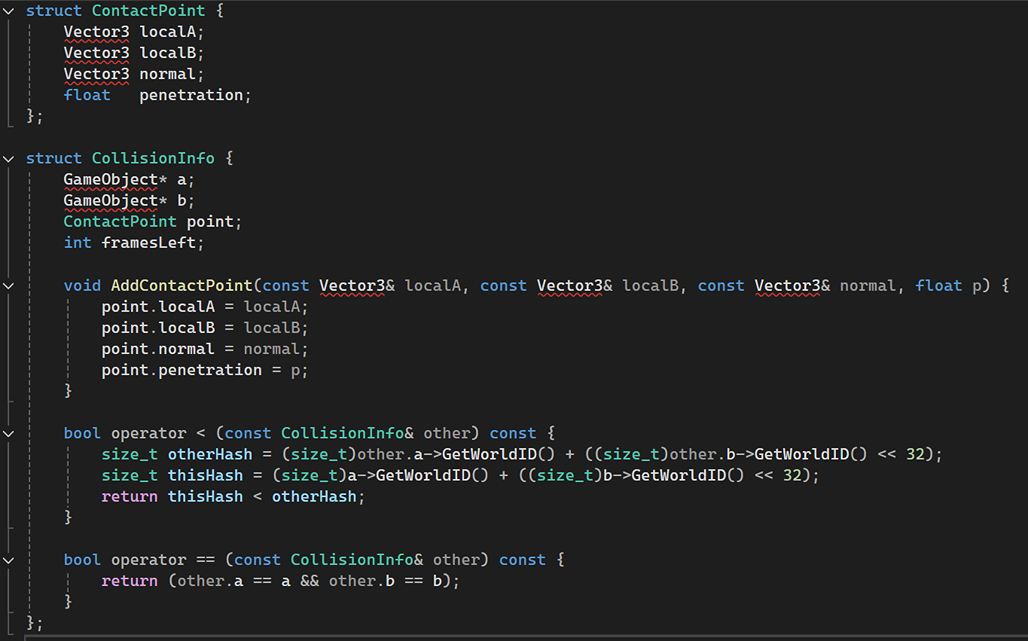
Basic Collision Detection:
Object Intersection:
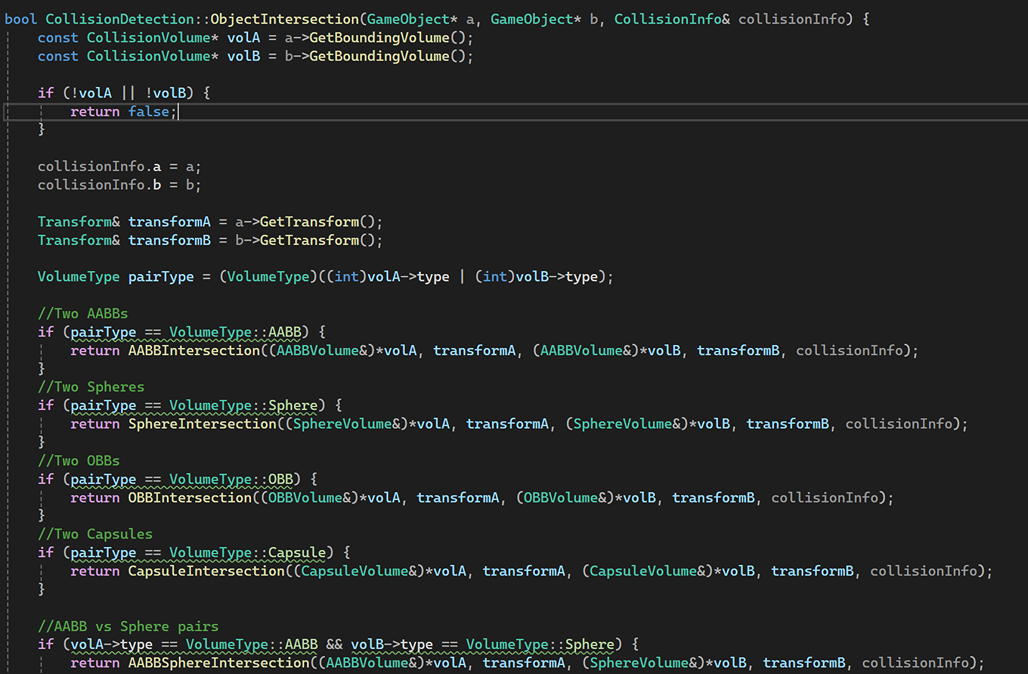
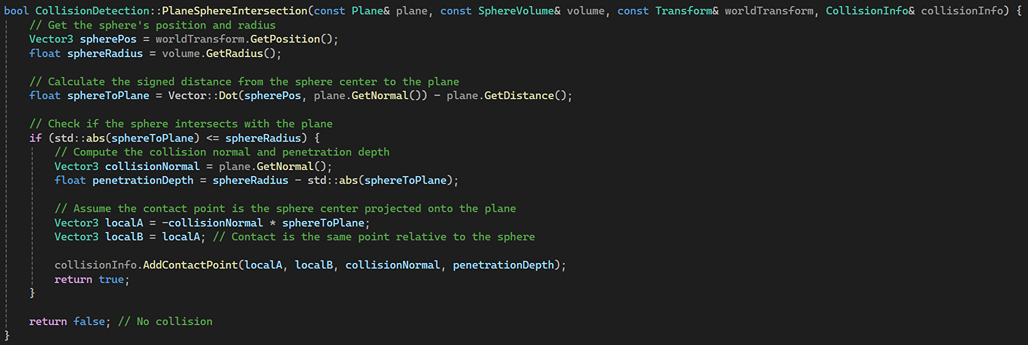
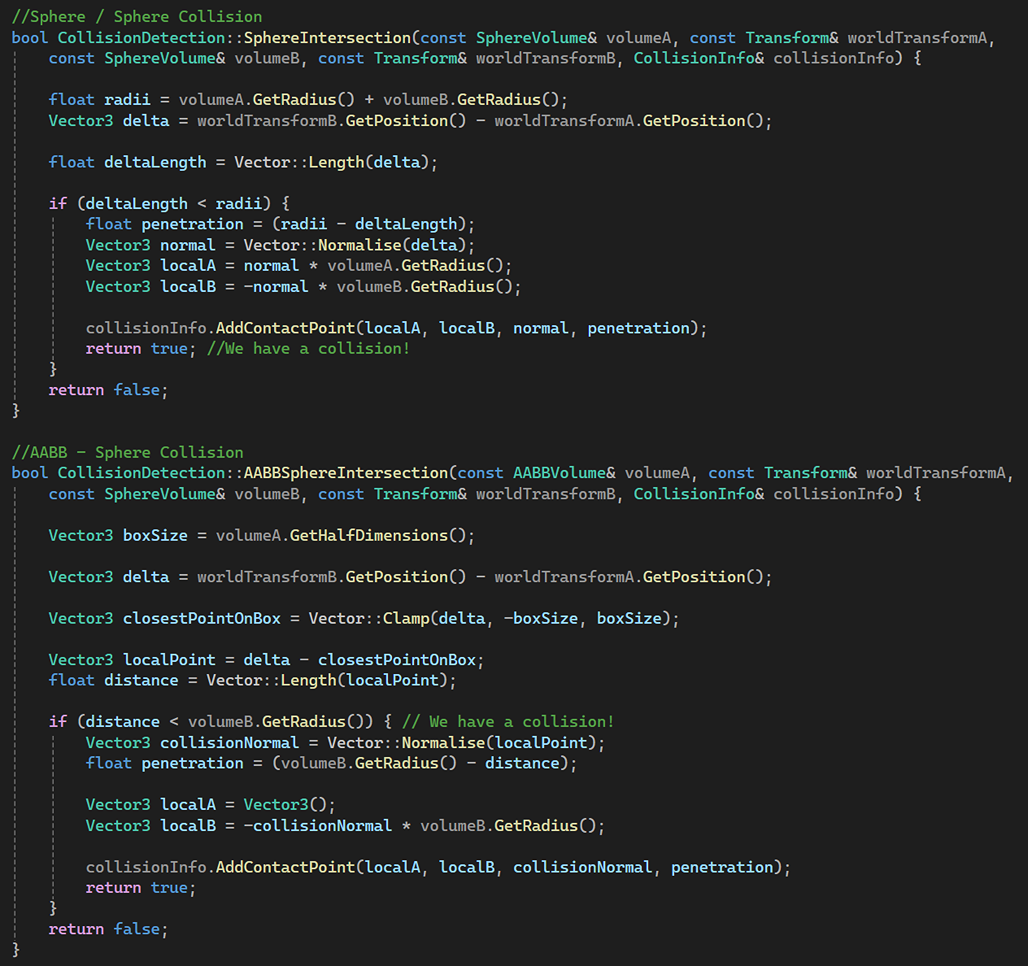
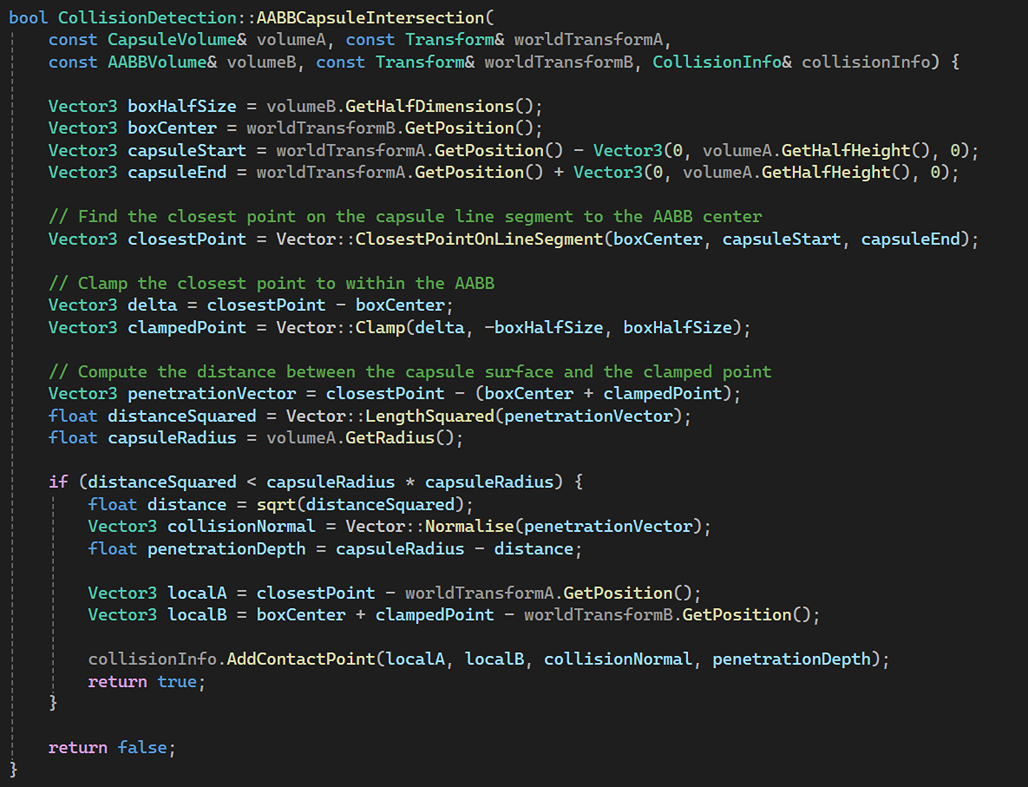
Some Examples of Object Intersection:
Collision Response
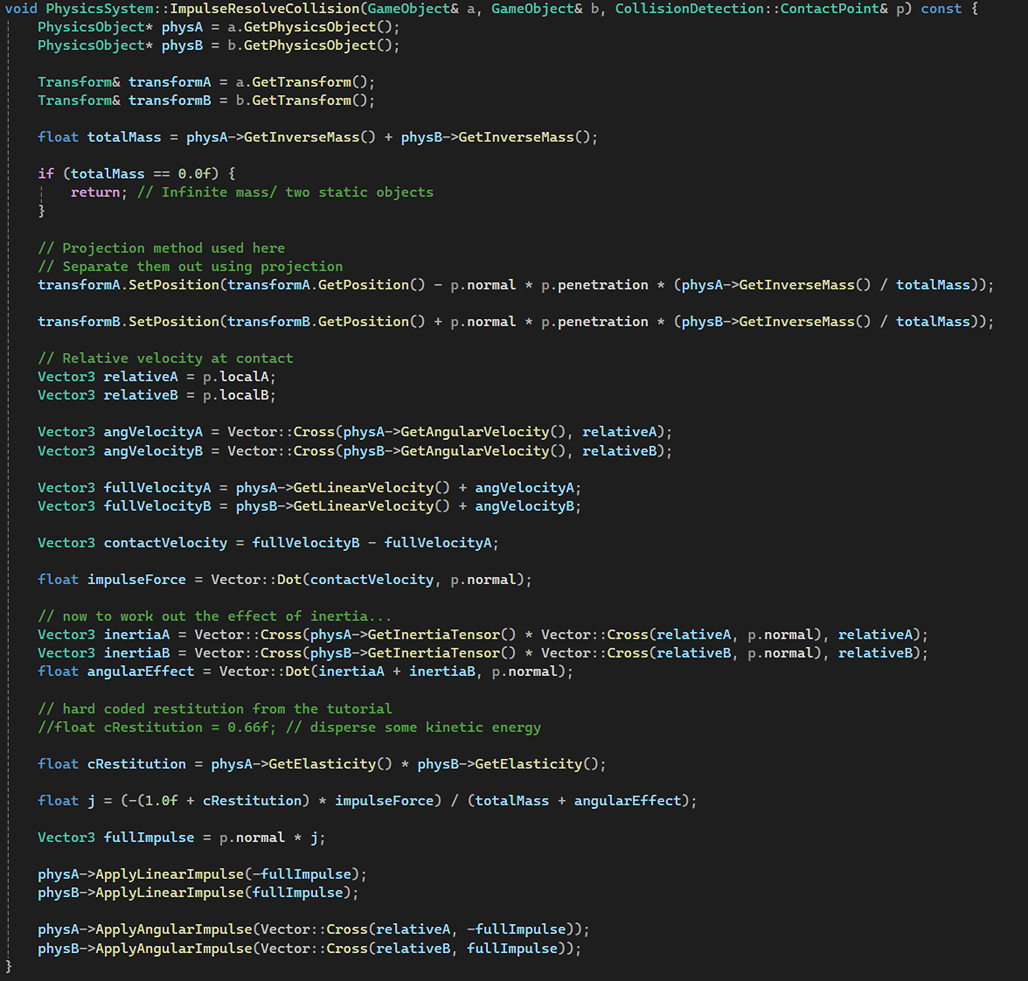
Combination of Basic and Impulse Collision Resolve:
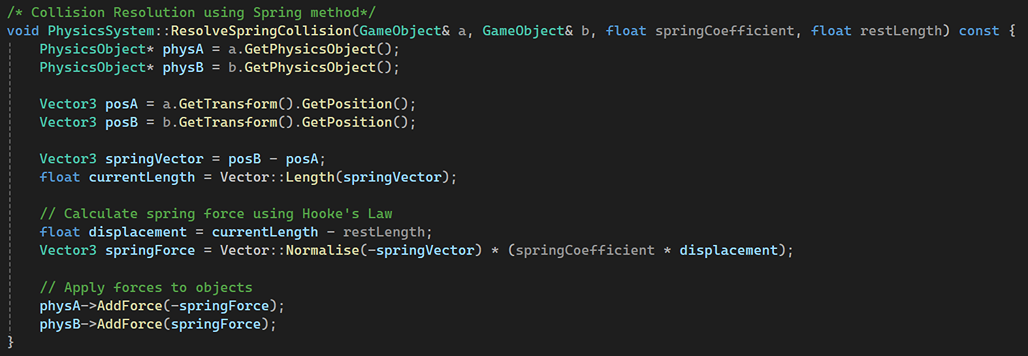
Resolve Spring Collision:
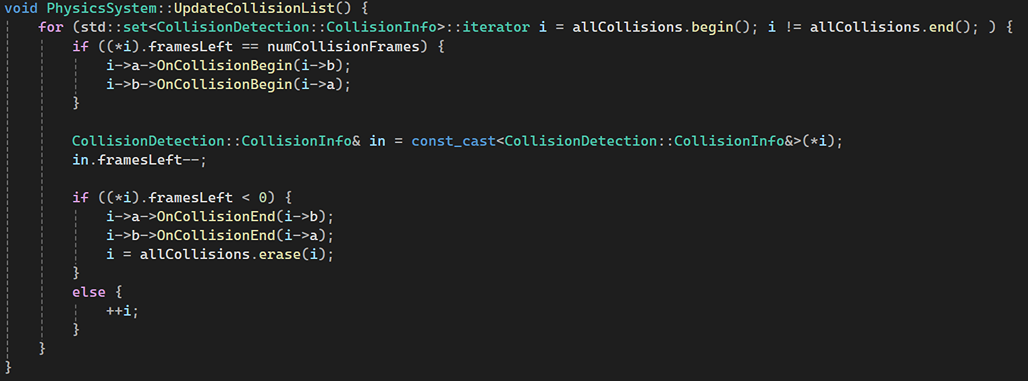
Update Collision List:
Constraints and Solvers
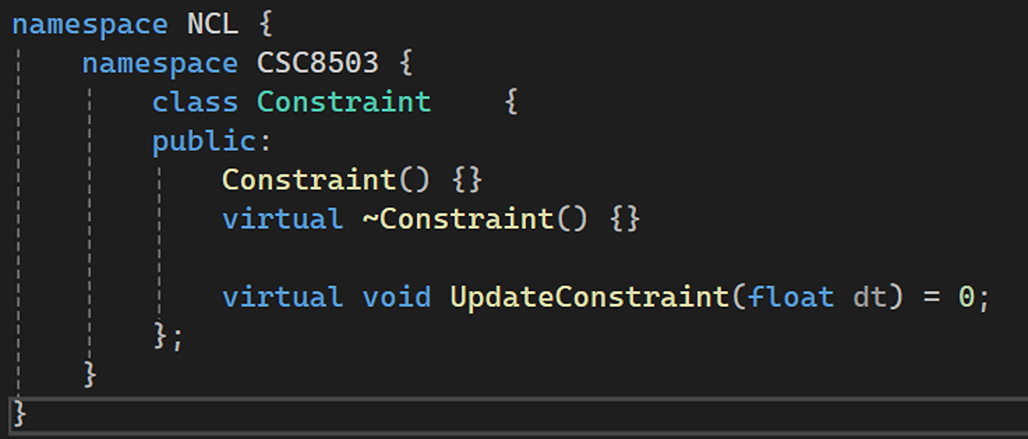
Defining Constraint:
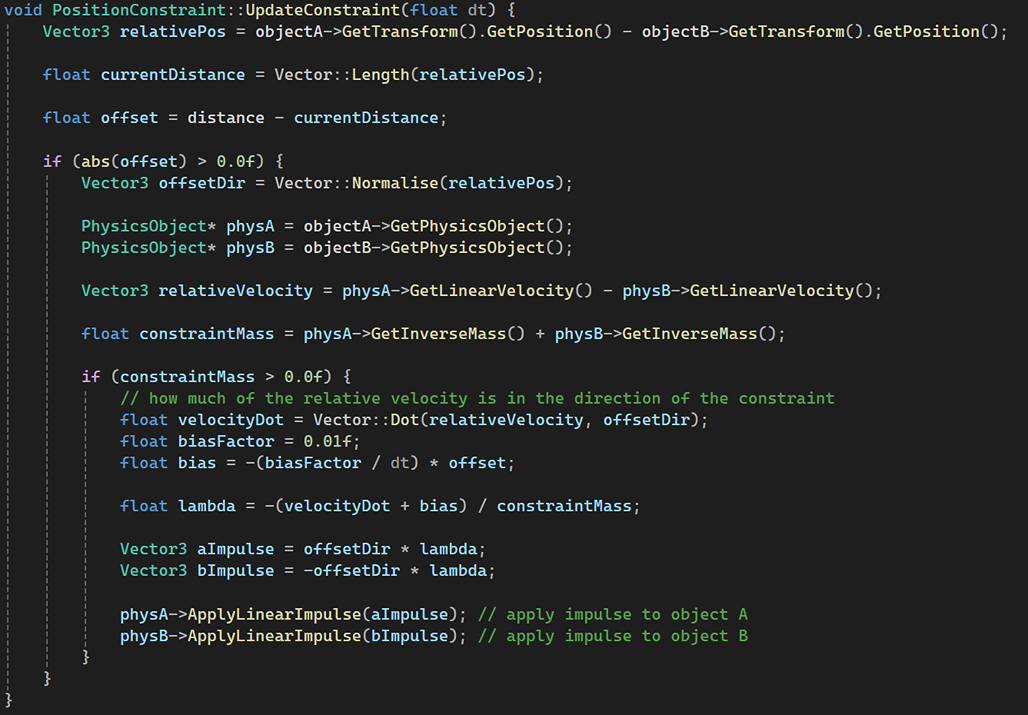
Position Bridge Constraint:
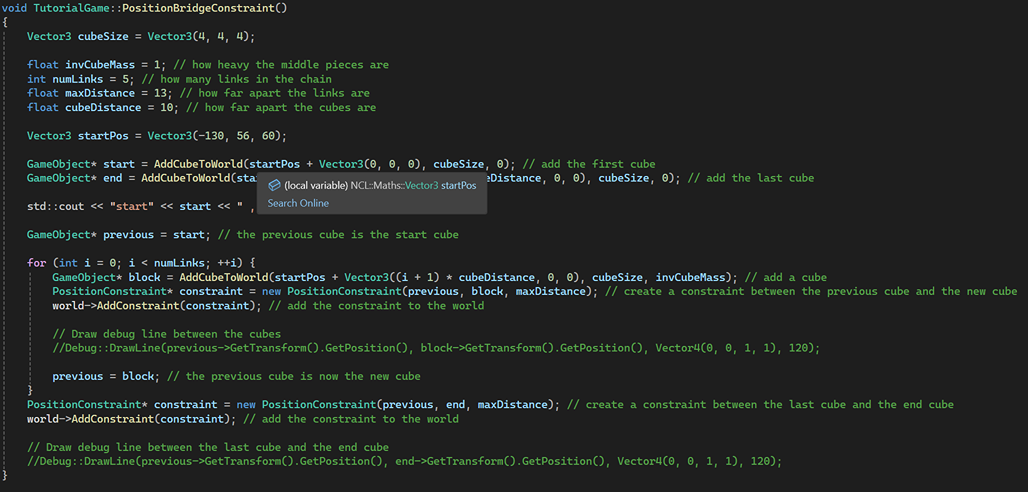
Using Position Bridge Constraint to create a rope bridge:
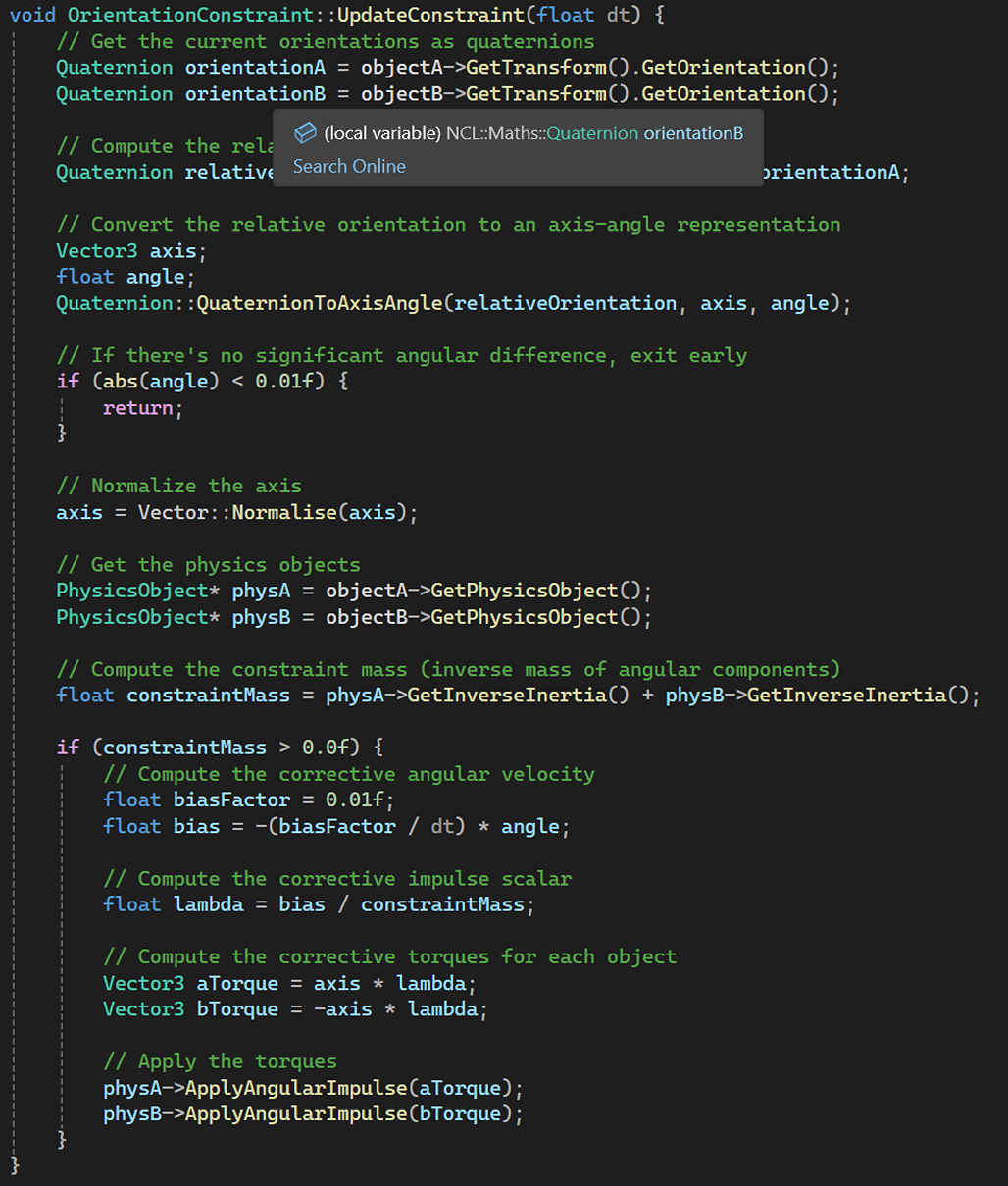
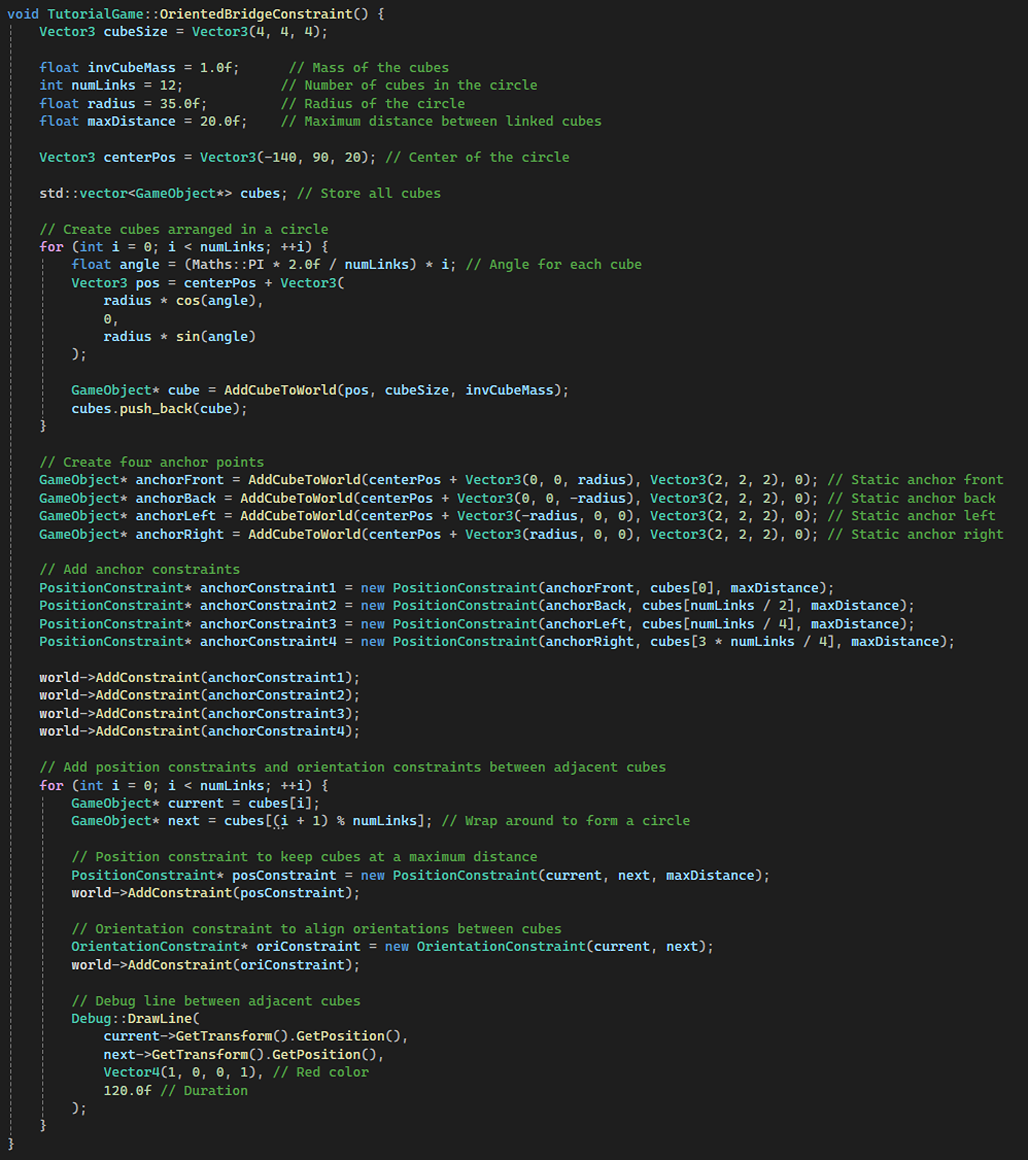
Orientation Bridge Constraint:
Using Orientation Bridge Constraint:
Spatial Acceleration Structures
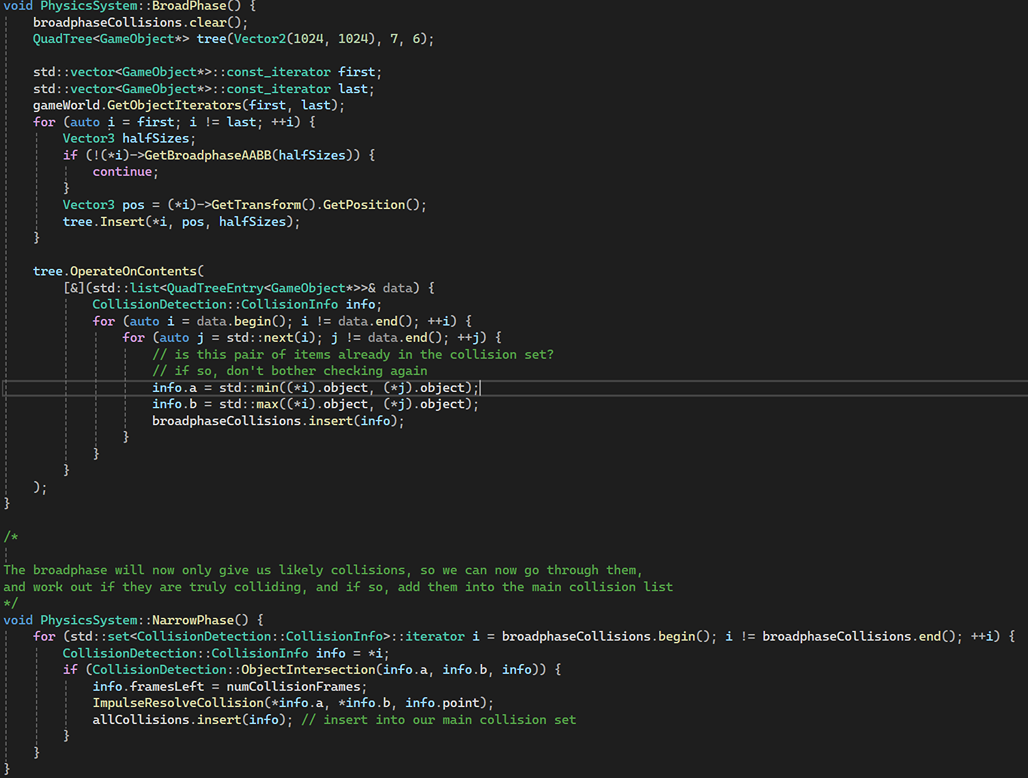
Broadphase and Narrowphase Collision Detection:
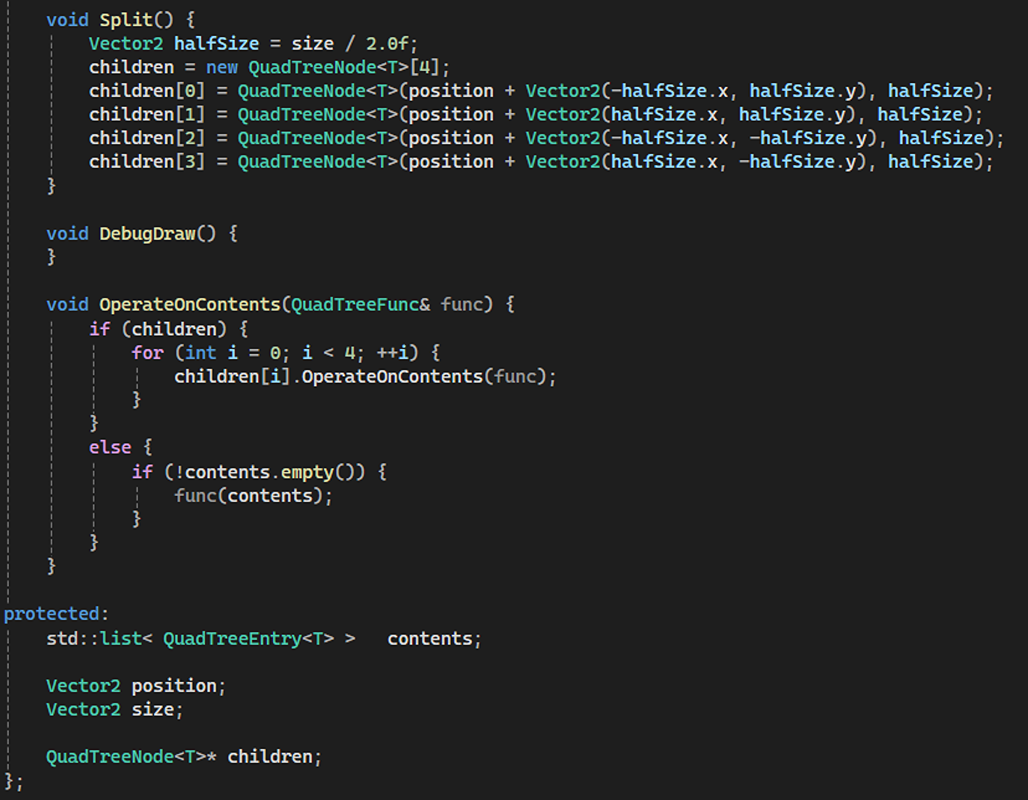
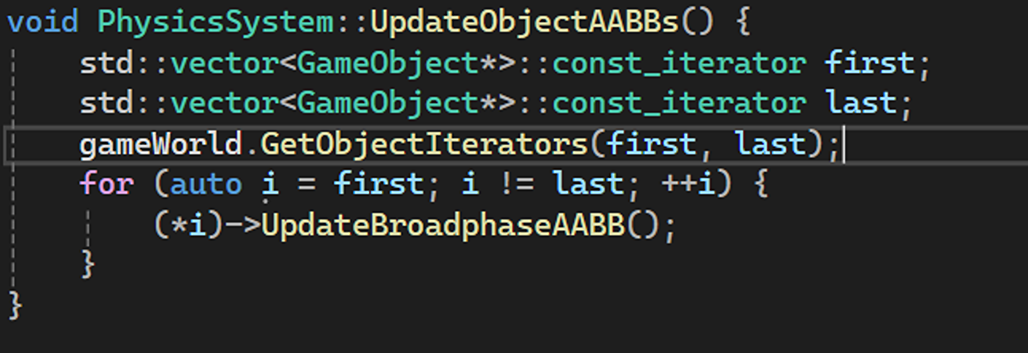
The way I implemented broadphase collision detection is by using a QuadTree to filter out unlikely collision pairs based on their axis-aligned bounding boxes (AABBs), while the way I implemented narrowphase collision detection is by performing precise collision checks on the filtered pairs from the broadphase, verifying actual intersections before resolving and recording the collision.
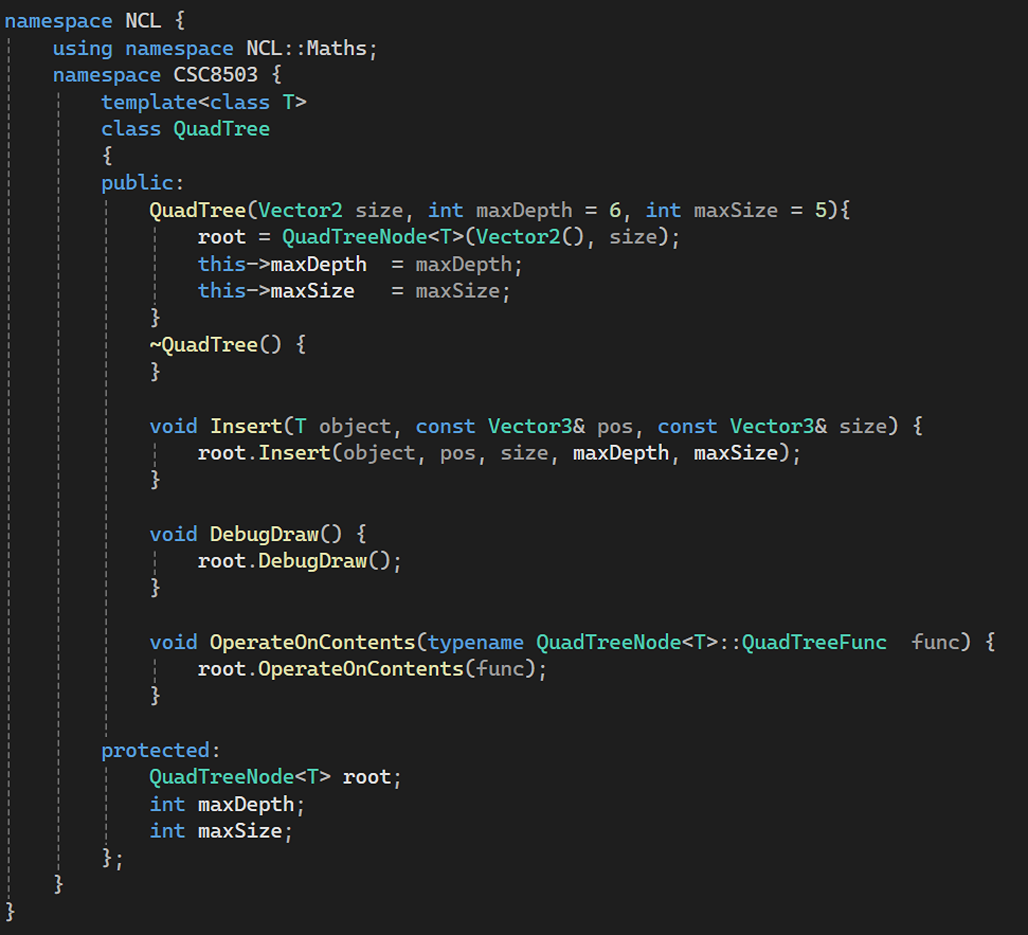
Creating the QuadTree:
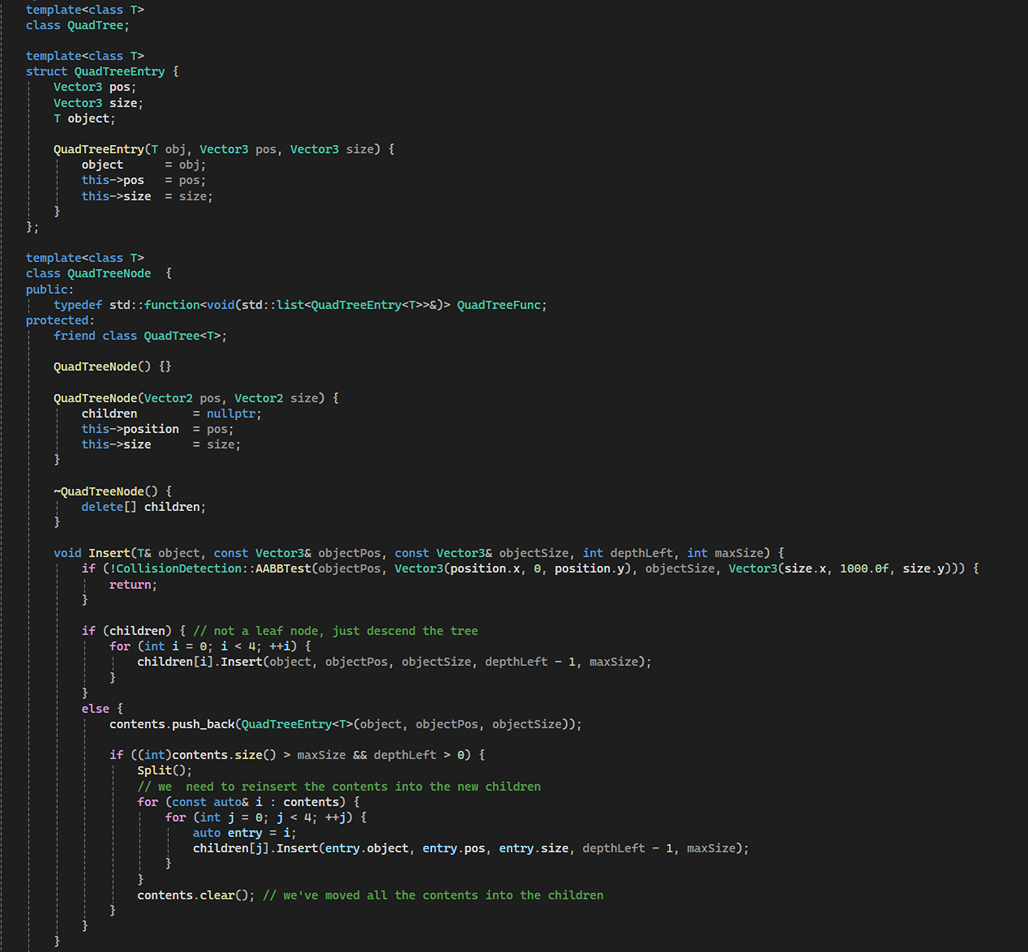
Updating the AABBs:
State Machine
Creating the State Machine:
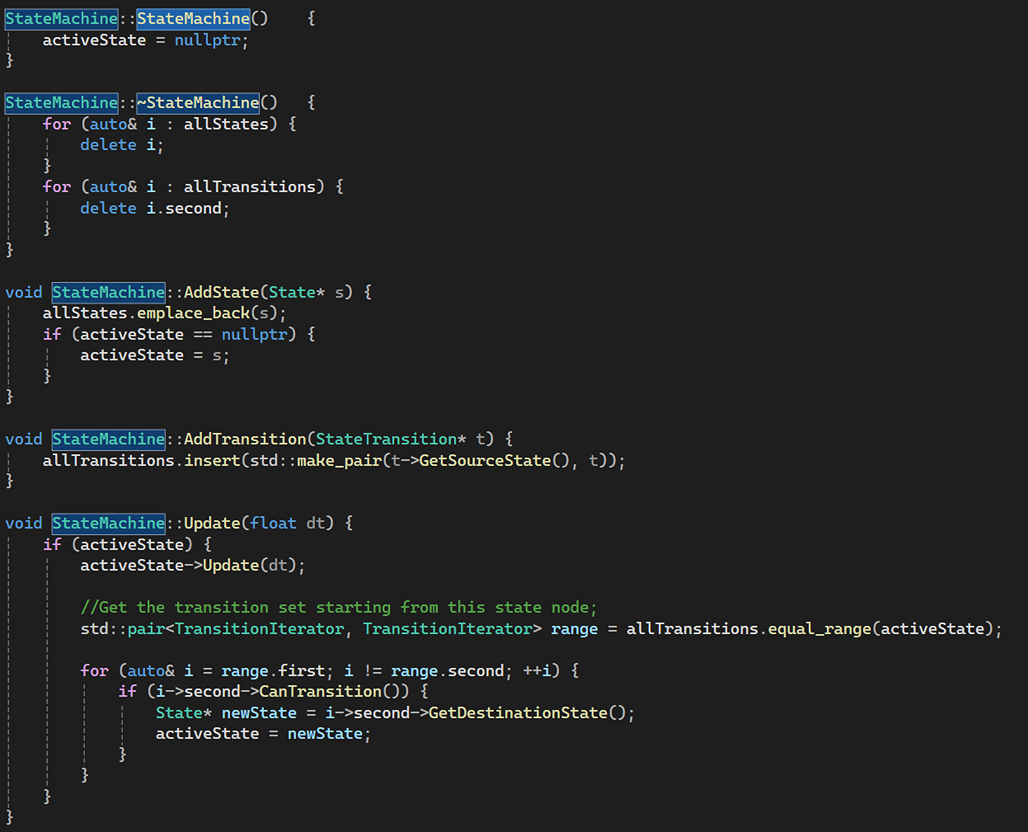
I have used the state machine for two things in the game. One to move the Goose in a particular path and the other to make the Kitten follow the player.
State Machine Implementation for the Goose:
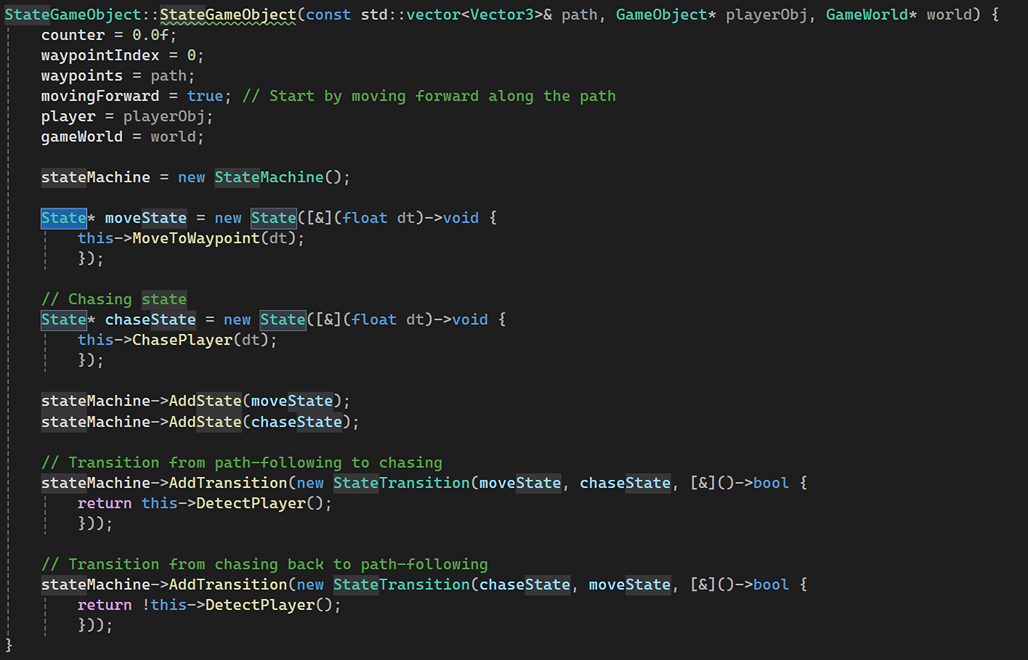
Loop the Goose in the Path Provided:
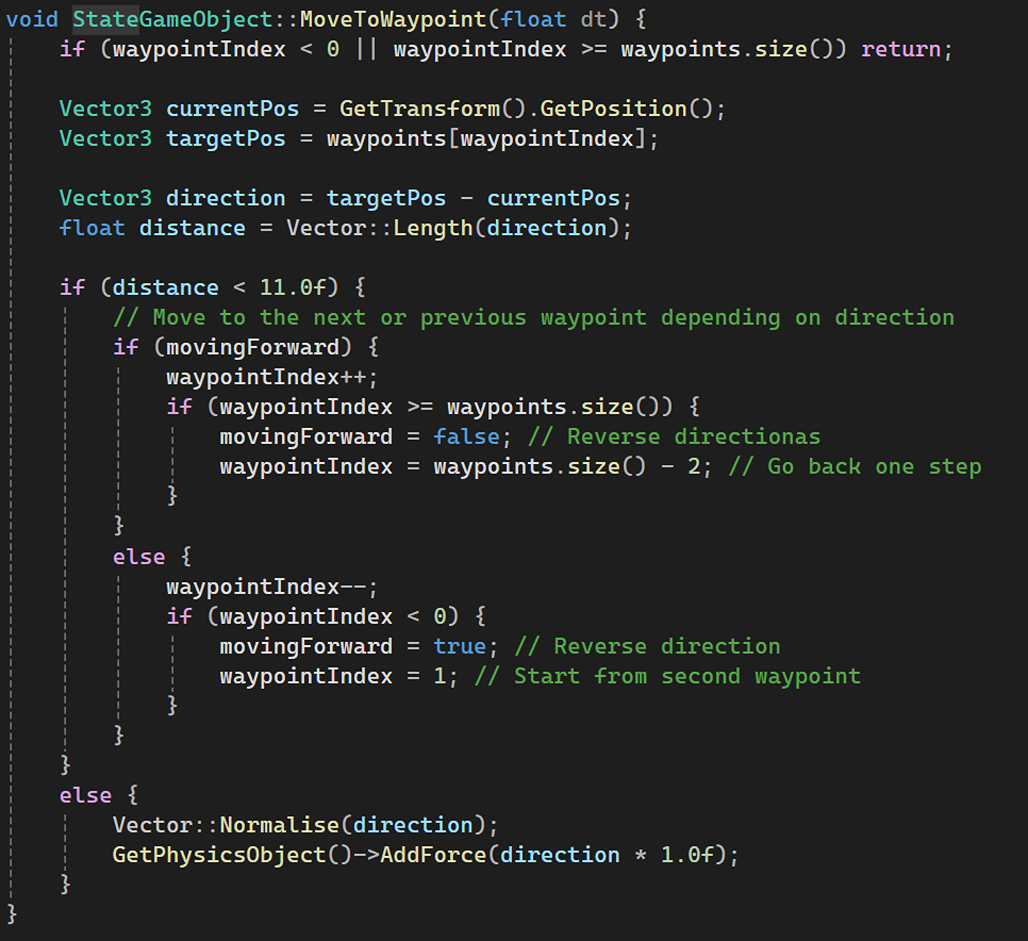
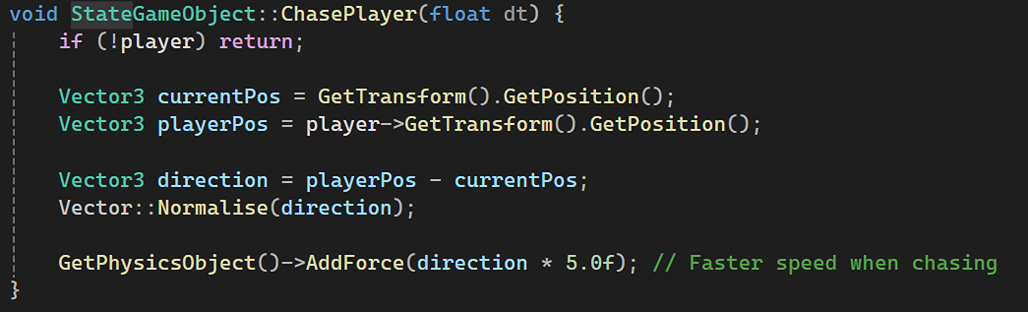
Chase Player:
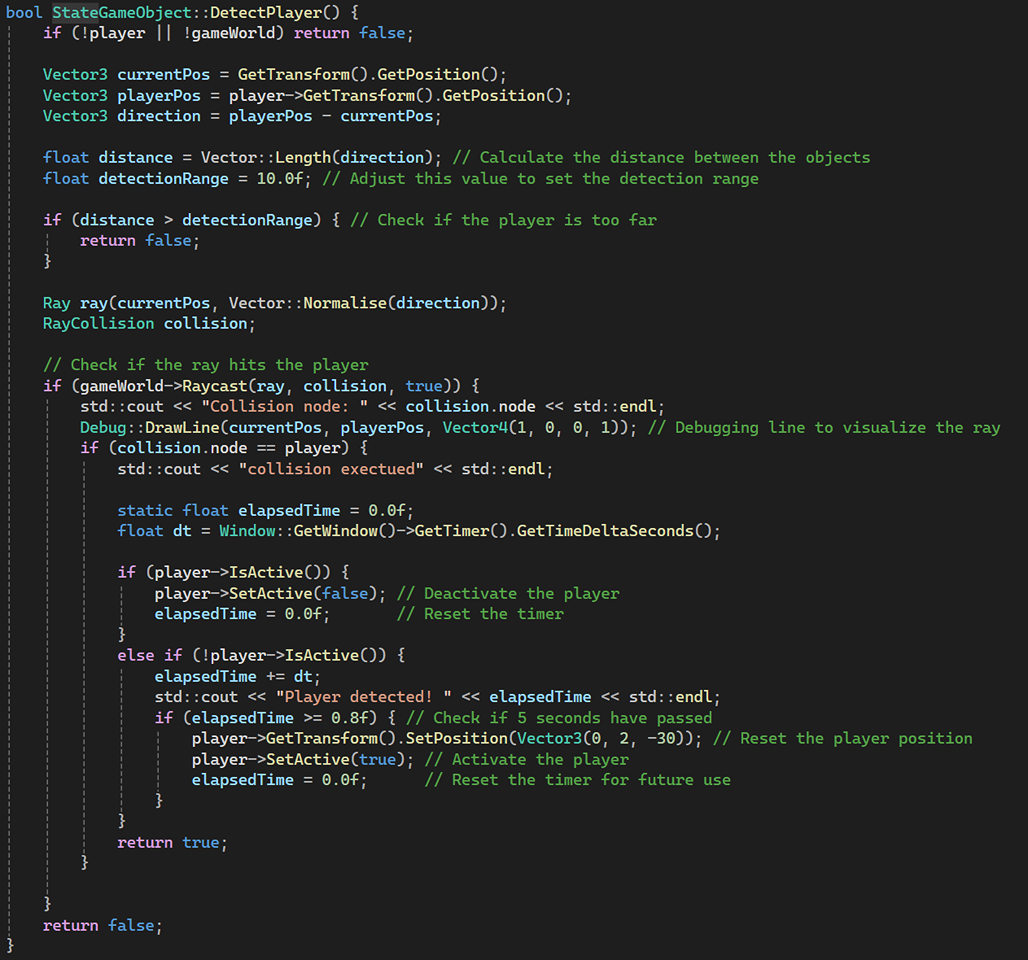
Detect Player:
State Machine Implementation for the Kitten:
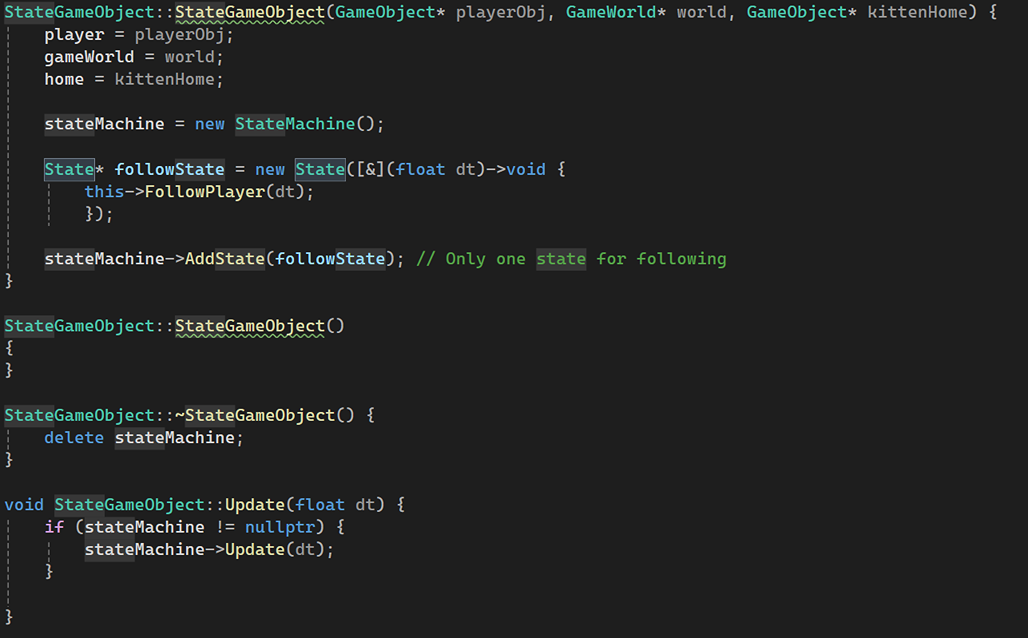
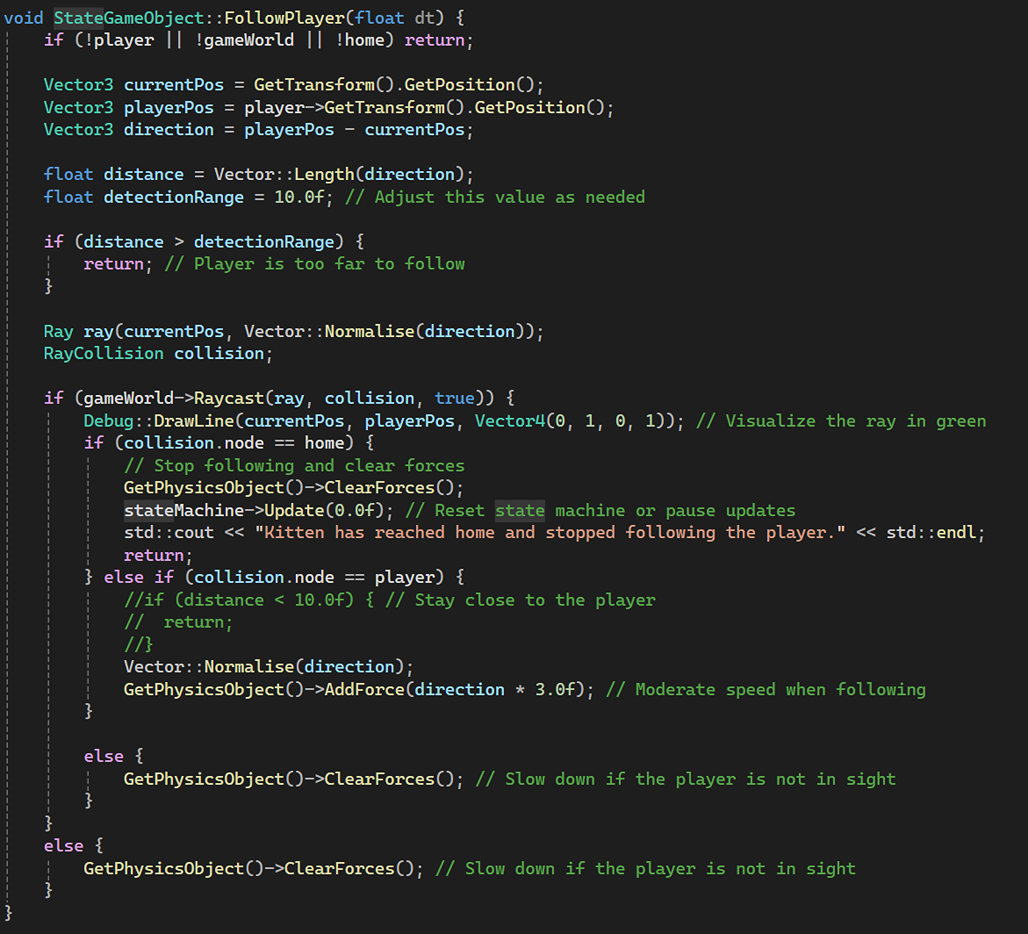
Make the Kitten Follow the Player:
Simple Pathfinding
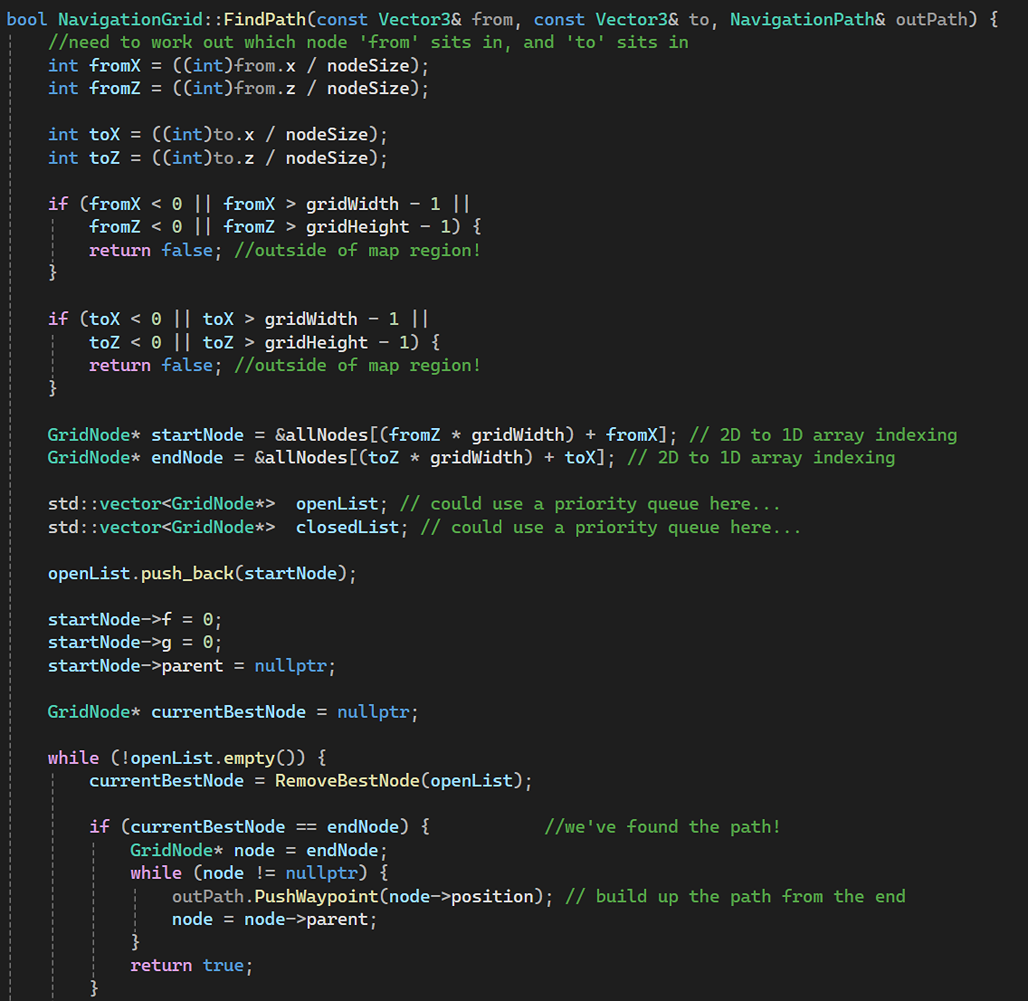
Finding the path:

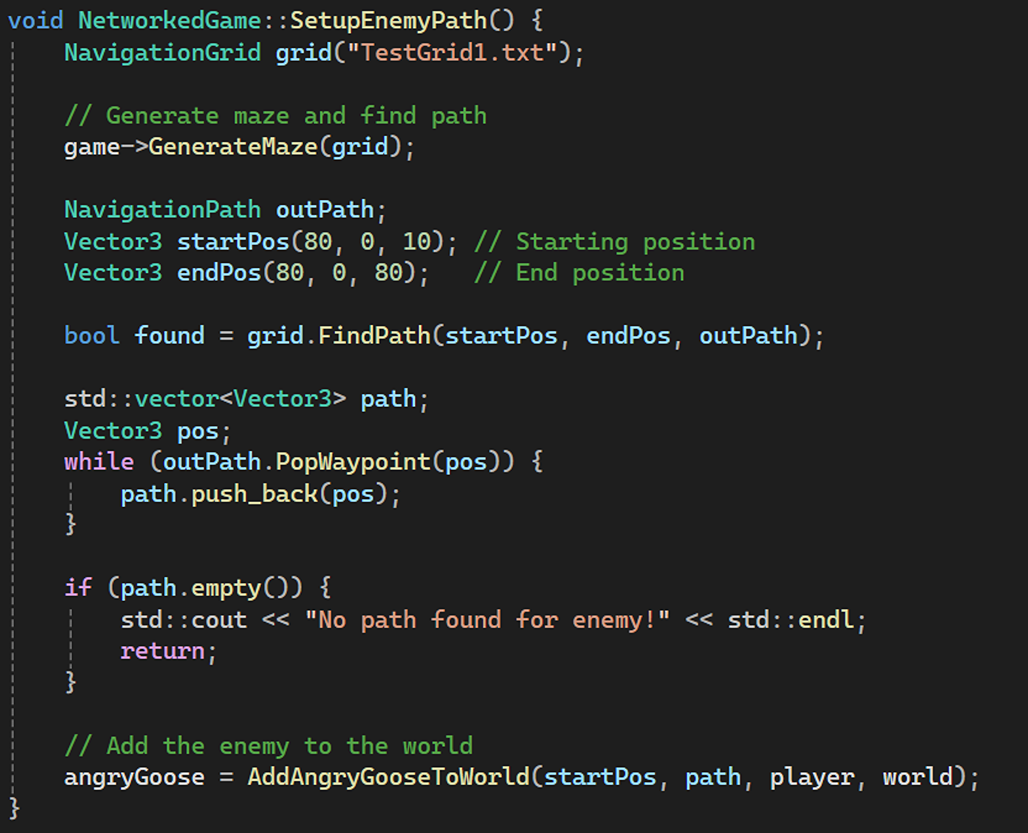
Pathfinding Implementation:
Behaviour Trees
I didn’t use the Behaviour Trees in this project but I did implement the functionality for it.
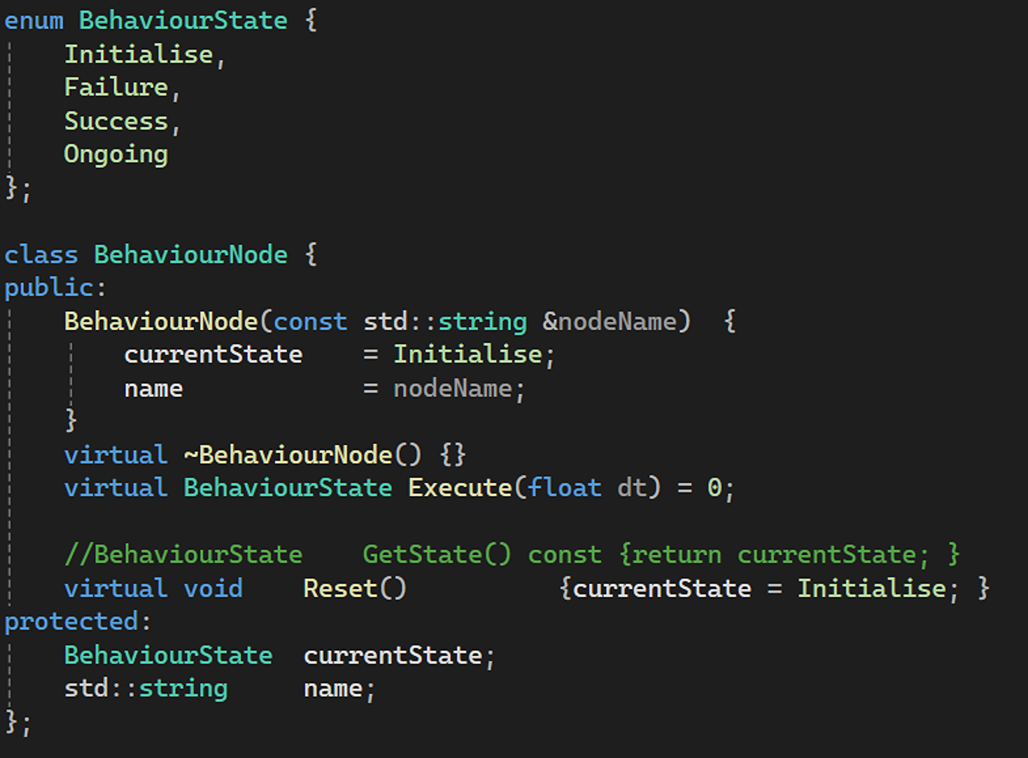
Firstly, I set up Behaviour State and Behaviour Node.
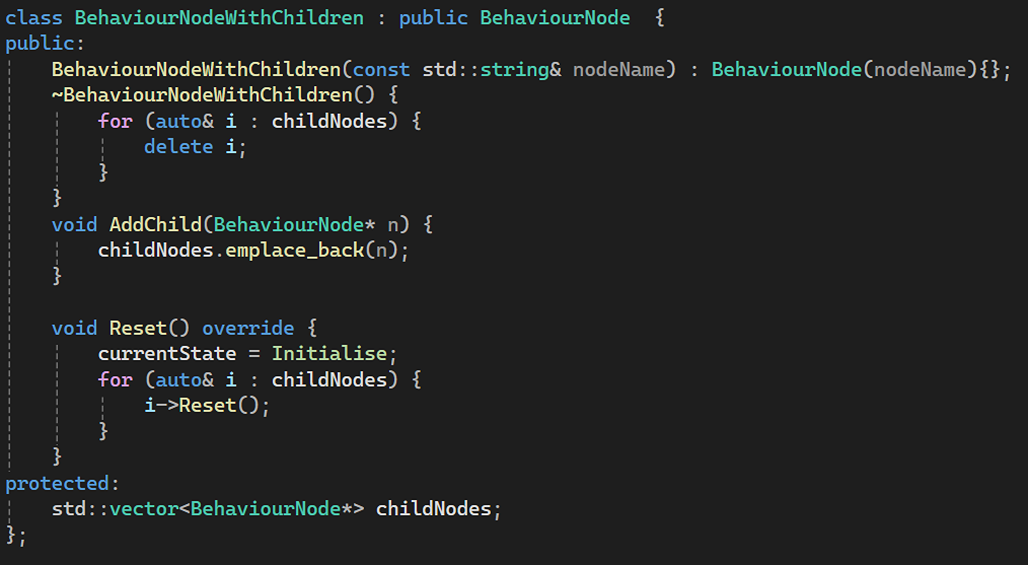
Then, I set up Behaviour Node with Children:
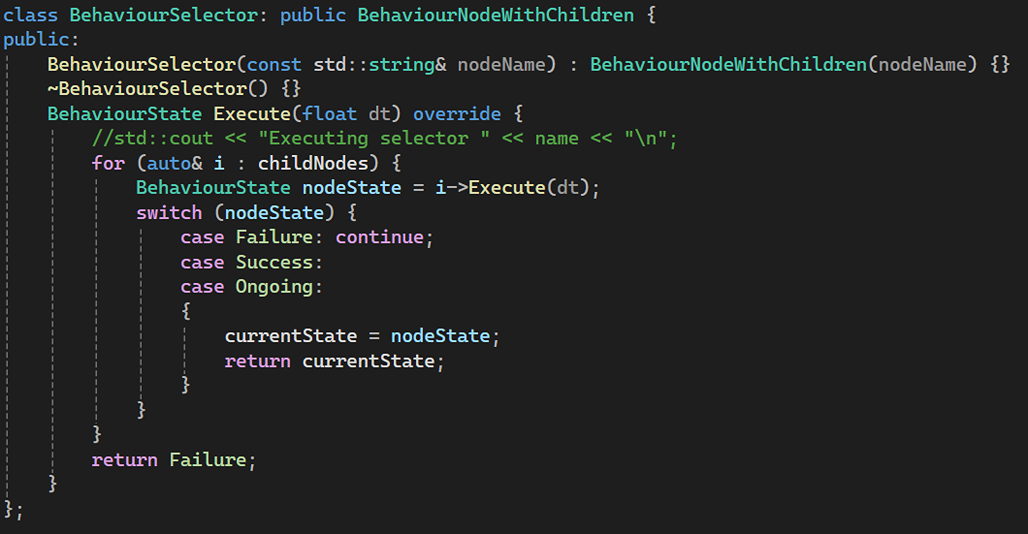
Next, I set up the Behaviour Selector:
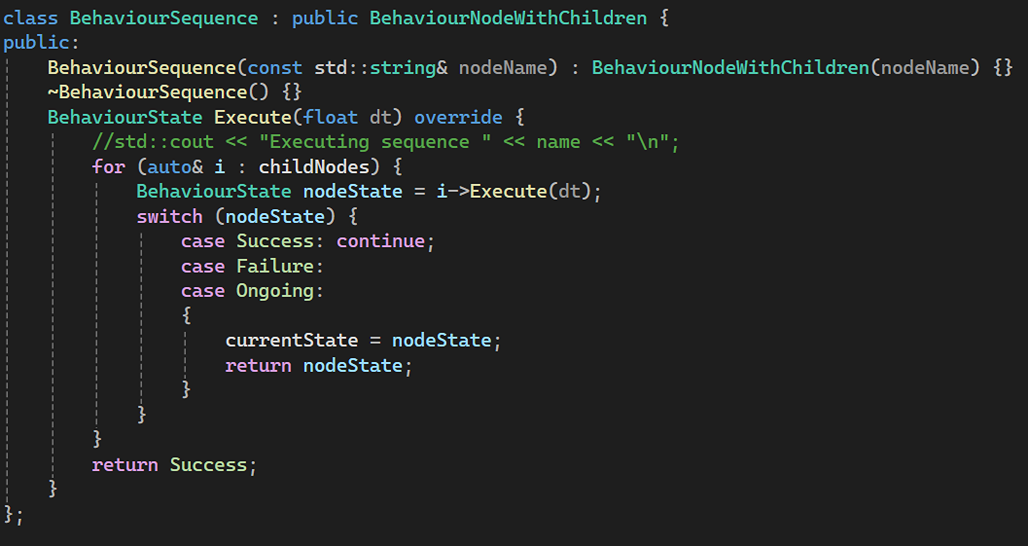
Next, I set up the Behaviour Sequence:
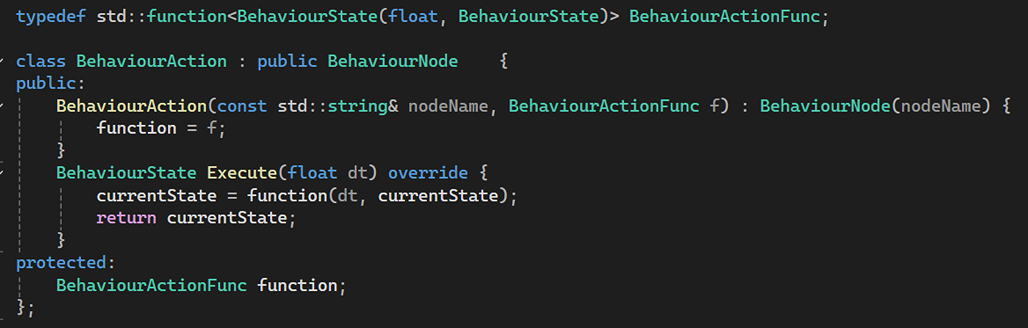
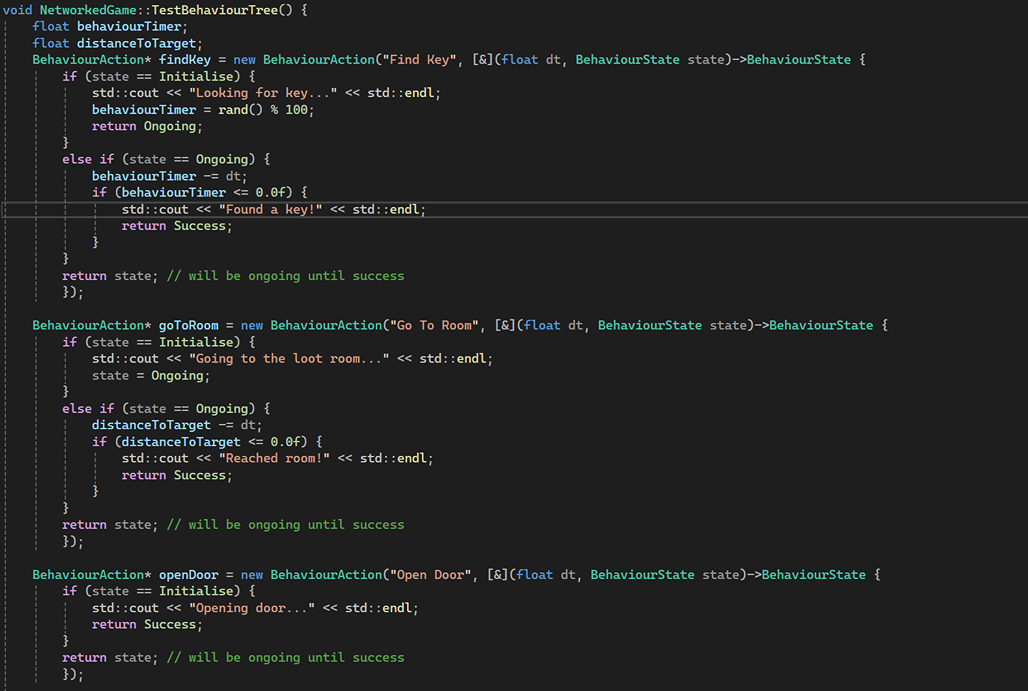
Next, I set up the Behaviour Action:
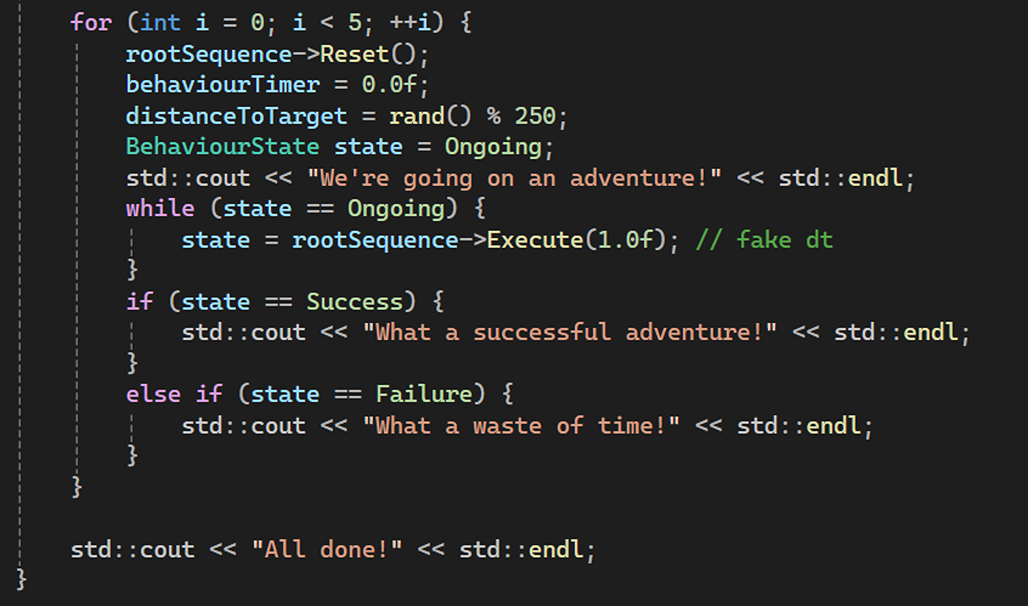
Testing the Behaviour Tree:

Pushdown Automata
Similarly to the Behaviour Tree I didn’t use it in my project, but I did implement the functionality for it. This is just included to demonstrate my understanding of the concept.
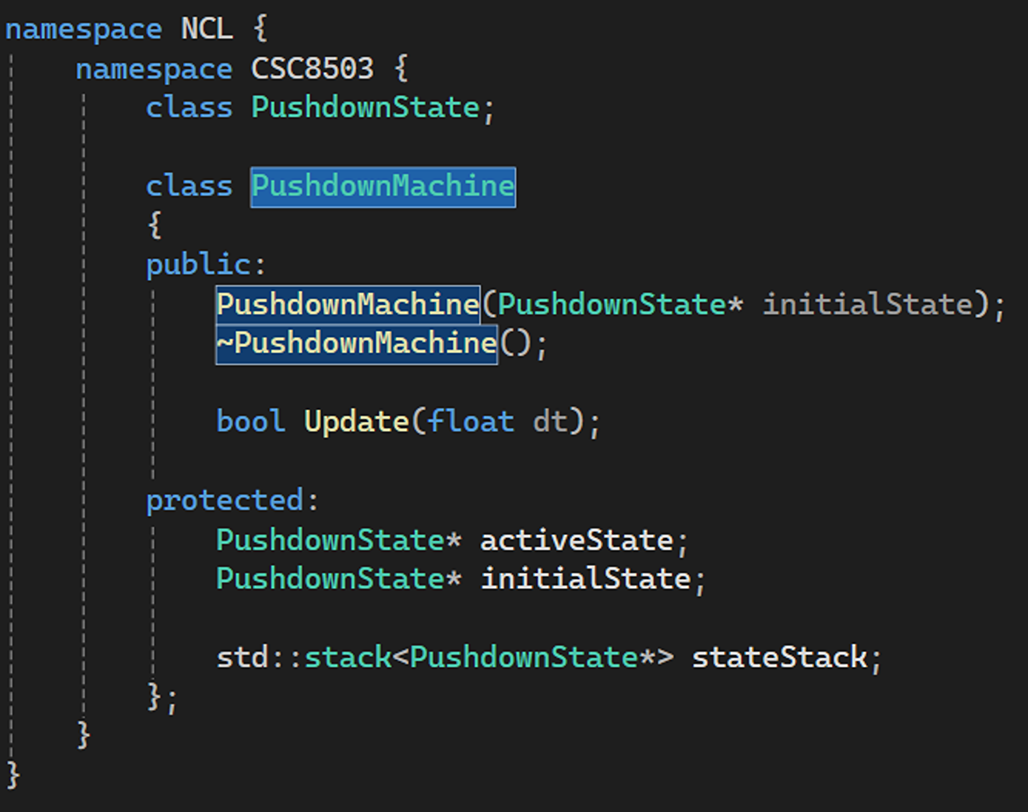
Firstly, I created a Pushdown Machine to manage the Pushdown States:
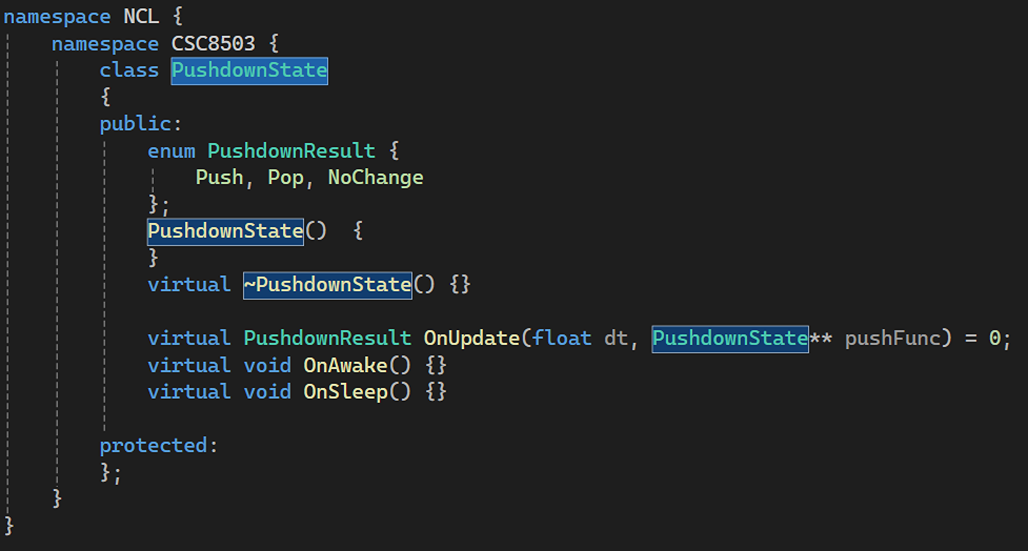
Then, I created the Pushdown State class, so I can use it to create the different states that I want to manage using the Pushdown Machine.
Next, I created two states, first was the IntroScreen State and GameScreen that obviously inherited from the Pushdown State.
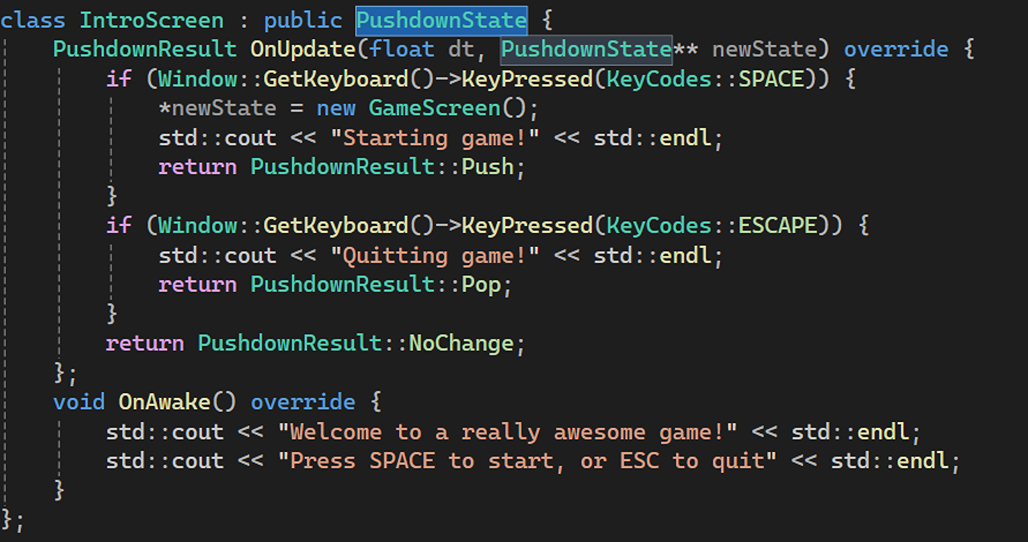
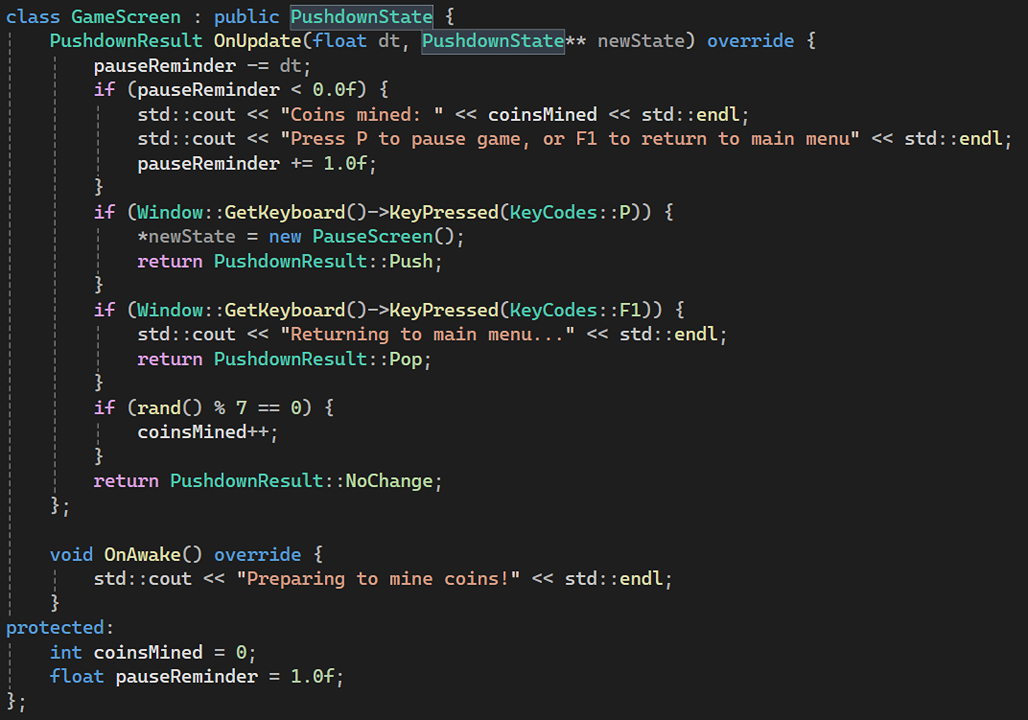
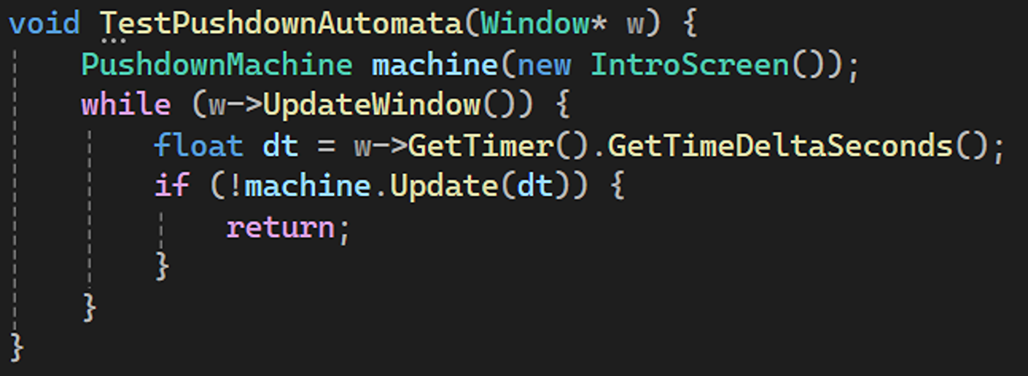
Finally, I added the IntroScreen to the Pushdown Machine.
Networking Protocols
Firstly, I defined different types of packets I wanted to transfer between the server and the clients as a struct.
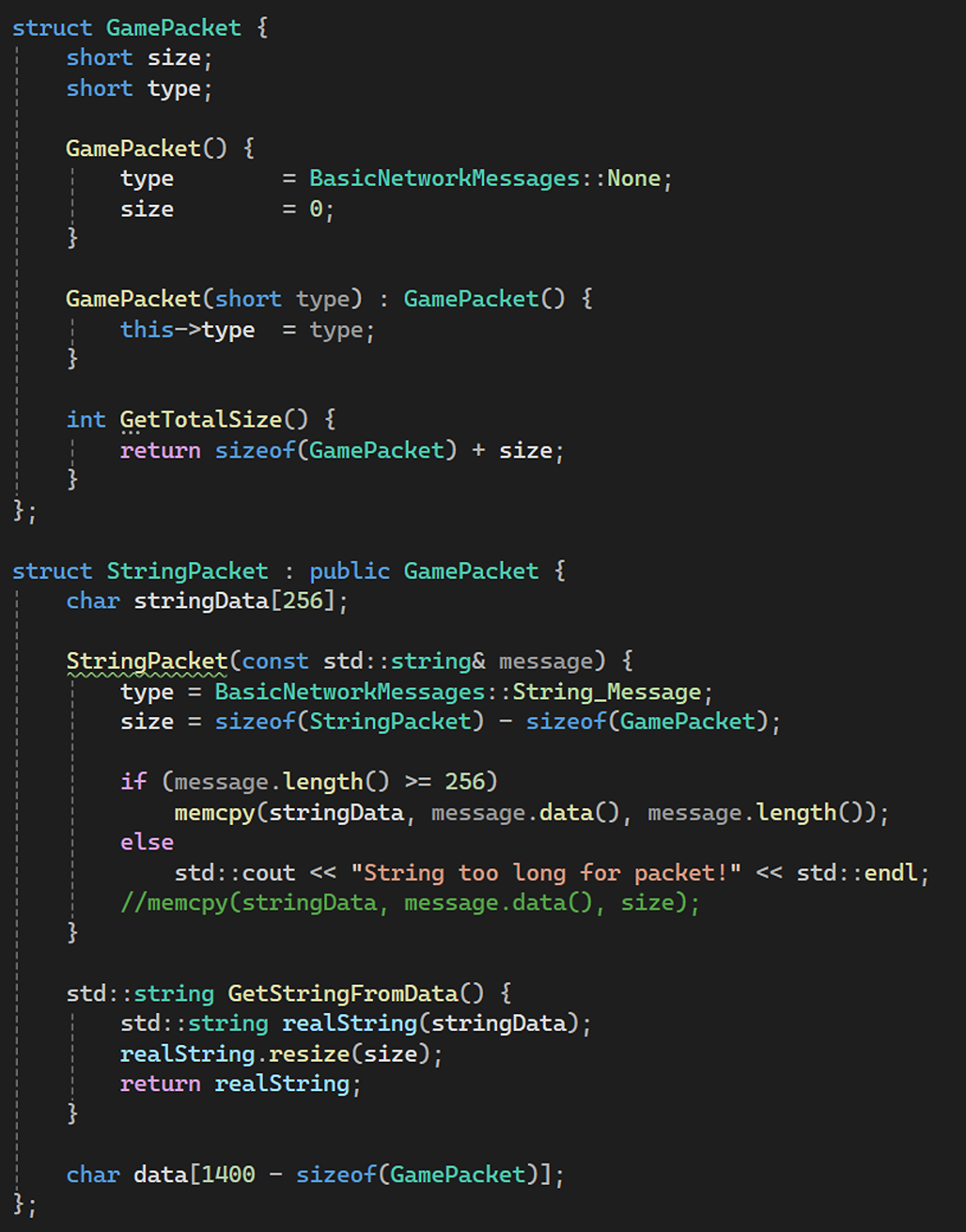
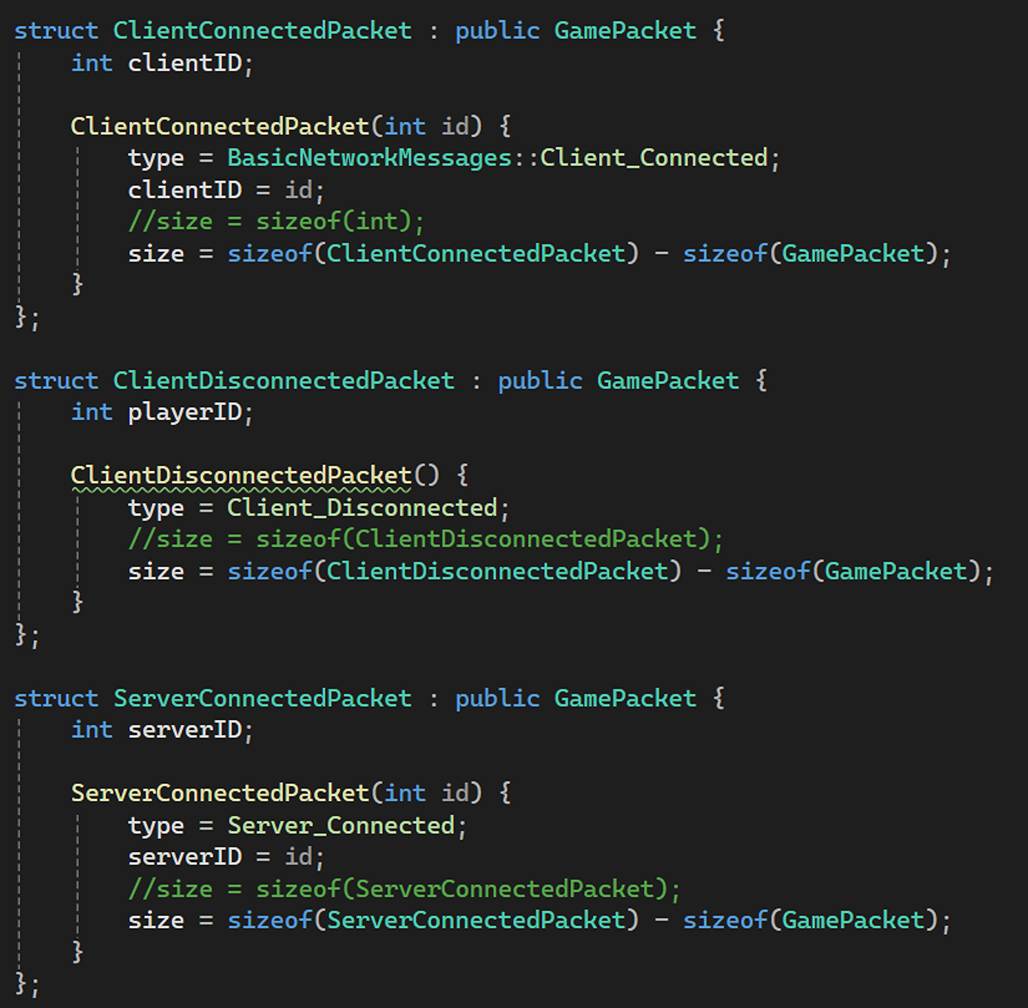
This packets will be received by both the server and the clients, but that’s not enough. I needed to redirect this packets to the part of the code that needs them, so the game changes that happened on client is updated on the server and vice-versa.
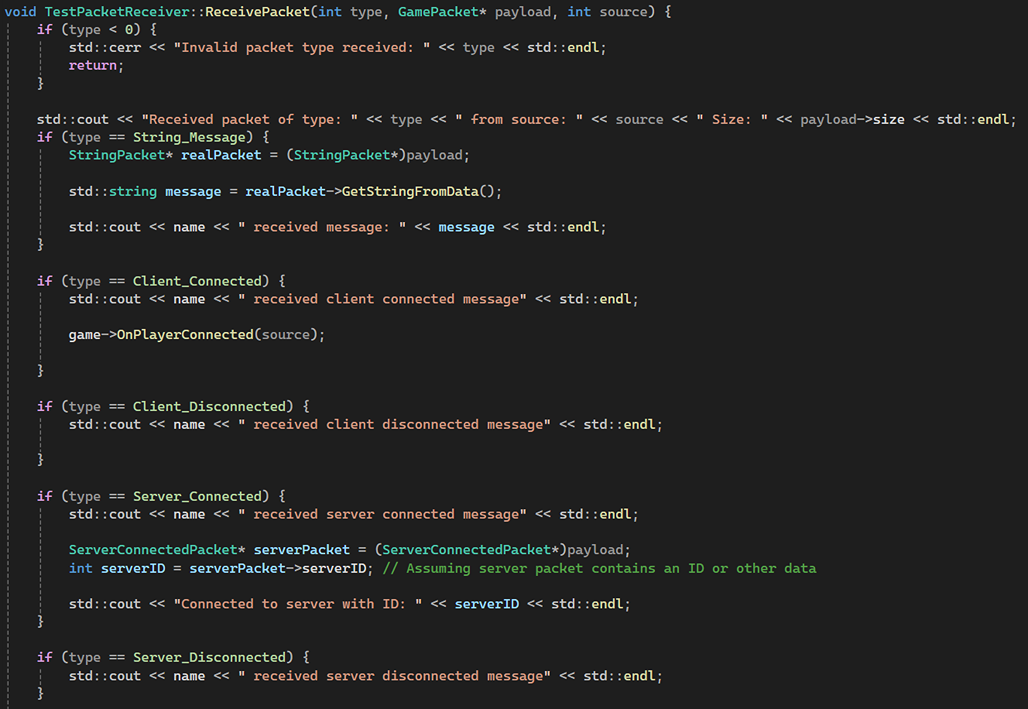
To do this, I just created a class called PacketReceiver with a virtual method ReceivePacket.

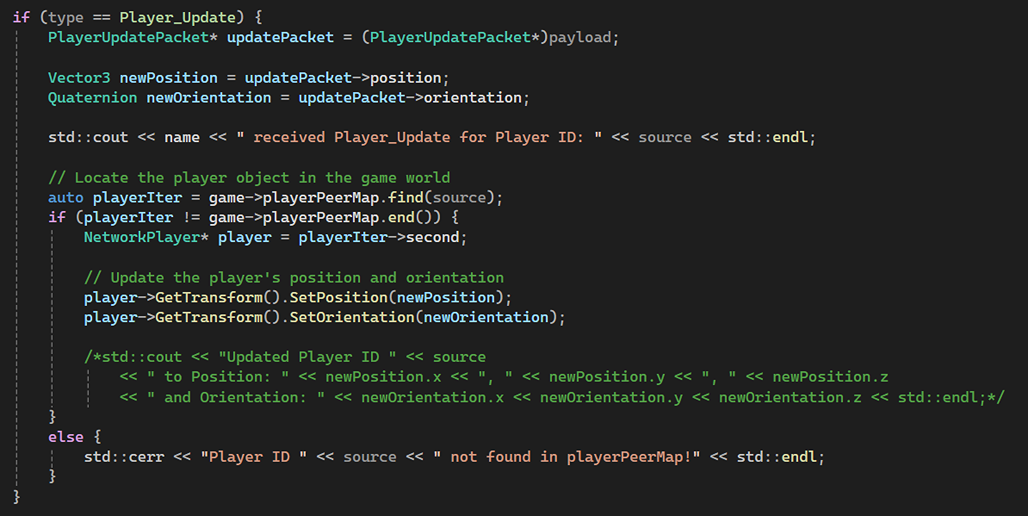
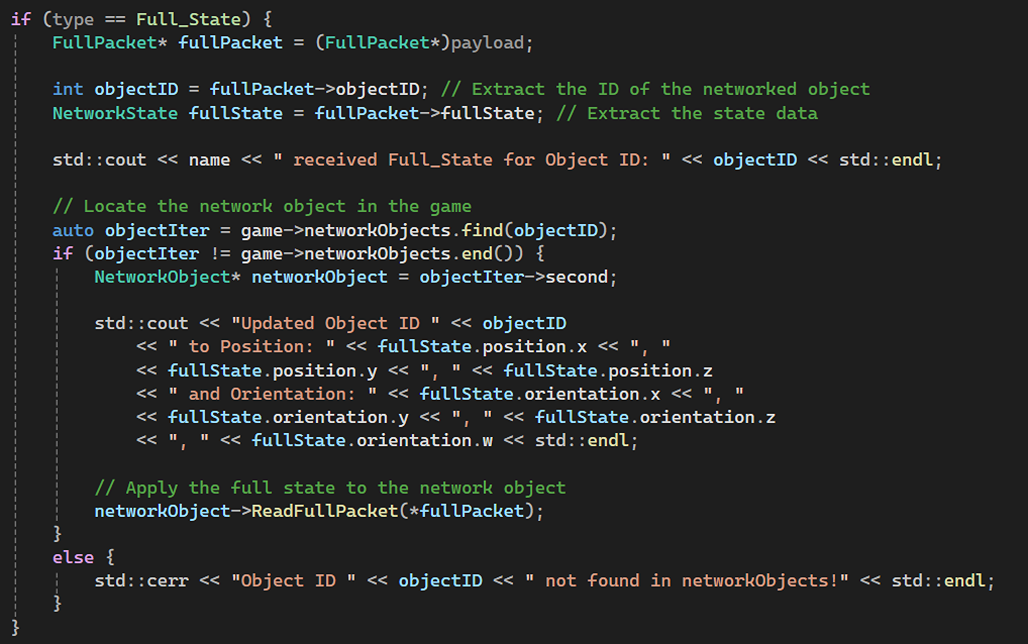
The ReceivePacket method is overriden to process the packets, as you can see below:
Since, I am used Enet library for this project, I initialized it here in the NetworkBase class.
This class is also used for routing the packets from the network ports they are received on to the PacketReceiver that will look after those packets and send them to the part of the code that requires them.
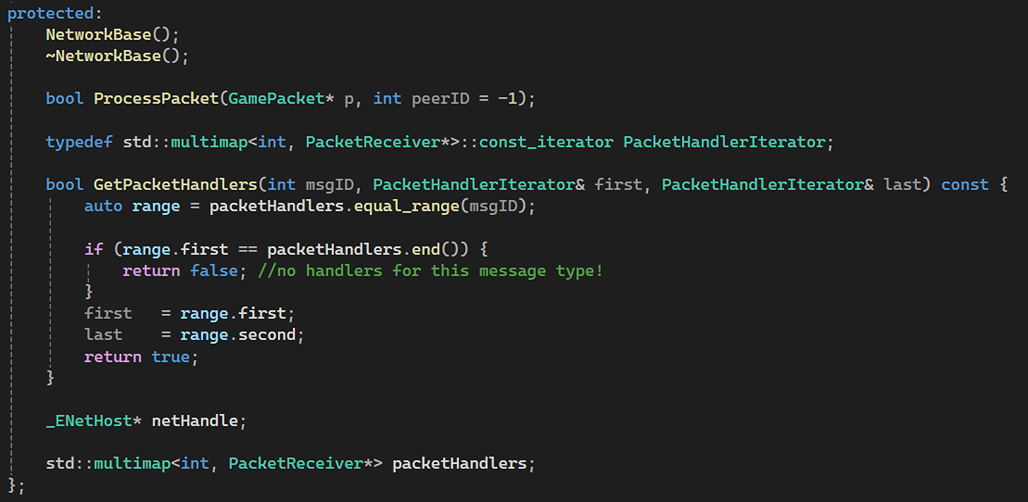
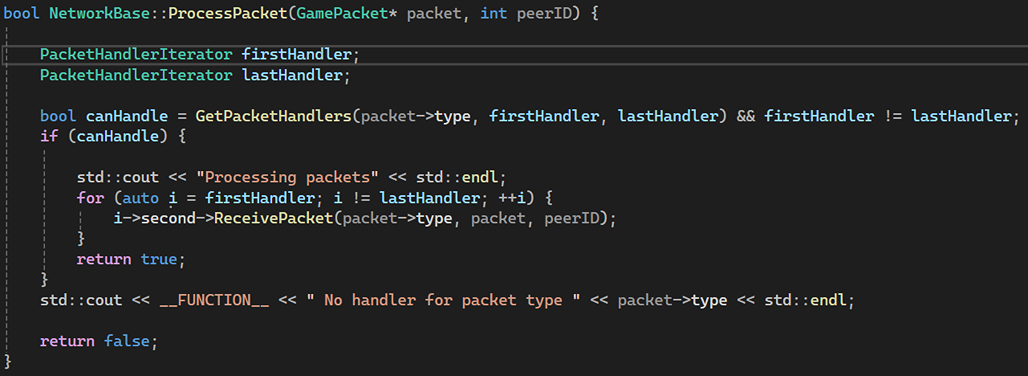
Finally, I also needed to process these packets, that means sending these to the registered PackerReceivers for a particular packet type.
I defined a multimap in the NetworkBase class which I will use to get two iterators to iterator over all the registered PacketReceivers.
After creating all the core structure for the networking, I created the two endpoints: GameClient and GameServer between which those packets will be shared.
GameClient is easier to create out of the two endpoints, as its traffic can only go to or come from a single place that is:
THE SERVER IT IS CONNECTED TO.
There’s only three methods here:
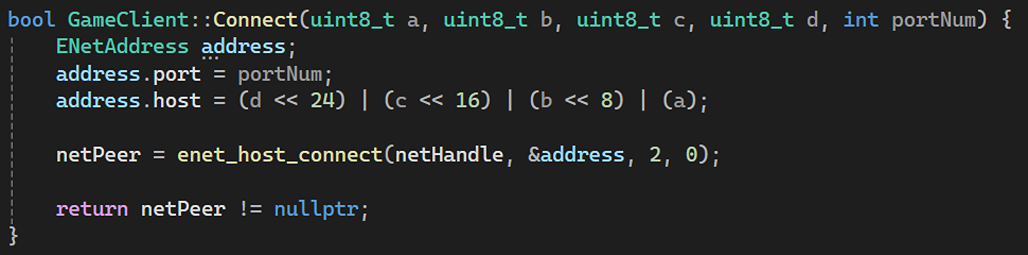
- Connect method:
Just taken in 4 integers for IP address and a port number to route packets to the right end point.
This port number helps to UNIQUELY IDENTIFY our games’s network traffic.
2. SendPacket method:
This one was quite easy. I just took the reference of the GamePacket and transmit it to the server using the enet_peer_send method.

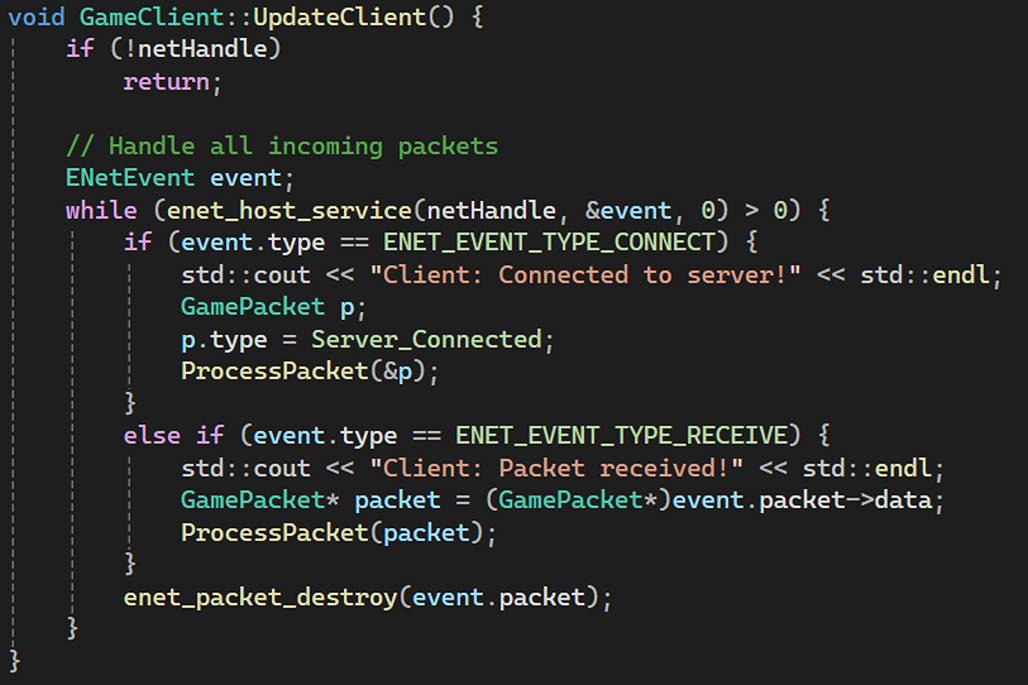
3. UpdateClient method:
This method handles the incoming packets. We just take the pointers to the GamePackets and send it to the ProcessPacket method.
The only data that is sent between server and client are various subclasses of GamePackets.
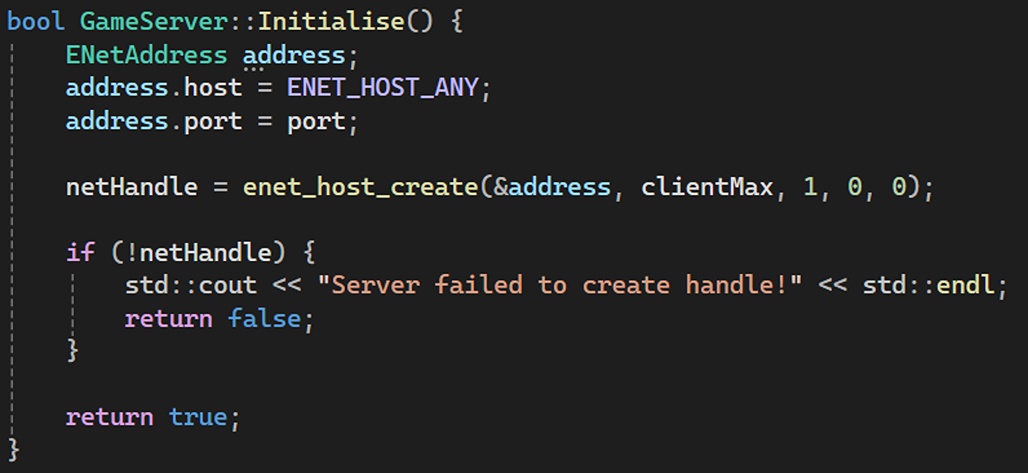
Then, I created the second endpoint that is the GameServer. It is quite obvious that the GameServer doesn’t need the IP address as it is assigned by the system. The GameServer simply connects to a port and listens for the incoming connections to the IP address assigned to the GameServer by the system. This is done in the Initialise method:
I also created two SendGlobalPackets. This is done for efficiency as one SendGlobalPacket that just sends an integer could be an event in the game like the Game Started, Game Paused, Game Ended. This is a better way to do it because I could skip/avoid all the unnecessary data that just isn’t needed to be transmitted just to transmit a single event that occured in the game.
The other SendGlobalPacket method is used to send the data for the game mechanics like an item has been picked up or used, a mine has exploded, etc.

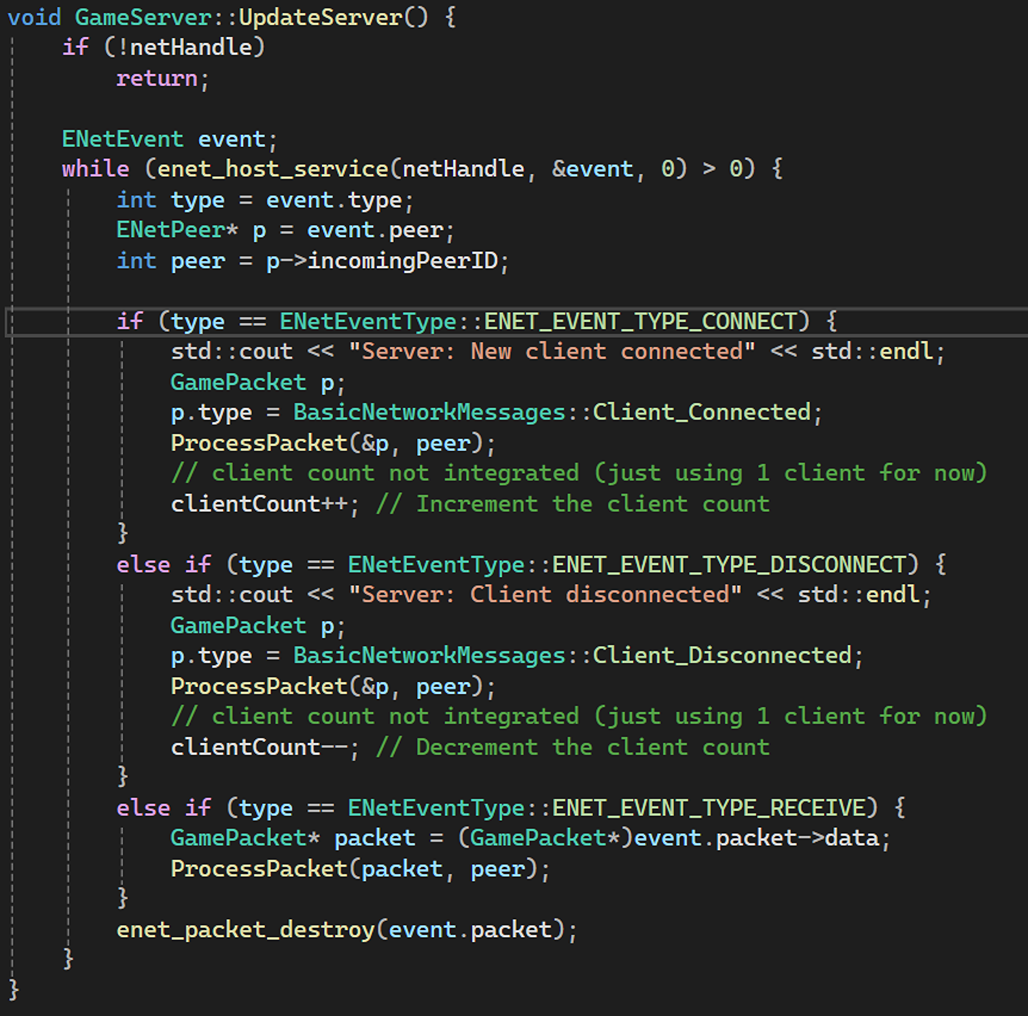
I then update the server about client connections and disconnections, and also when clients receive packets.
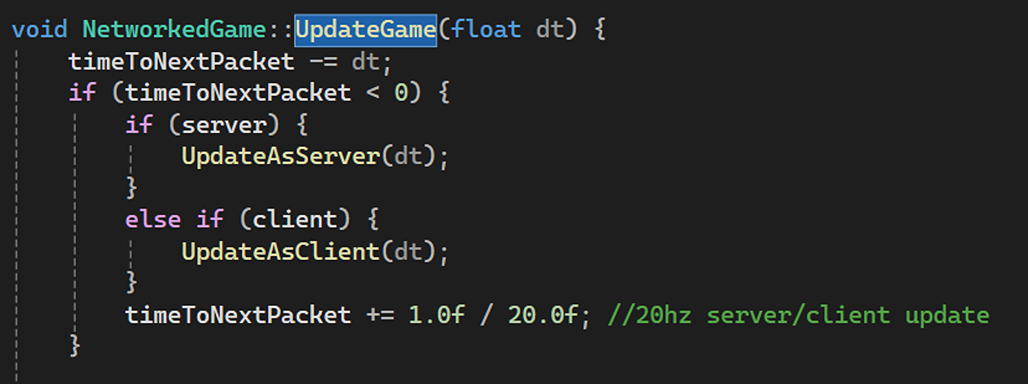
Then, we just call both the UpdateServer and UpdateClient methods in the UpdateGame method, so the game is constantly updating with the networking stuff that is being transmitted between the server and the client.
Structuring Data
Since this project is not much complicated in terms of networking stuff that needs to be synchronized, I am only synchronizing three things: positions, orientation, and state ID.
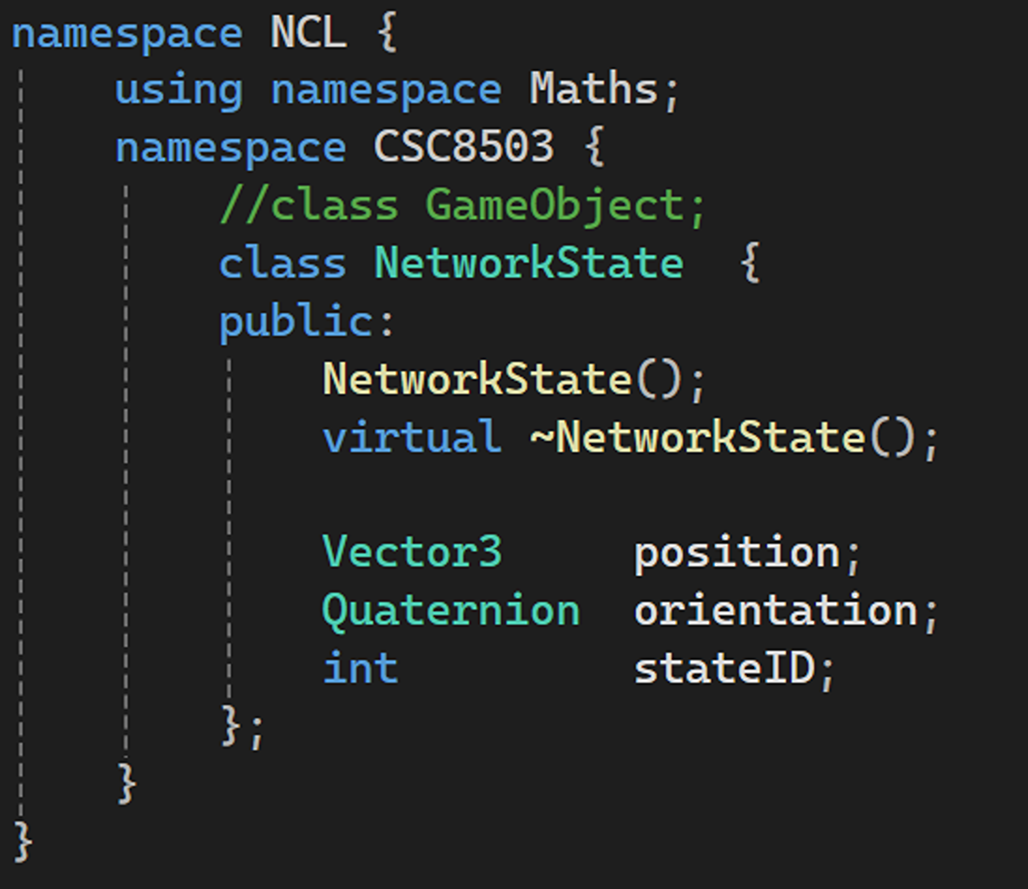
Finally, all the work that I did till now was for this, so I could synchronizing the game objects between the server and the client.
So here goes the game specific packets and handling the game objects between clients and the server.
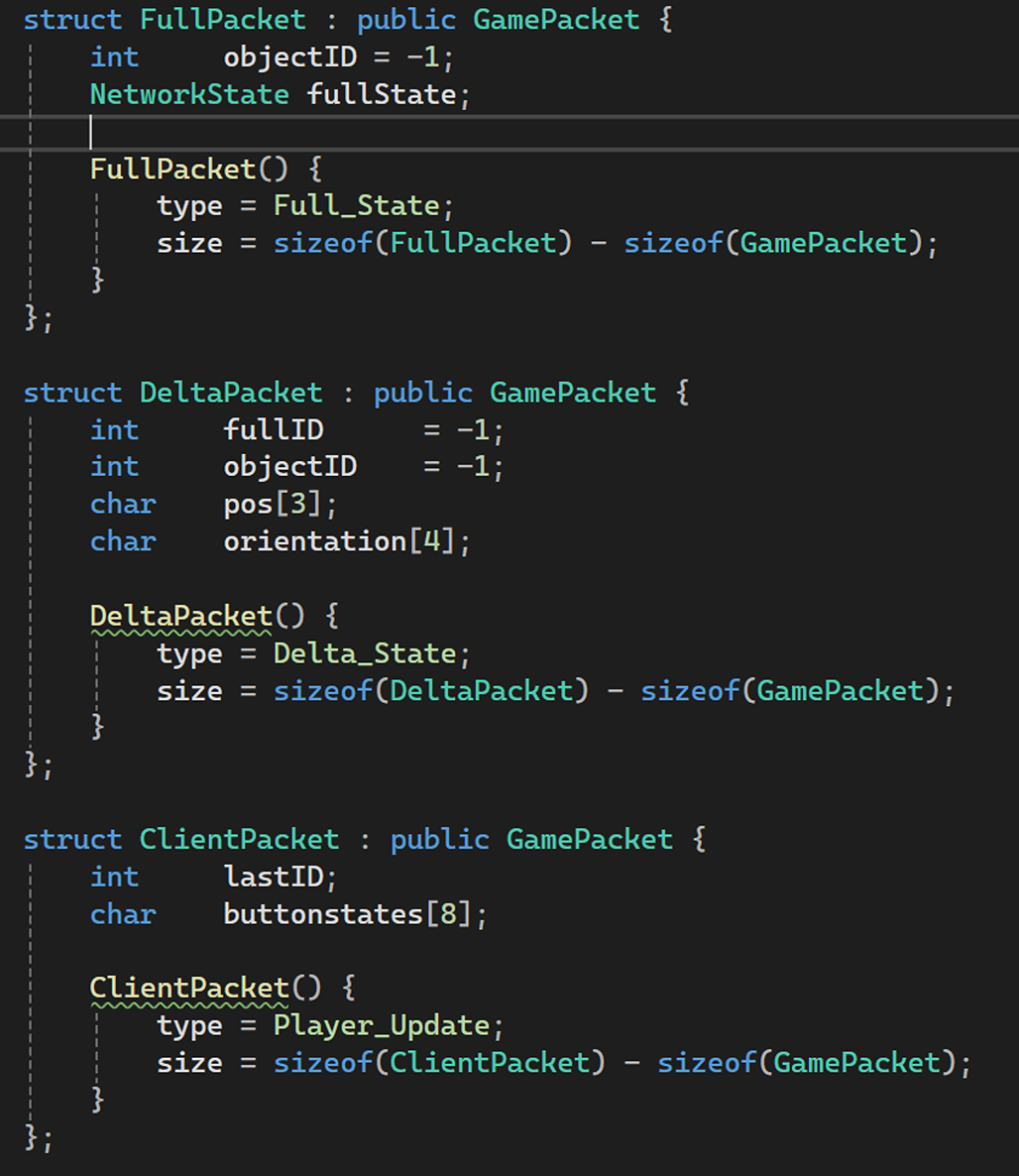
The server also needs to communicate it’s state with the server and the clients needs to check how far behind it is from the server, so it could update itself accordingly using the delta packets and the full packets.
I have done it using the WritePacket, which tries to be as efficient as possible by trying to send both the delta packet first, if it fails then the WritePacket method tries to send a full packet. Look at the implementation here:
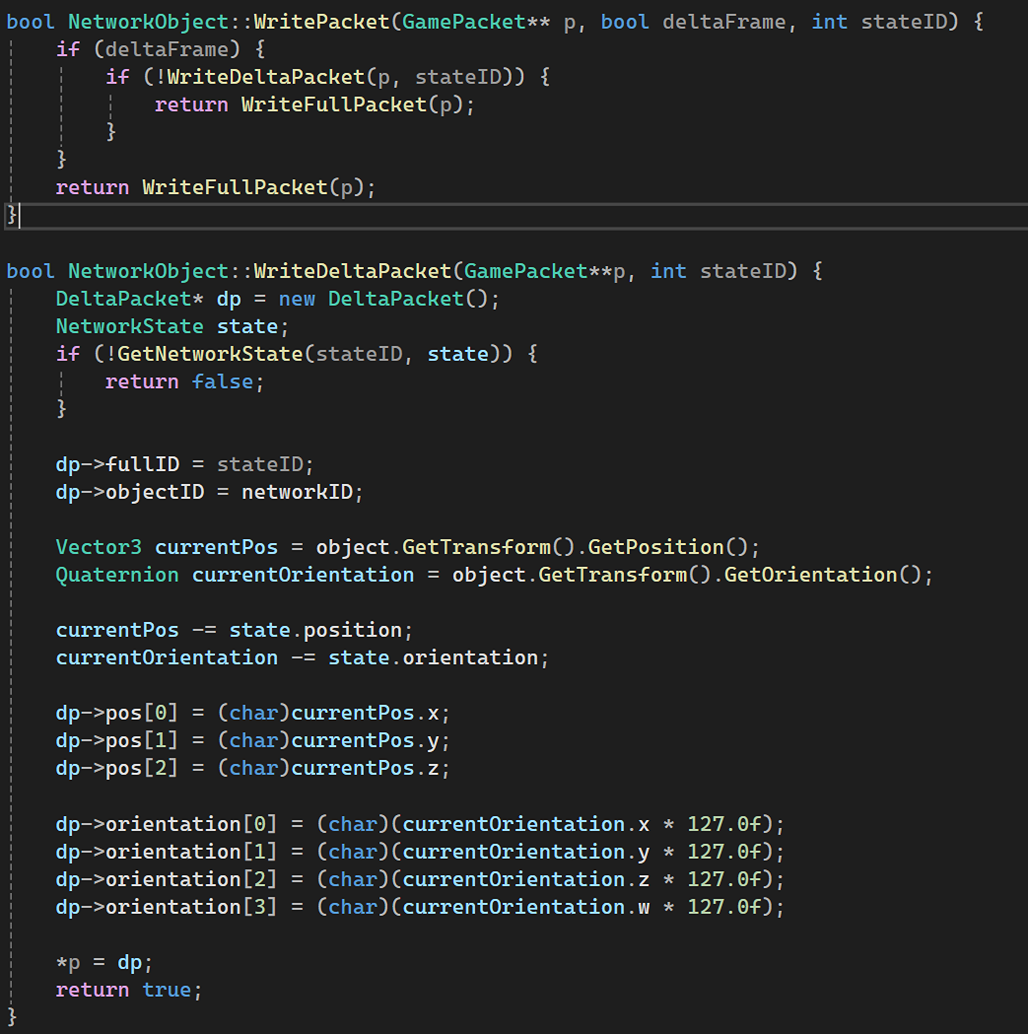
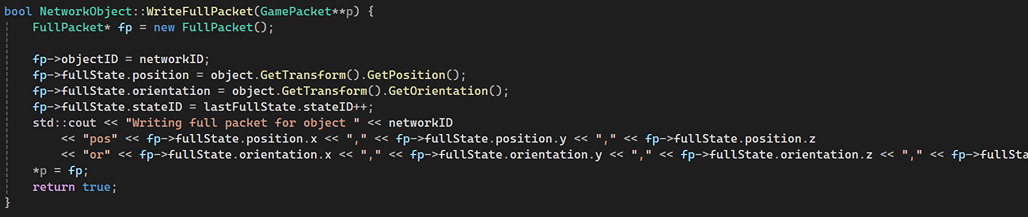
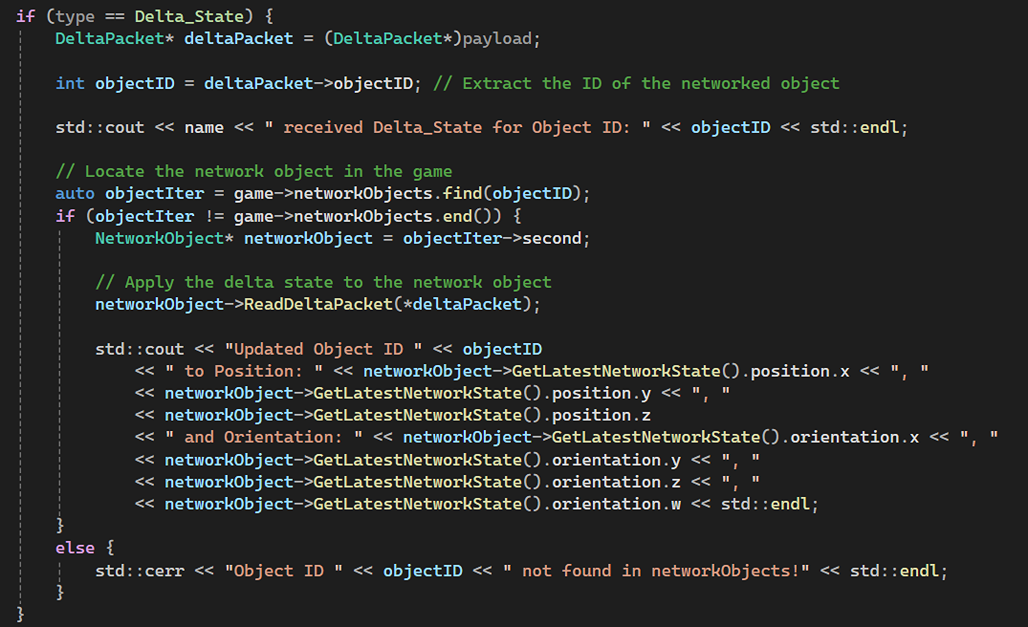
The NetworkObject I created can read two types of packets: Delta Packet and Full Packet. When the Packet is received it needs to determine whether the packet is either of those two packets.
I did that here in the ReadPacket method: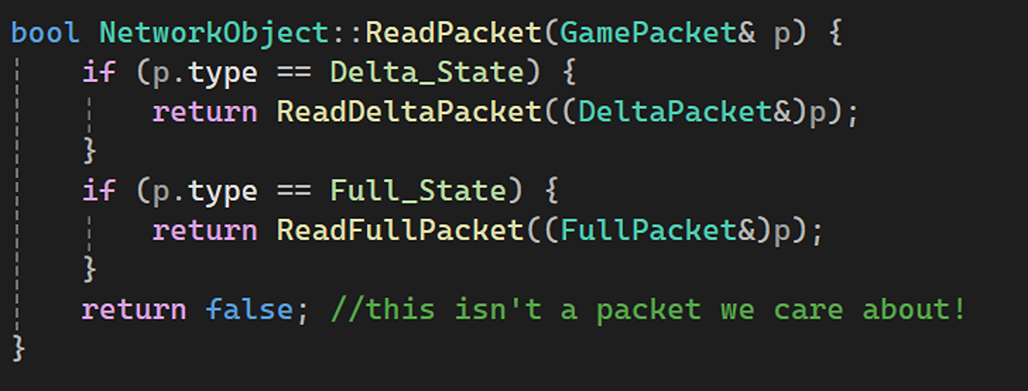
Now, I can read/extract the data, since I know the type of packet I am dealing with: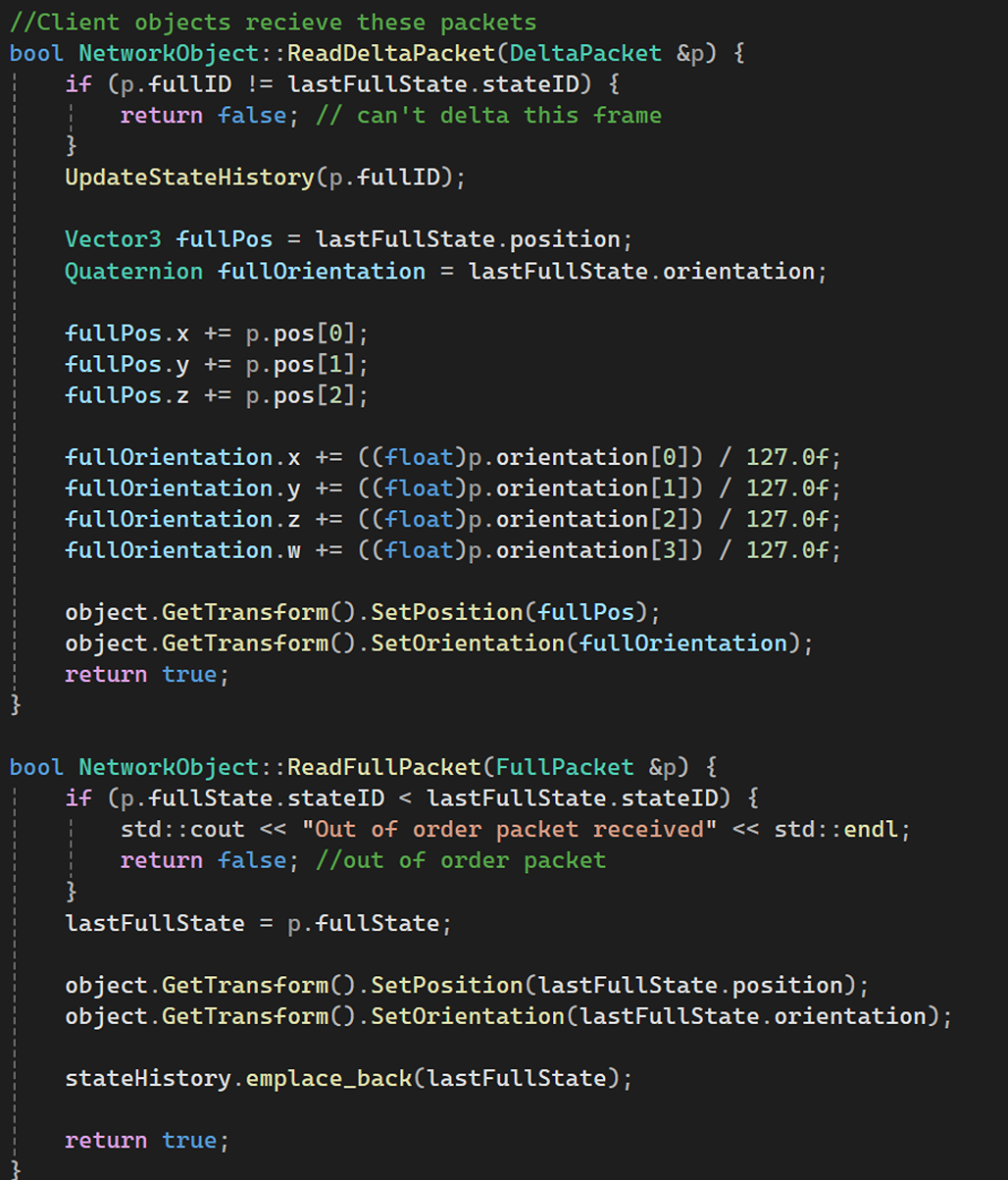
Client also needed to maintain and update the state history: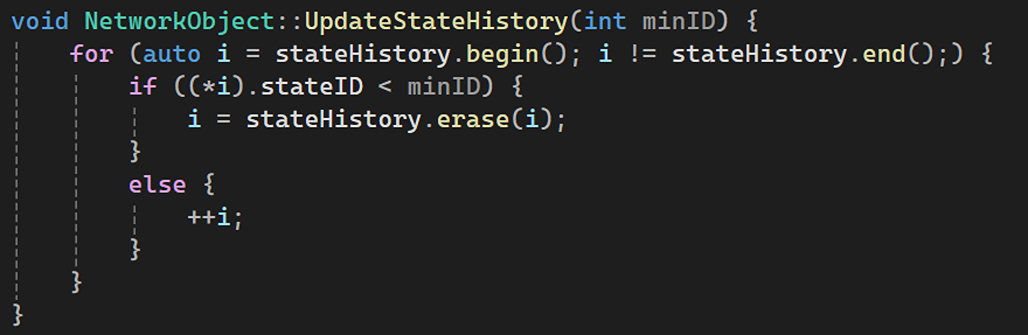
That’s it, the networking stuff is quite huge and took a lot of effort to get it working.