
Unique Digital Ideas for Business

Develop a blockchain-based loyalty program that offers secure and transparent rewards, fostering customer trust and creating a competitive edge in the market.

Main Office

123 Main Street, Anytown, USA

Follow Us

Edit Template

Conway’s Game of Life

/ /

Conway's Game of Life

Conway’s Game of Life was my first-ever project in C++, honestly, it took me a while to get used to how everything is structured across header .h and the .cpp files. I made a ton of mistakes early on, but after a lot of trial and error, I finally got everything working the way the assignment required.

As I kept working in C++ over the next 3-4 months, I gradually got more comfortable with it. Once I felt more confident, I revisited my original code and decided to clean it up. I refactored the messy version into something much more organized and readable.

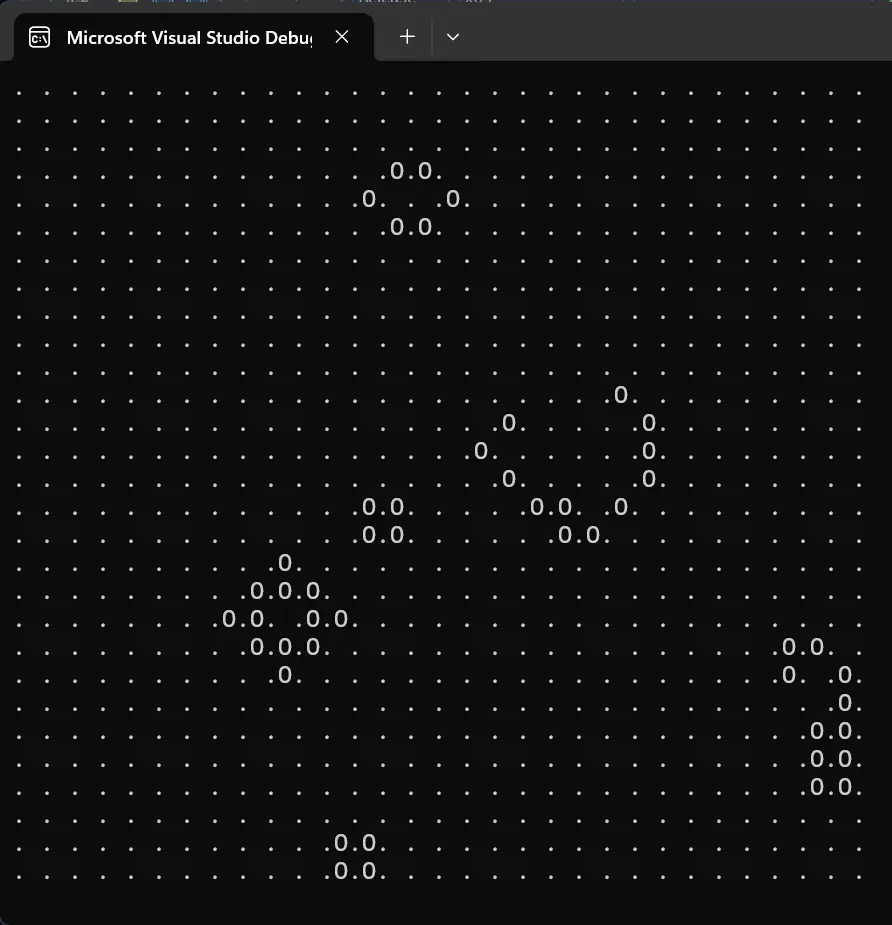
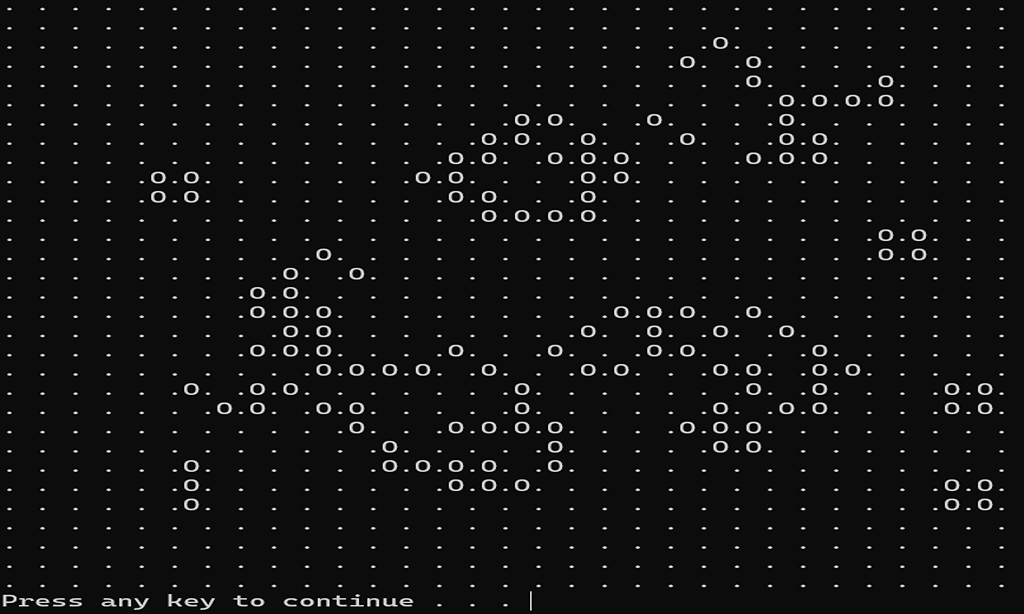
The goal of the project was to implement Conway’s Game of Life in C++. We didn’t need to create a graphical interface or run it in a browser, we just had to run it in the console.

This version of the code on my portfolio is fully refactored from what I originally submitted for the assignment. It reflects my improved understanding of C++ fundamentals, better code structure, and overall growth as a programmer.

Some information about Conway’s Game of Life:

  1. The Game of Life is a cellular automaton devised by the British mathematician John Horton Conway in 1970.
  2. The game is a zero-player game, meaning that its evolution is determined by its initial state, requiring no further input.
  3. One interacts with the Game of Life by creating an initial configuration and observing how it evolves.

The rules of the game are pretty simple:

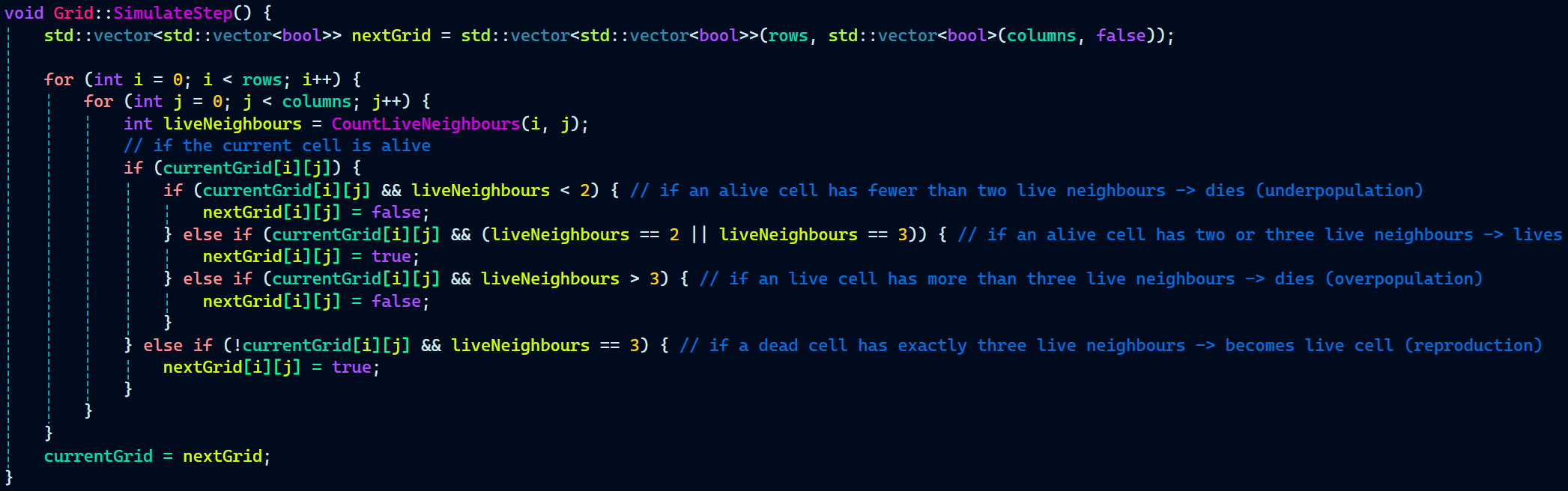
  1. Any live cell with fewer than two live neighbors dies, as if by under population.
  2. Any live cell with two or three live neighbors lives on to the next generation.
  3. Any live cell with more than three live neighbors dies, as if by overpopulation.
  4. Any dead cell with exactly three live neighbors becomes a live cell, as if by reproduction.
What I Learned

The aim of this project was simply to just learn the basic and advanced concepts of C++.

  • Header Files – Structuring the Source Code
  • Pointers and References – Manipulating Memory
  • Heap Memory – Allocate Memory at Runtime and Use It
  • Scope and Extent – Managing the Availability of Identifiers
  • Vector Array – Understanding the Most Popular Data Structure
  • Classes and Objects – Constructing Object-Oriented Solutions
  • Functions to Look Like Operators
  • Function Overloading – Compile-Time Polymorphism
  • Threads – Running Code in Parallel
  • Multithreading and Synchronization
  • Lambda Functions
  • File I/O and Serialization
  • Filesystem Library (C++17)
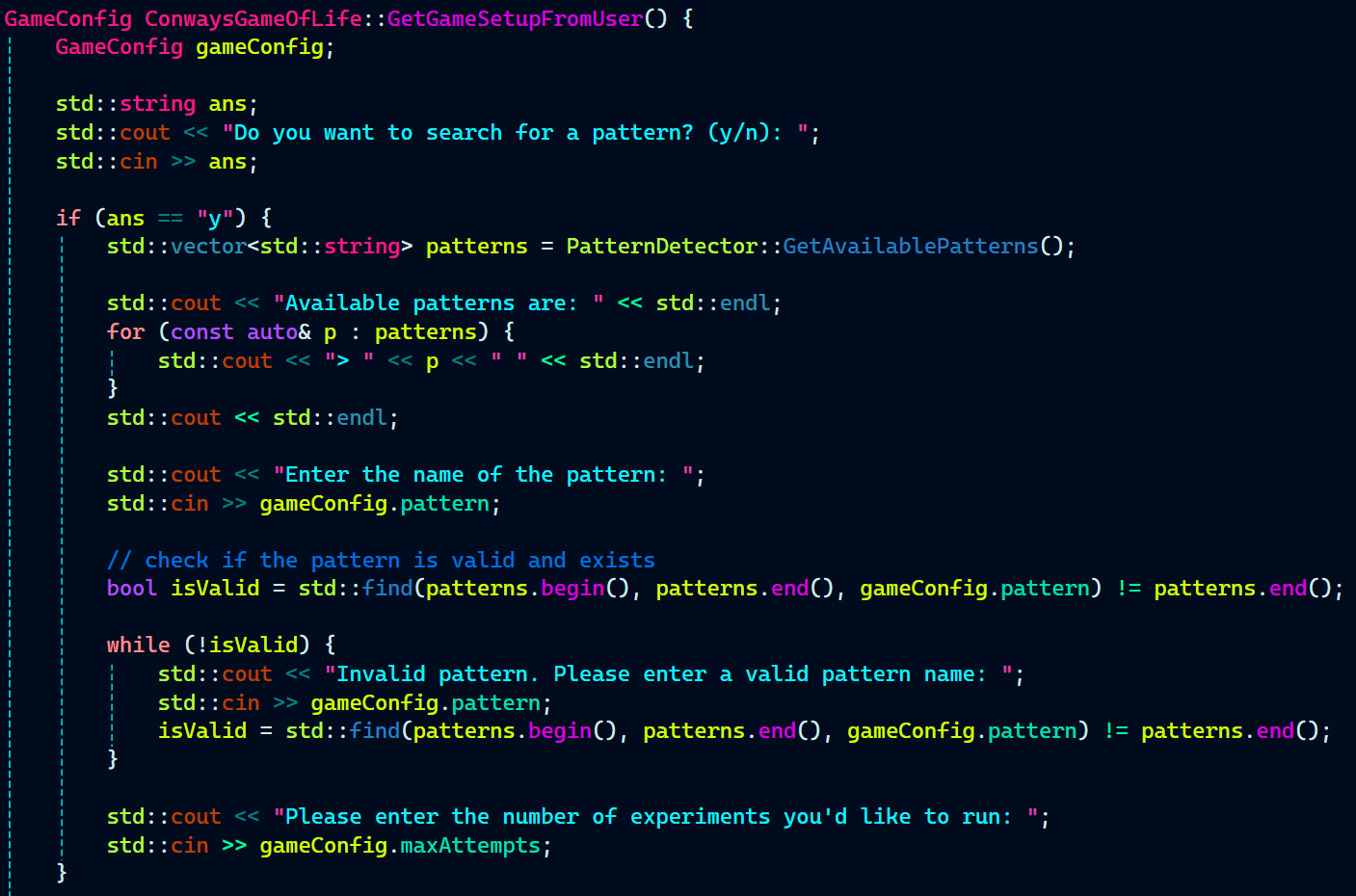
  • Runtime Decision Making
  • Separation of Concerns / Modular Design
  • Smart Use of Detachment in Threads
  • User Input Handling and UI Loop
  • Resource Management and Cleanup
  • Using Standard Library Containers
  • Recursive and Iterative Thinking (Pattern Detection Logic)
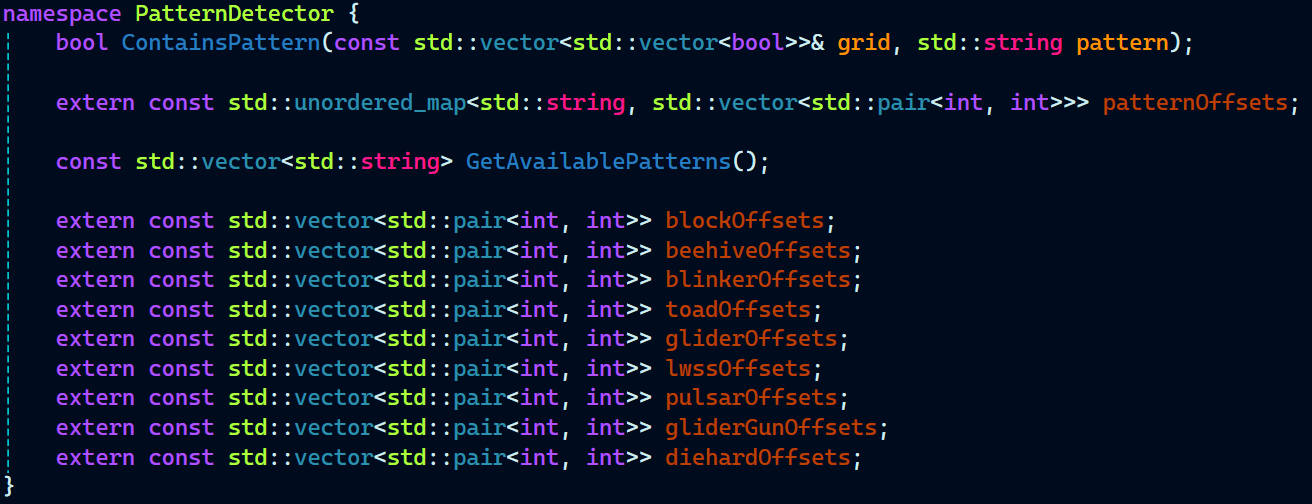
  • Designing for Extensibility
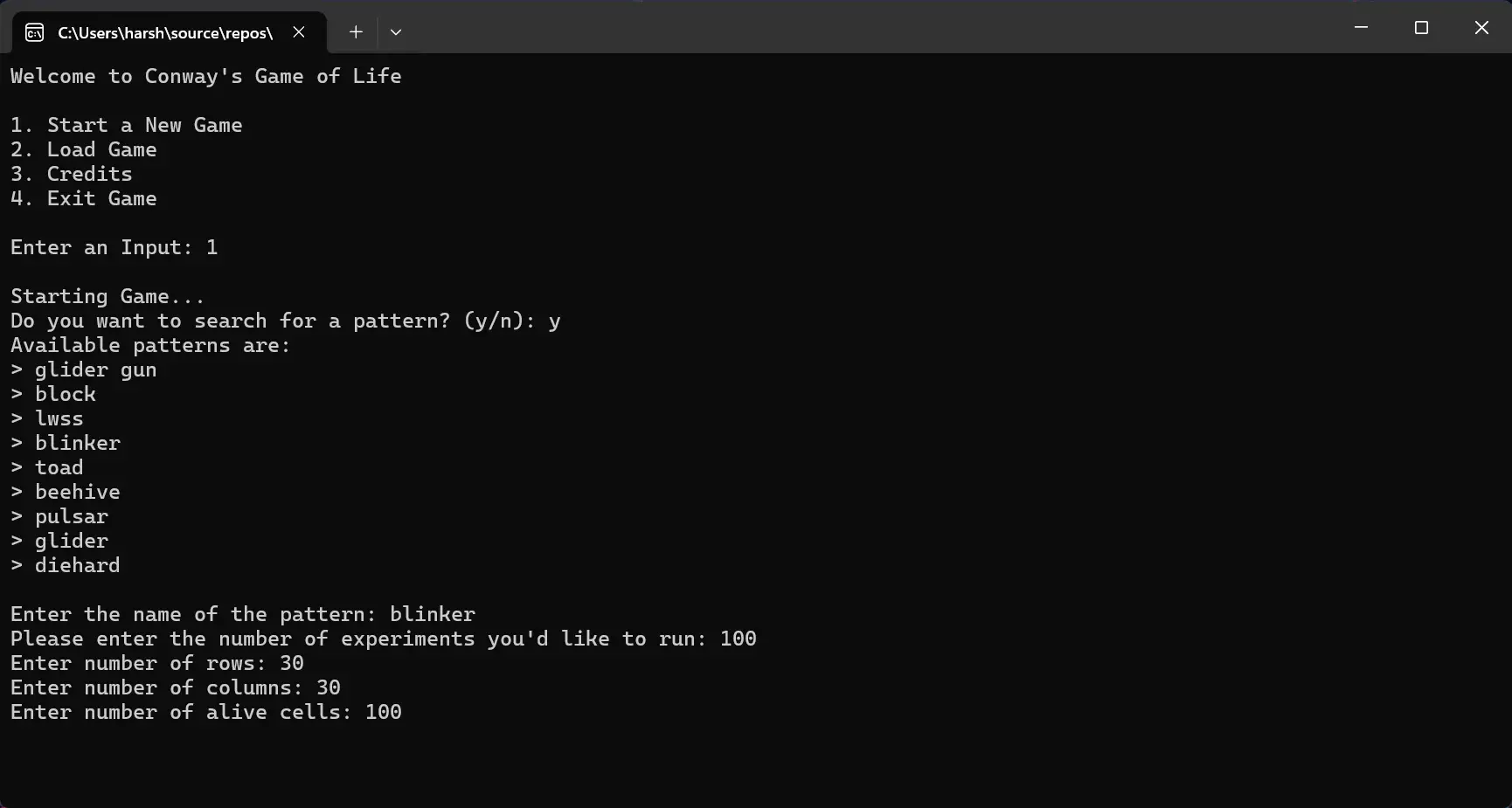
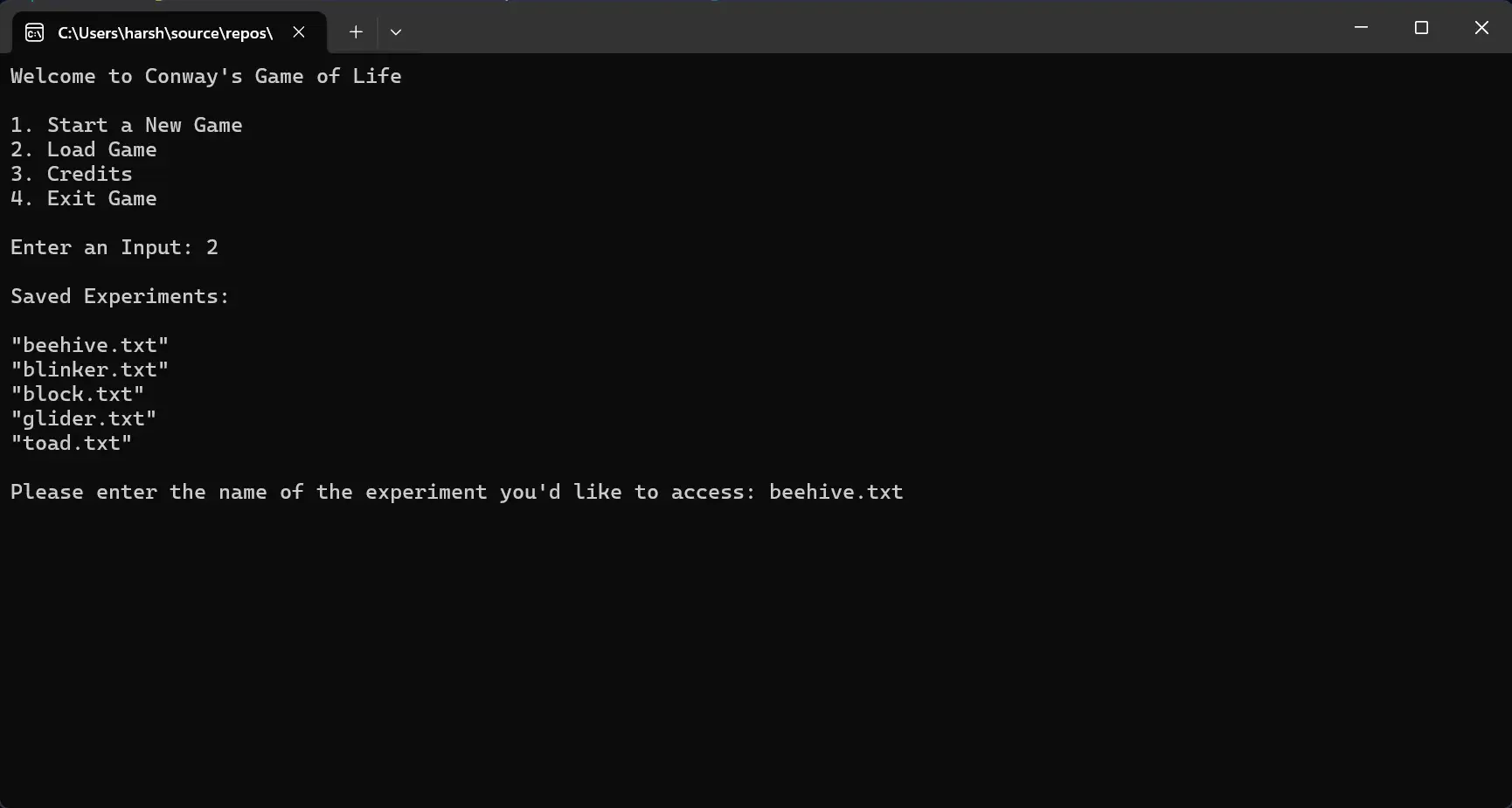
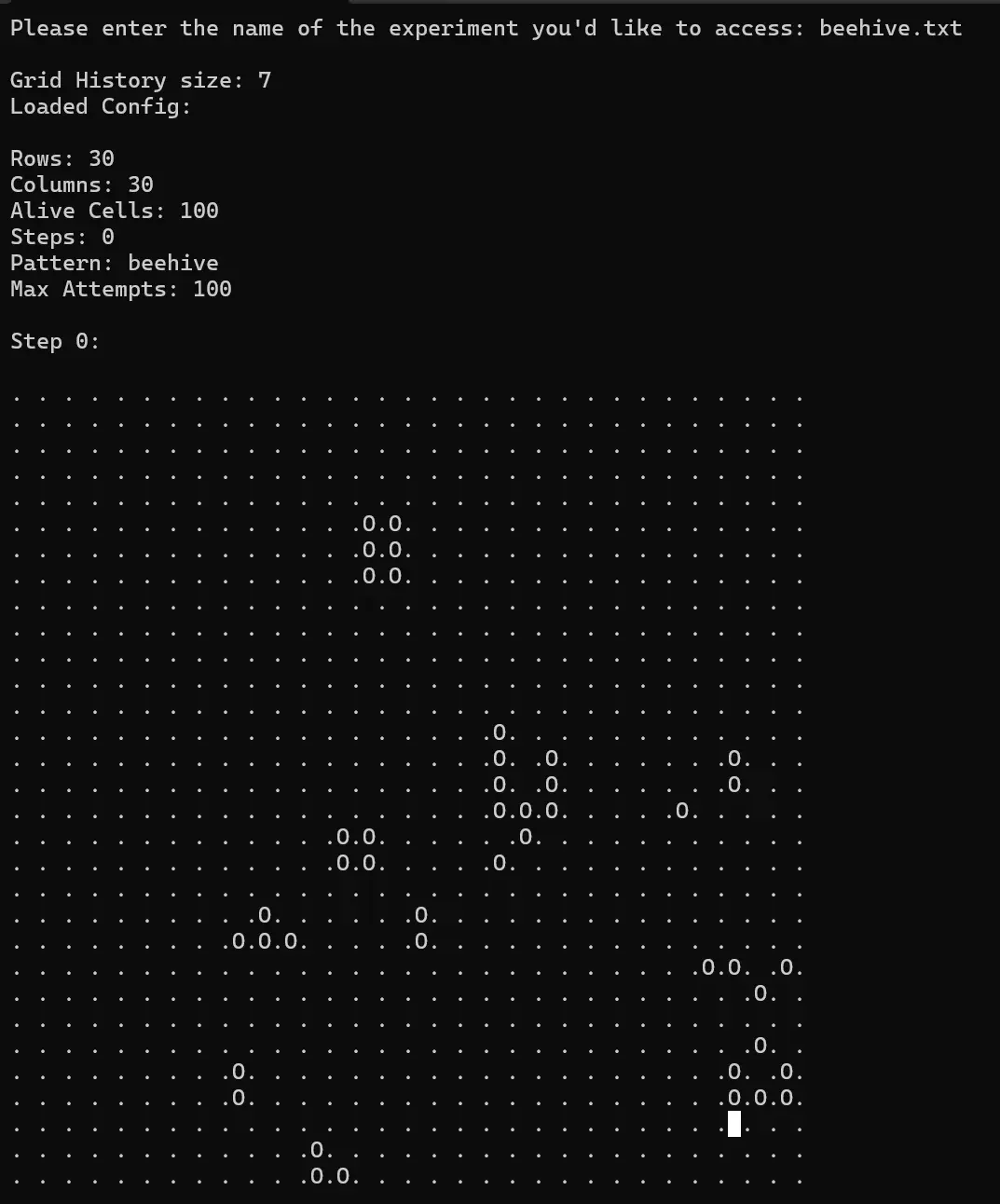
Screenshots
How I Implemented These Concepts
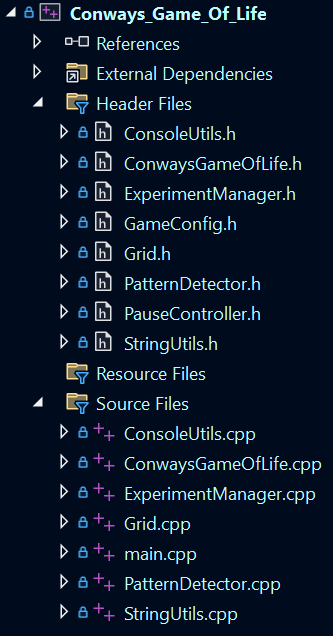
  • Header Files


Organizing code into .h and .cpp files for better modularity and separation of declarations from implementations.


  • Pointers and  References


Organizing code into .h and .cpp files for better modularity and separation of declarations from implementations.
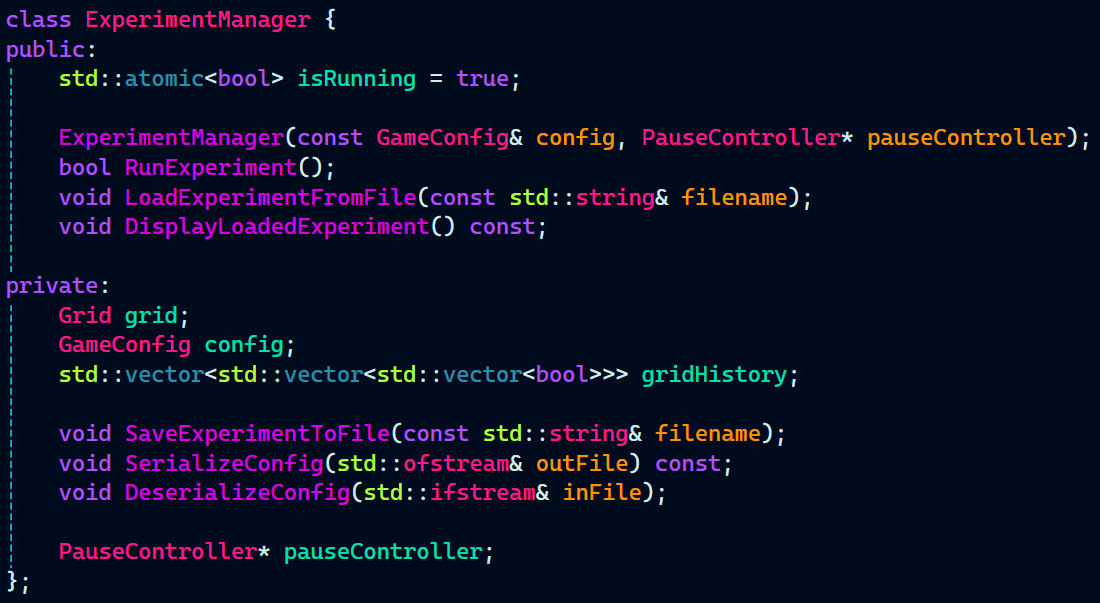
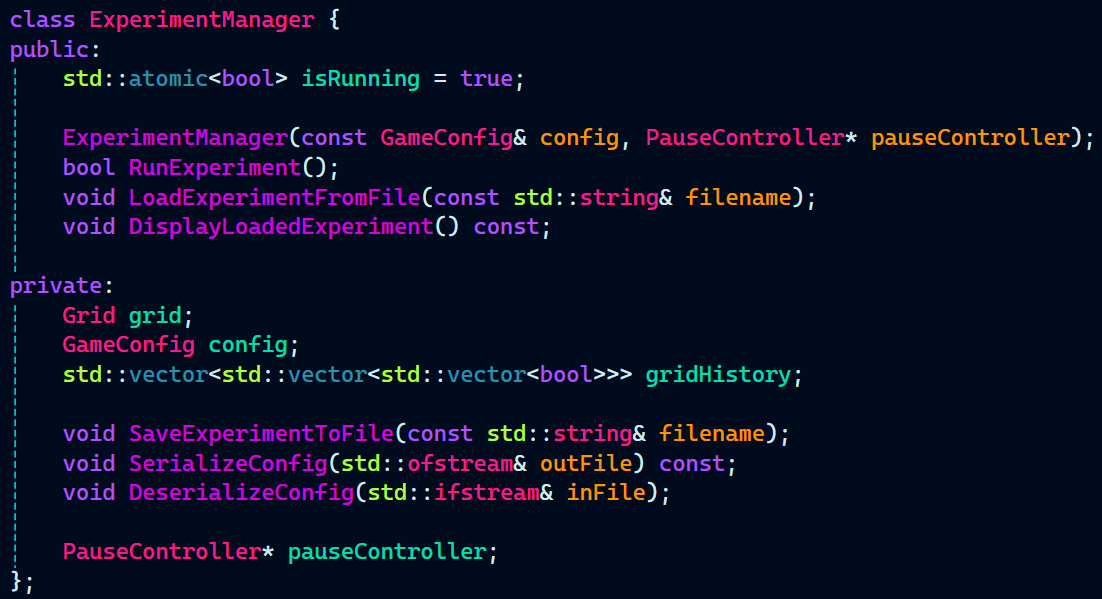
ExperimentManager.h:


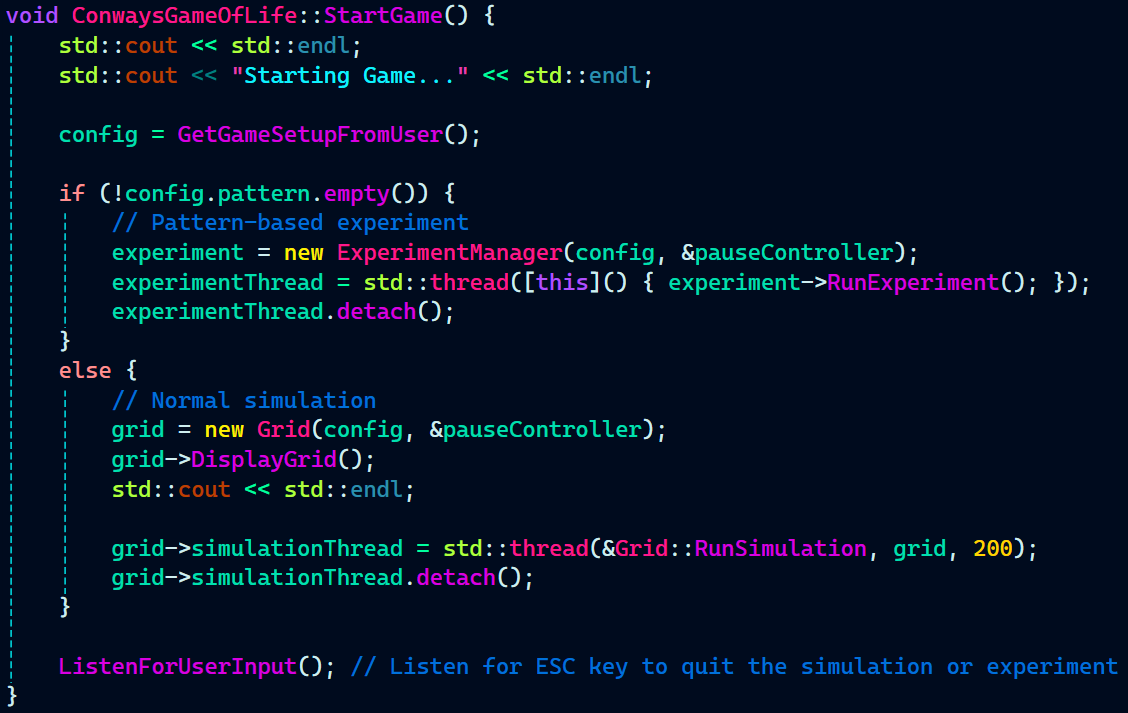
  • Heap Memory


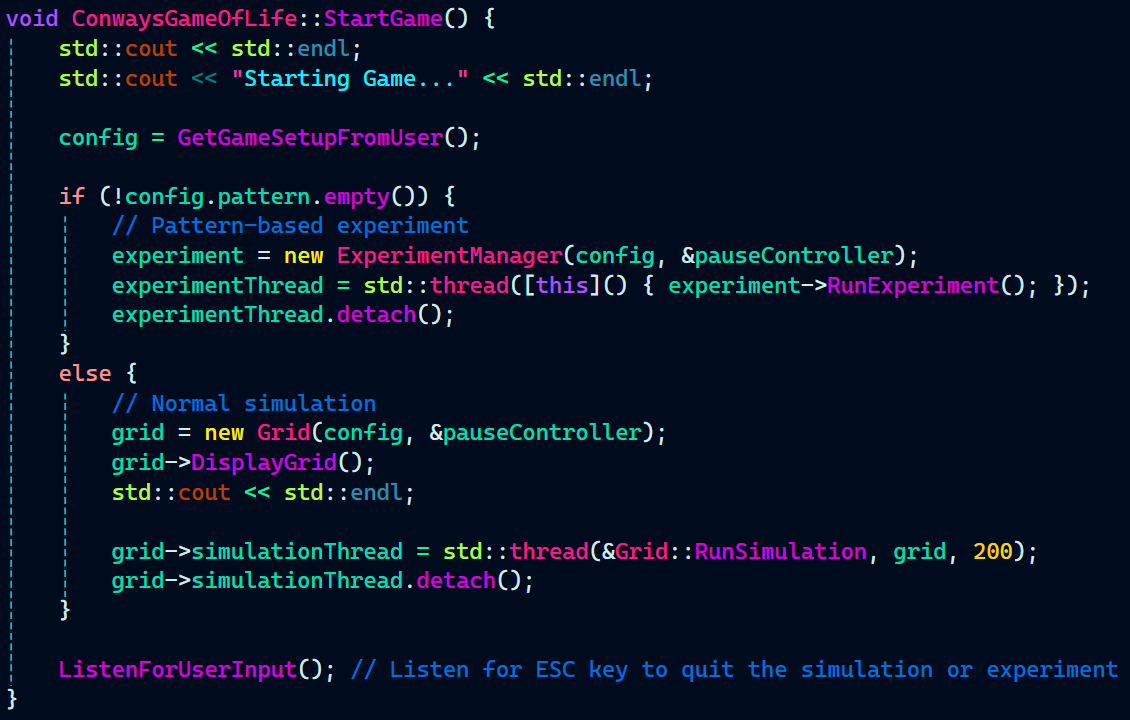
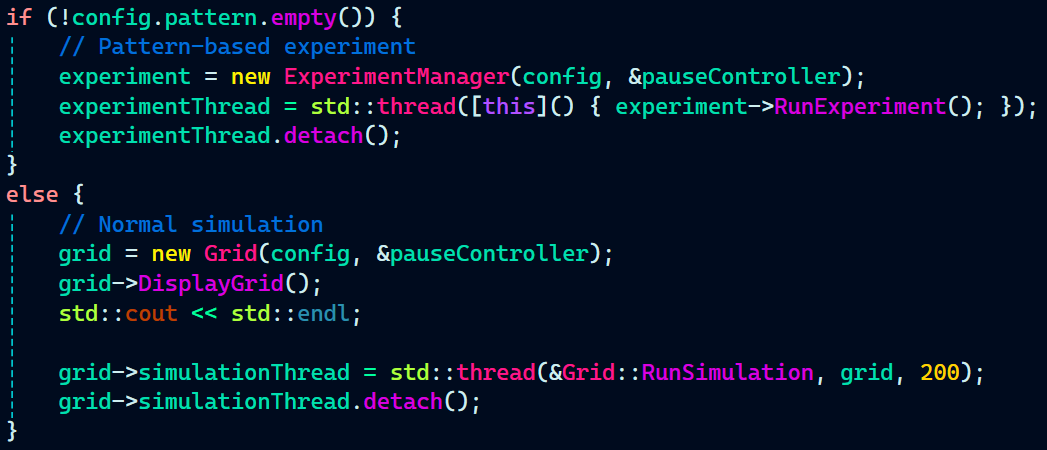
Dynamically allocating memory using new and managing object lifetimes responsibly.

ConwaysGameOfLife.cpp:


  • Scope and Extent


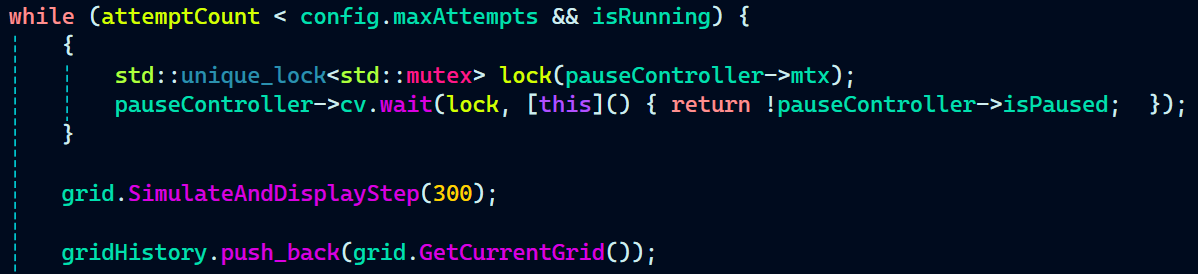
Understanding local vs global scope, static duration, and the lifecycle of variables in different contexts.

ExperimentManager.cpp:


  • Vector Array


Using vector arrays to represent the game grid and manage cells efficiently.



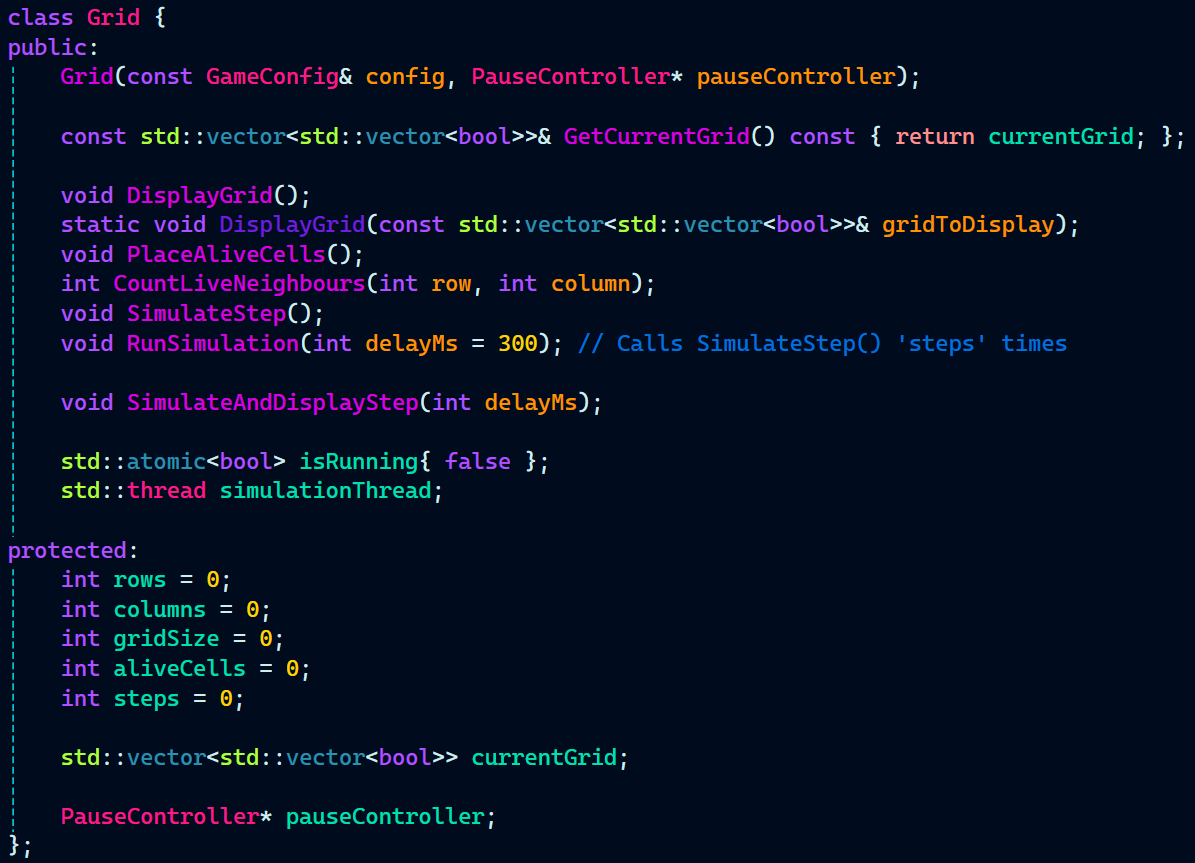
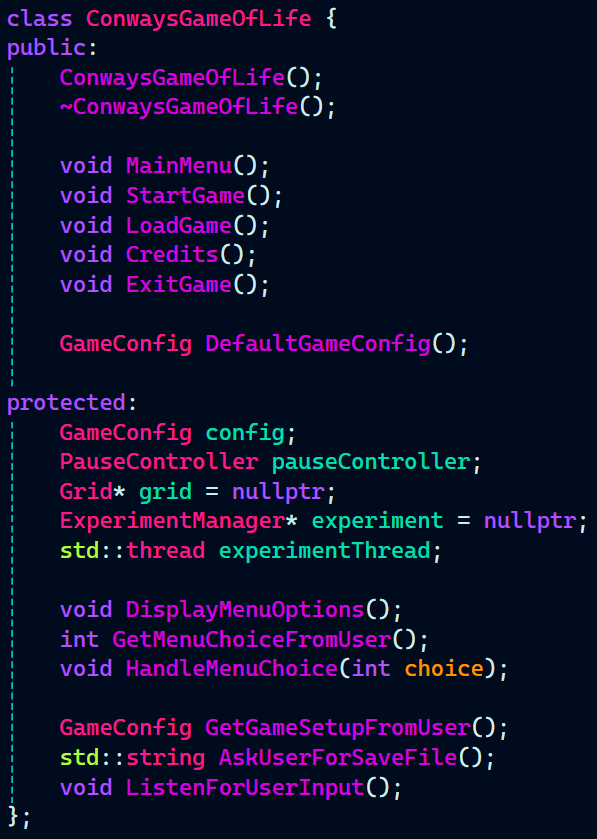
  • Classes and Objects


Modeling entities like Grid, ConwaysGameOfLife, and ExperimentManager as classes with clear responsibilities.

Grid.cpp:


ConwaysGameOfLife.cpp:


ExperimentManager.cpp:


  • Function Overloading (Compile-Time Polymorphism)


Enhancing class usability by overloading operators like = or << to simplify code readability.



  • Threads


Utilizing std::thread to run the simulation in the background while maintaining UI responsiveness.


  • Multithreading and Synchronization


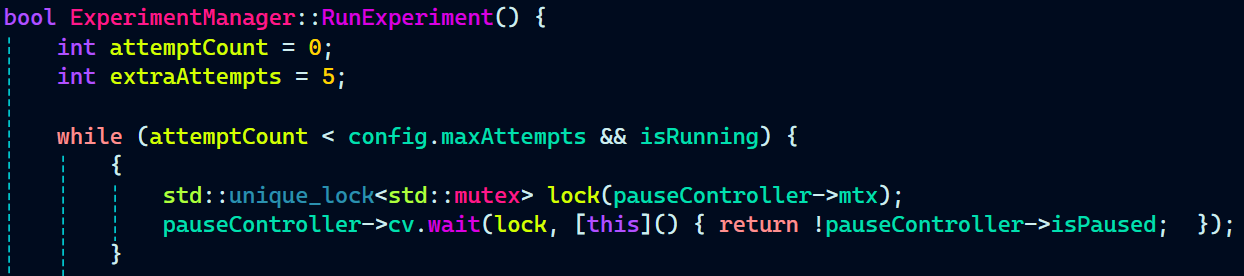
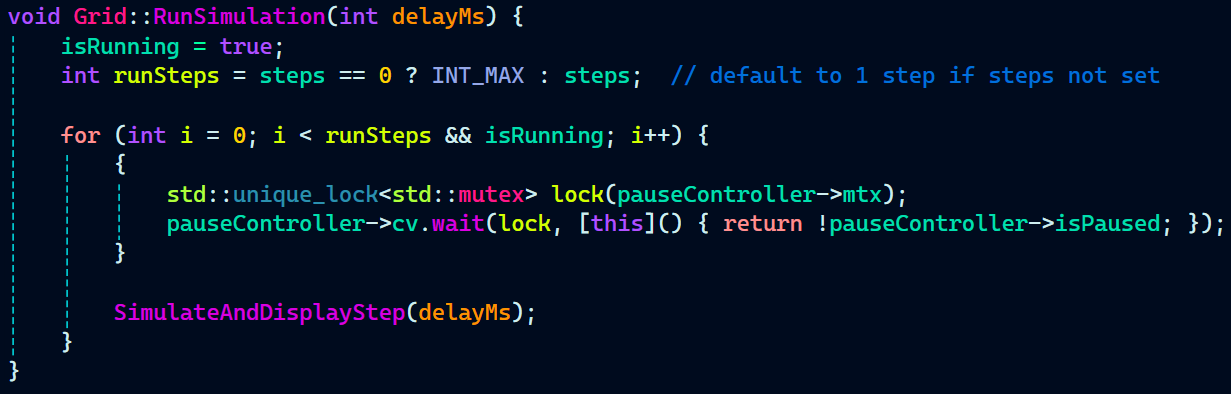
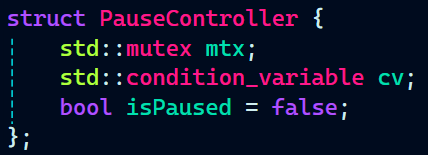
Using std::thread, std::mutex, std::unique_lock, std::condition_variable to run simulations in parallel and pause/resume them safely.


  • Lambda Functions


Using inline anonymous functions for concise callback-style logic especially in threading and condition variable wait conditions.



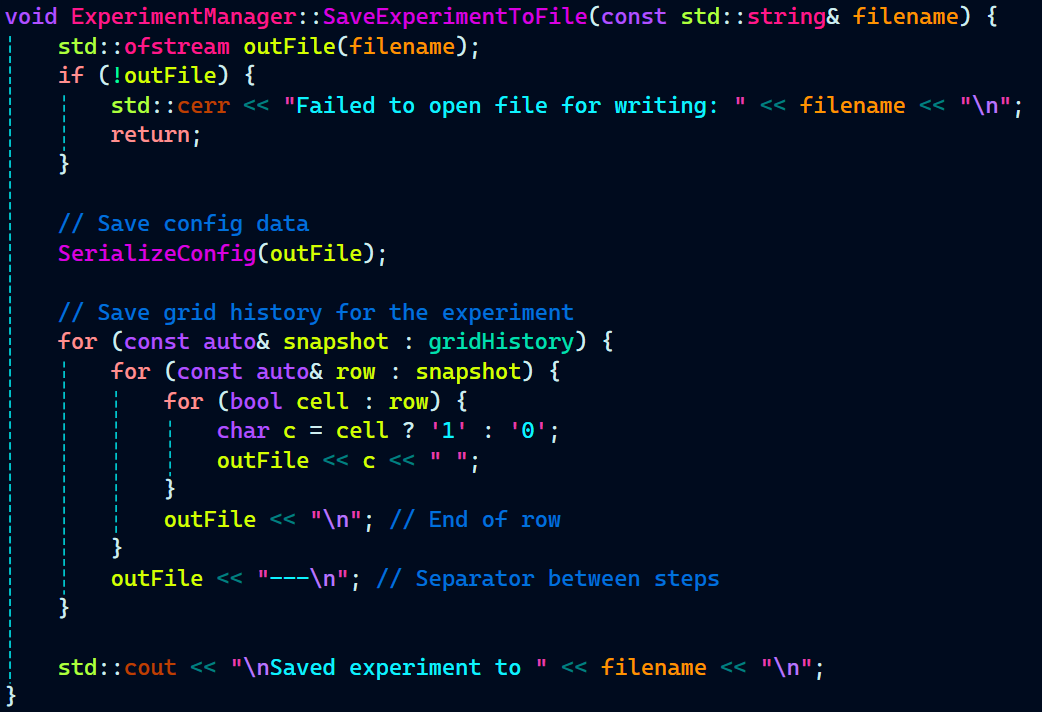
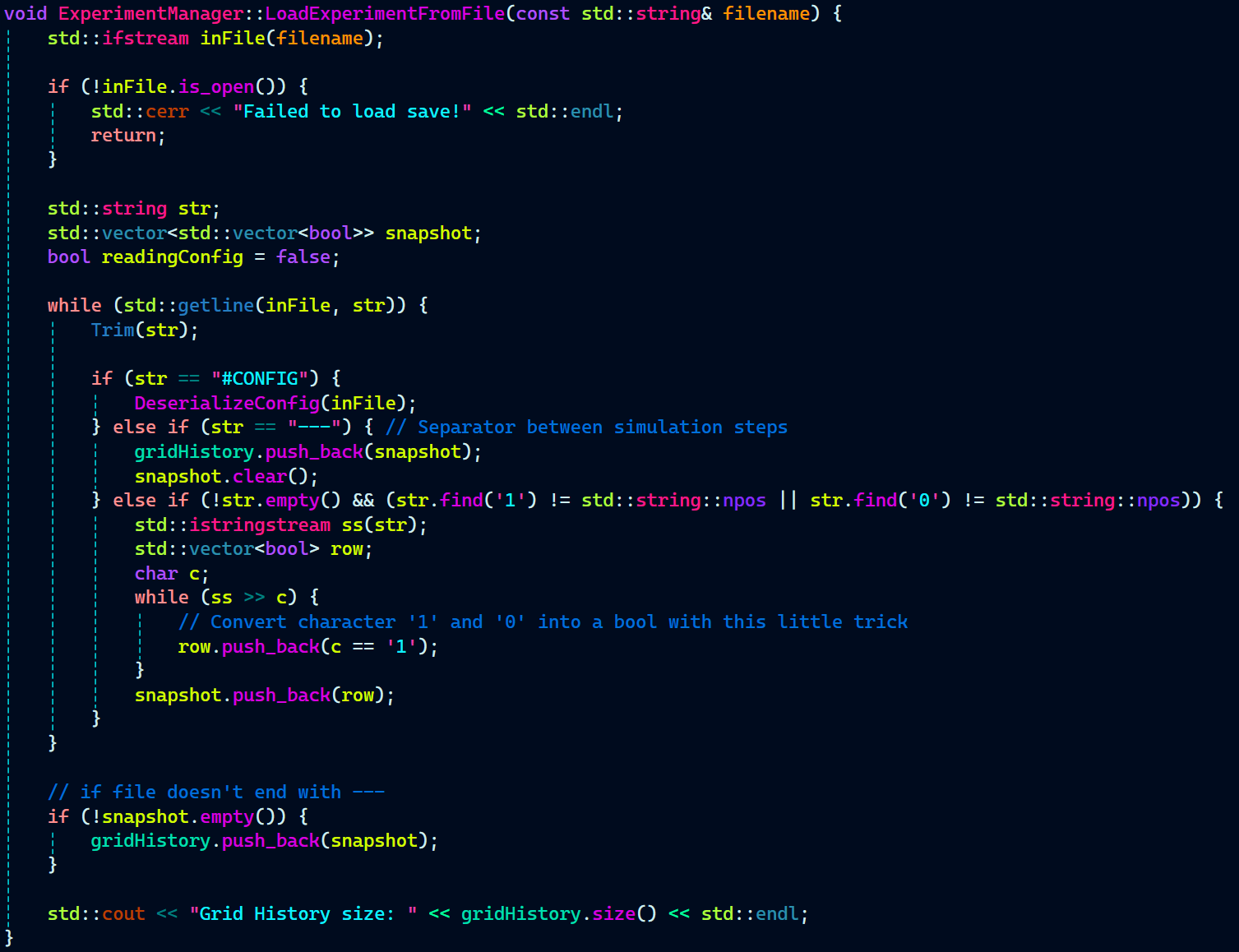
  • File I/O and Serialization


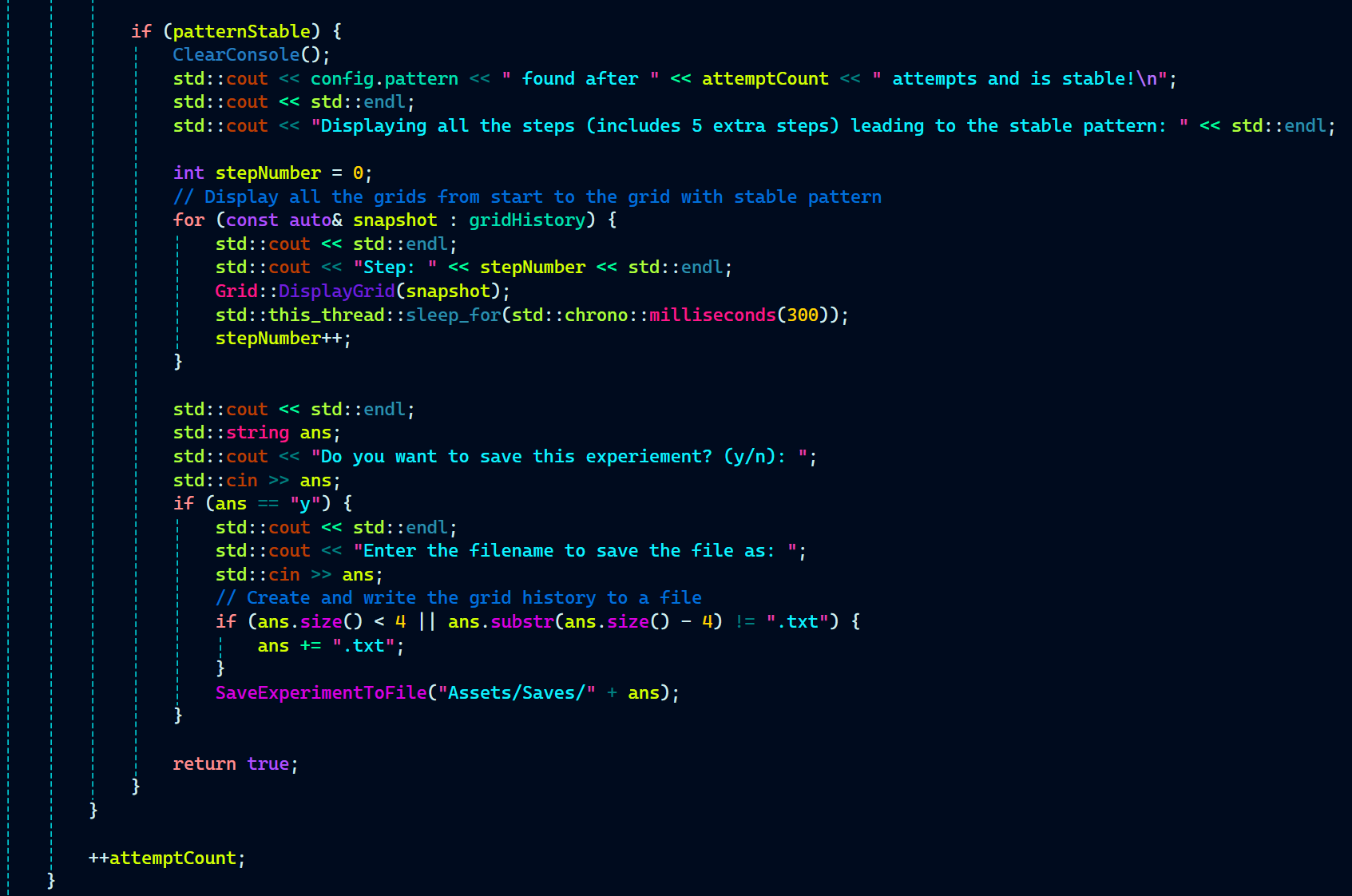
Reading from and writing to text files to load and save experiments (SaveExperimentToFile, LoadExperimentFromFile).


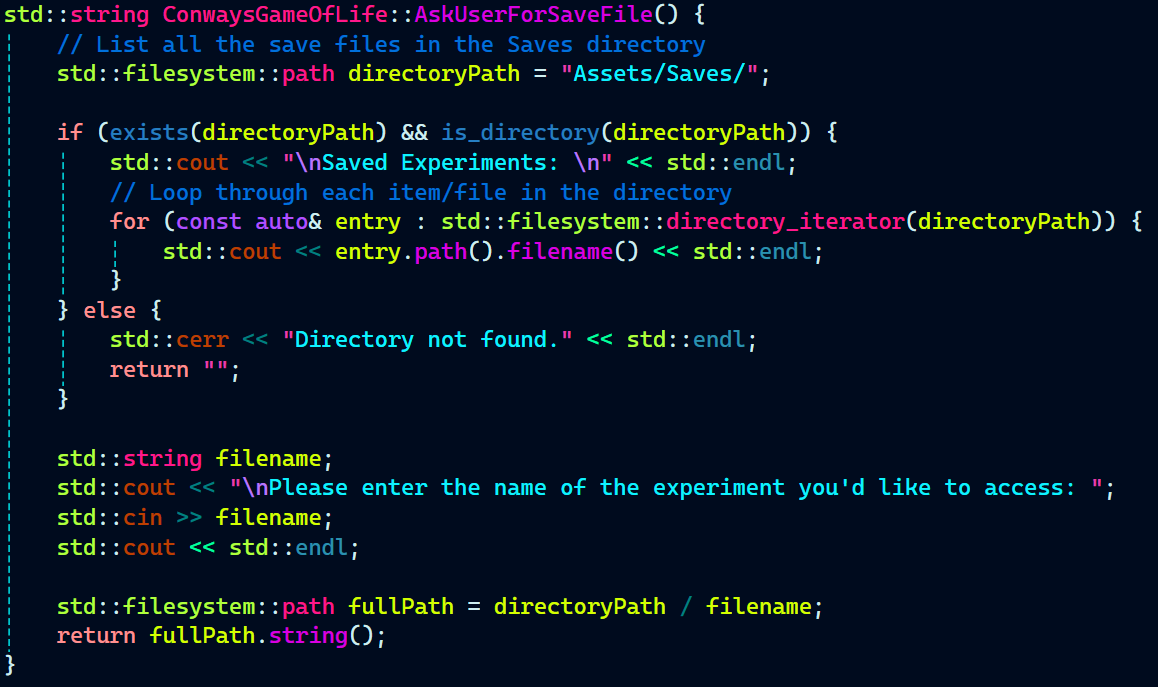
  • Filesystem Library (C++17)


Using std::filesystem to list saved experiments and work with directories.


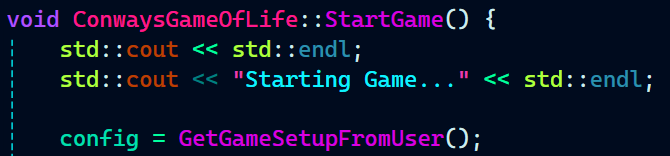
  • Runtime Decision Making


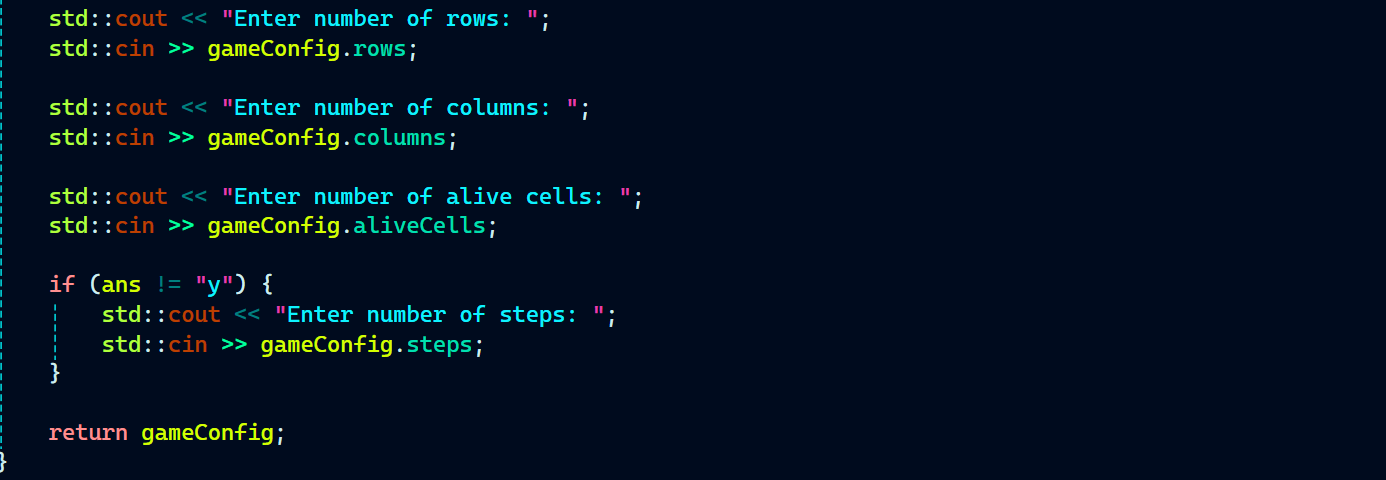
Switching between normal and pattern-detection modes at runtime based on user input and configuration.


  • Separation of Concerns / Modular Design


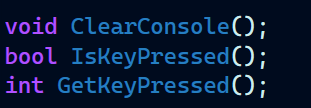
Clearly separating functionality across classes like Grid, ExperimentManager, PauseController, etc.

PauseController.h:


PatternDetector.h:


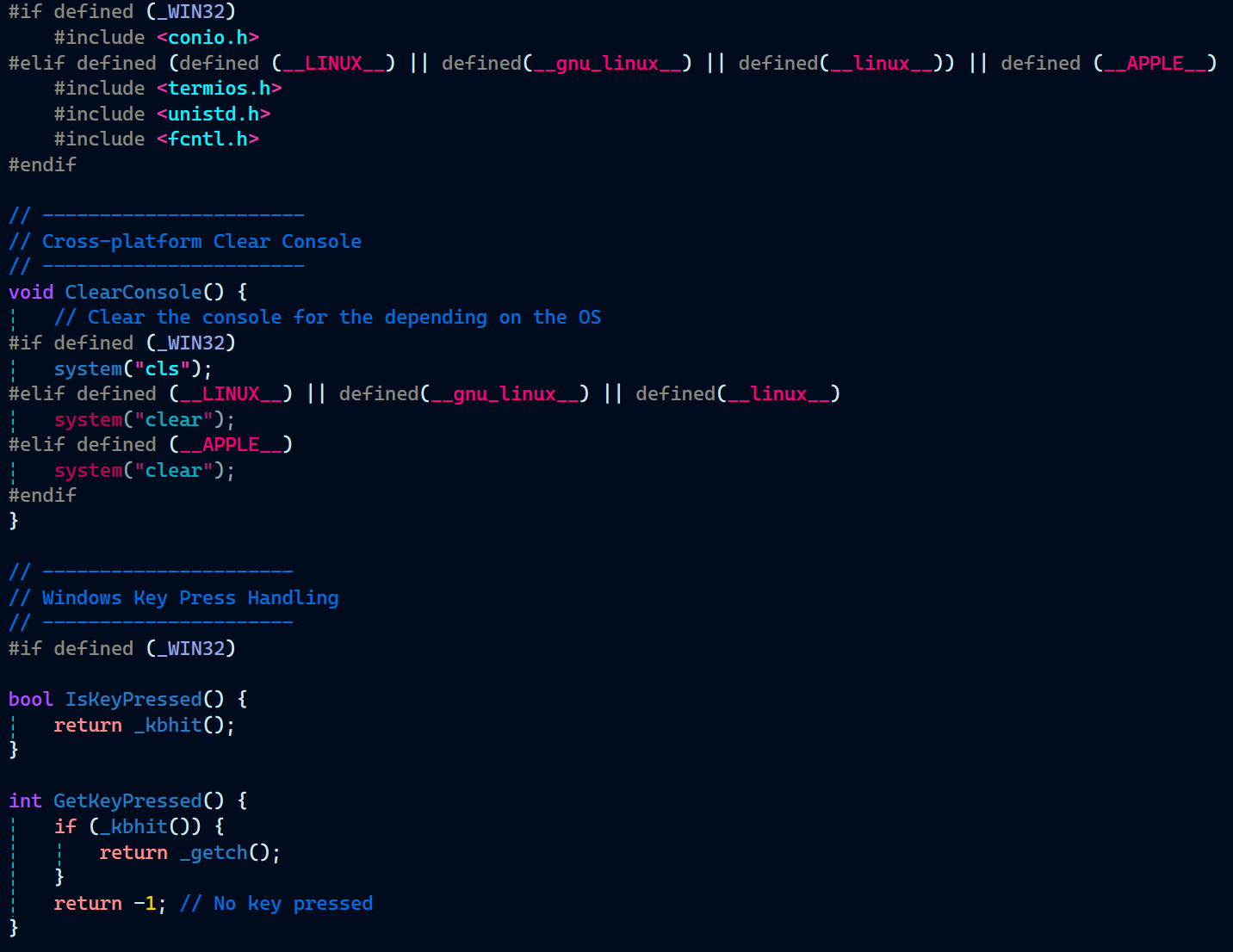
ConsoleUtils.h:


ConsoleUtils.cpp:


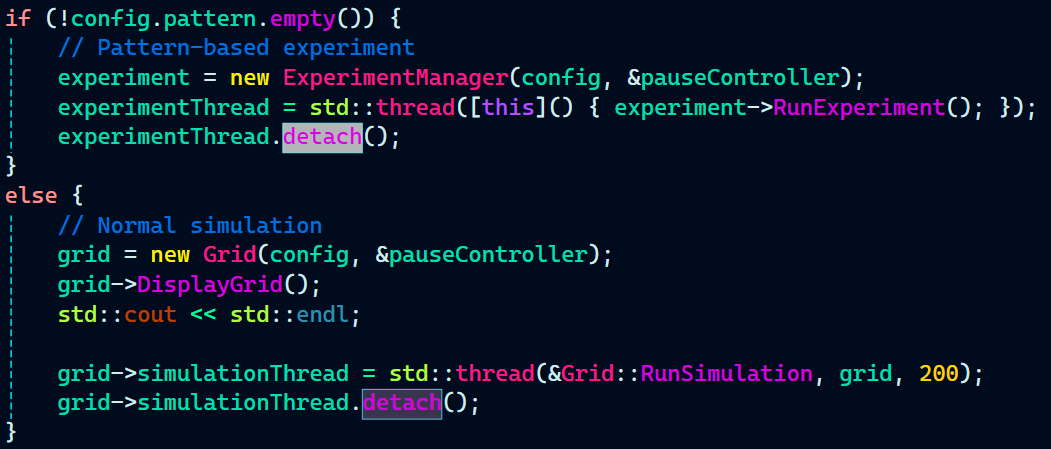
  • Smart Use of Detachment in Threads


Managing detached threads responsibly while maintaining flags like isRunning to control simulation flow.


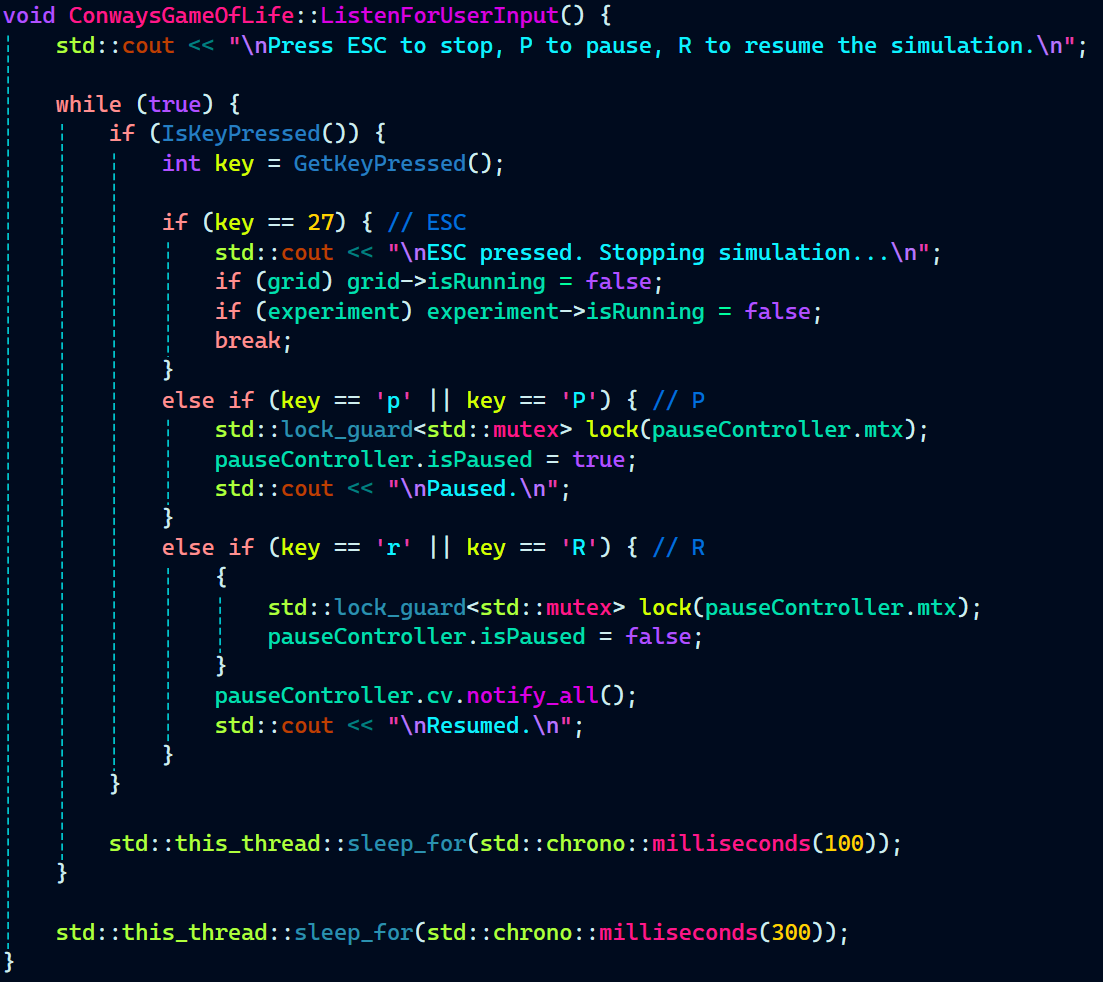
  • User Input Handling and UI Loop


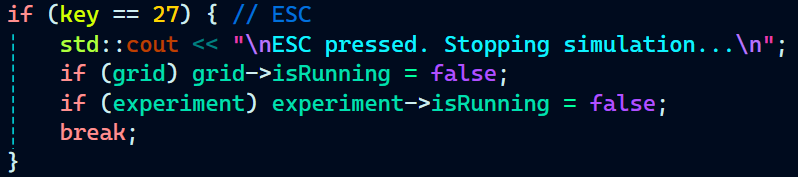
Creating a continuous loop to handle user input (ESC/P/R), showing understanding of interactive CLI design.

ConwaysGameofLife.cpp:


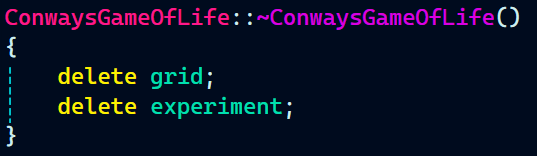
  • Resource Management and Cleanup


Using destructors and boolean flags like isRunning to control thread lifetimes and simulation end conditions. Also managing ownership and automatic cleanup of objects using std::unique_ptr.

ConwaysGameOfLife.cpp:
 

main.cpp:

 

  • Using Standard Library Containers


Extensive use of std::vector and std::string to manage data flexibly.

PatternDetector.cpp:
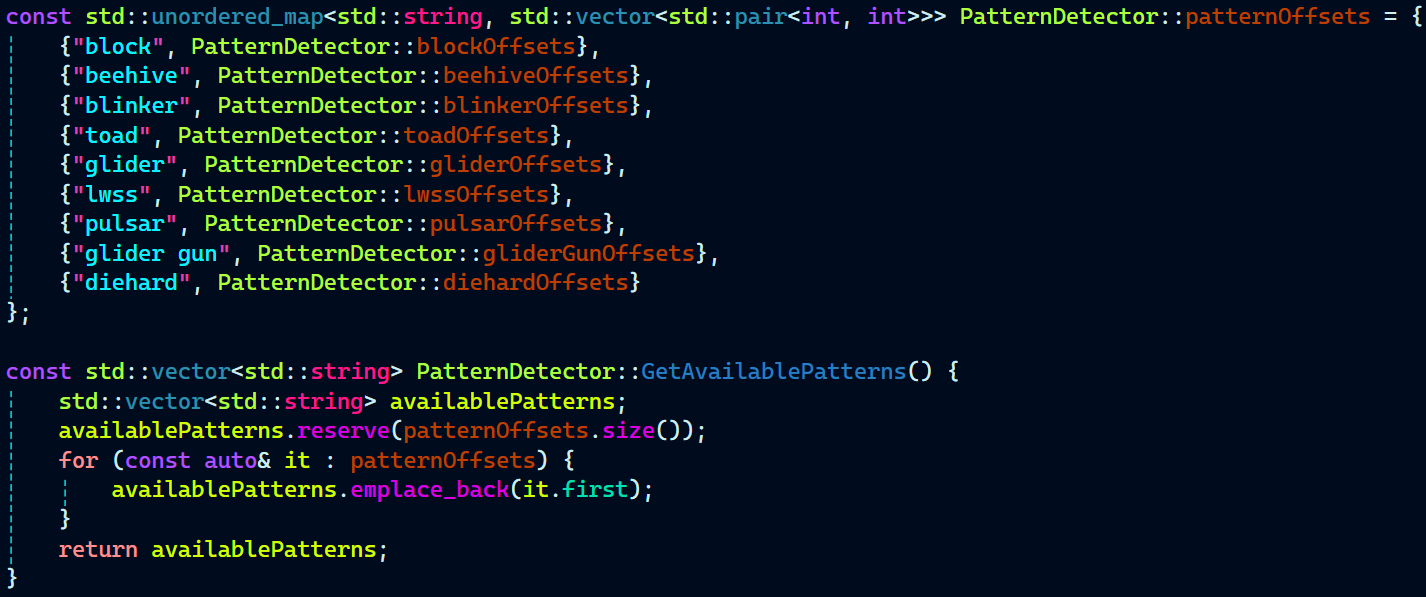


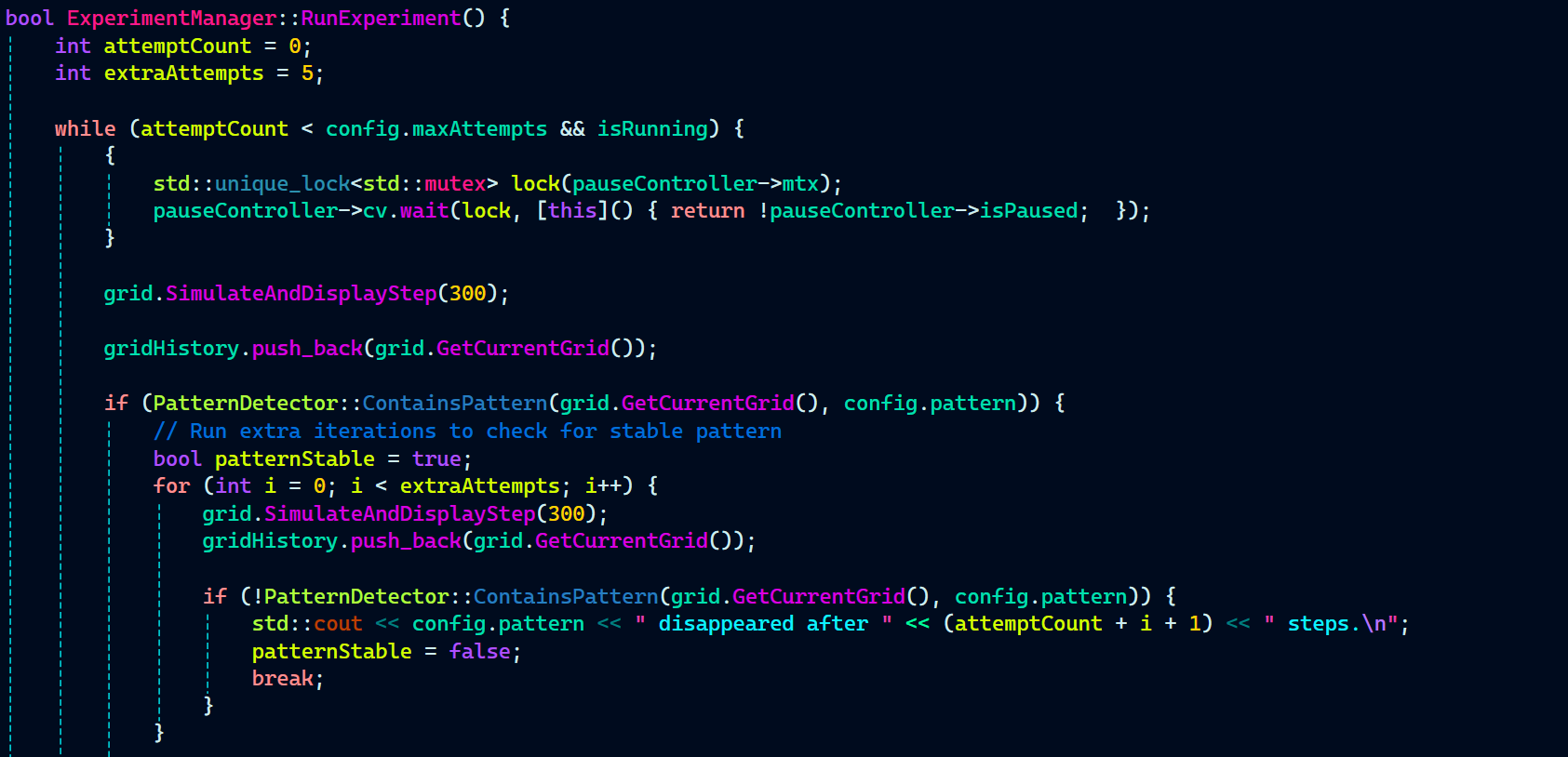
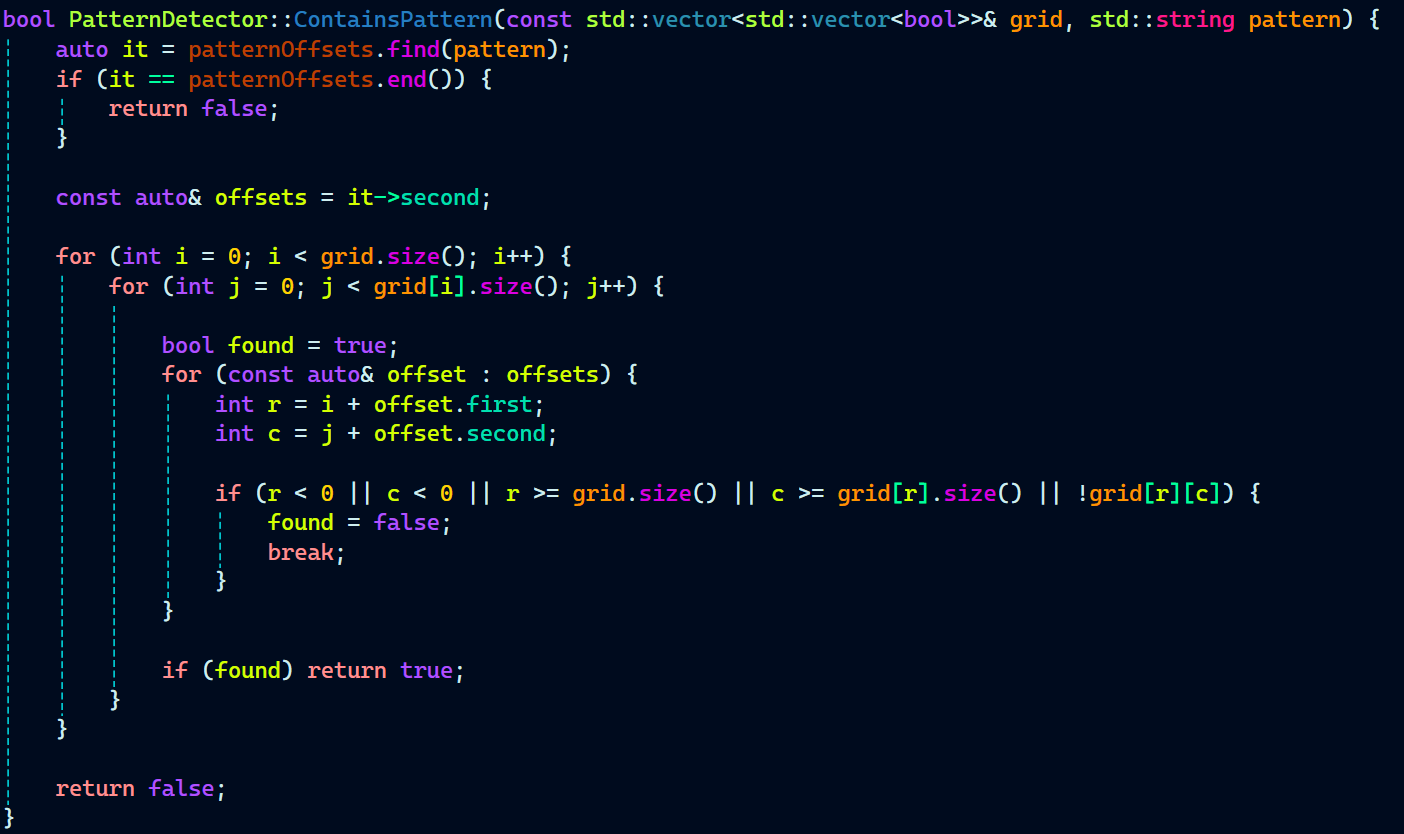
  • Recursive and Iterative Thinking (Pattern Detection Logic)


Running steps, evaluating stability over multiple iterations, and checking conditions in loops for logic-heavy computation.

ExperimentManager.cpp:


PatternDetector.cpp:


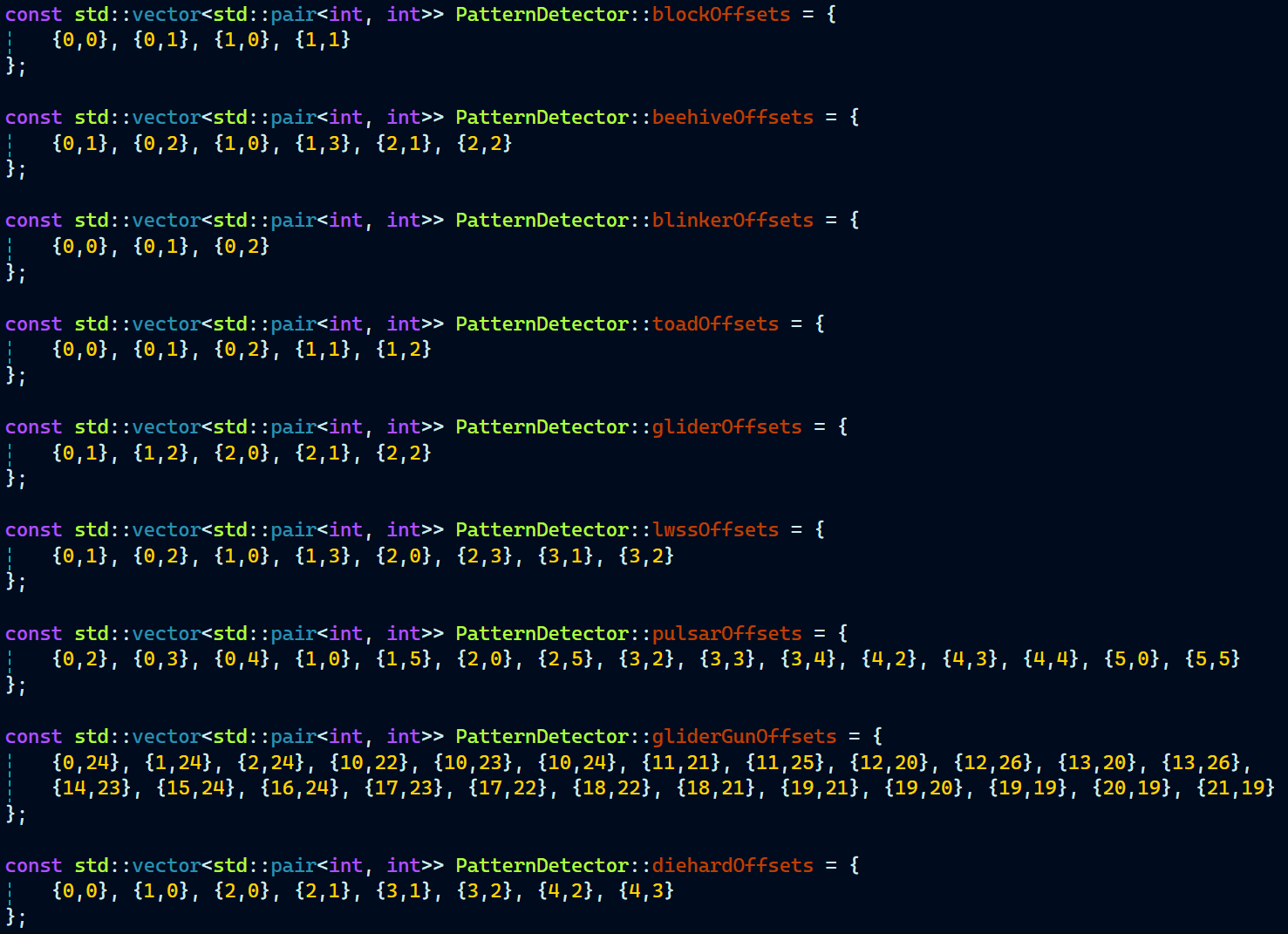
  • Designing for Extensibility


Creating a framework where new patterns or grid rules could easily be plugged in.

PatternDetector.cpp:


Grid.cpp: