



Coroutine-based Game Flow Management
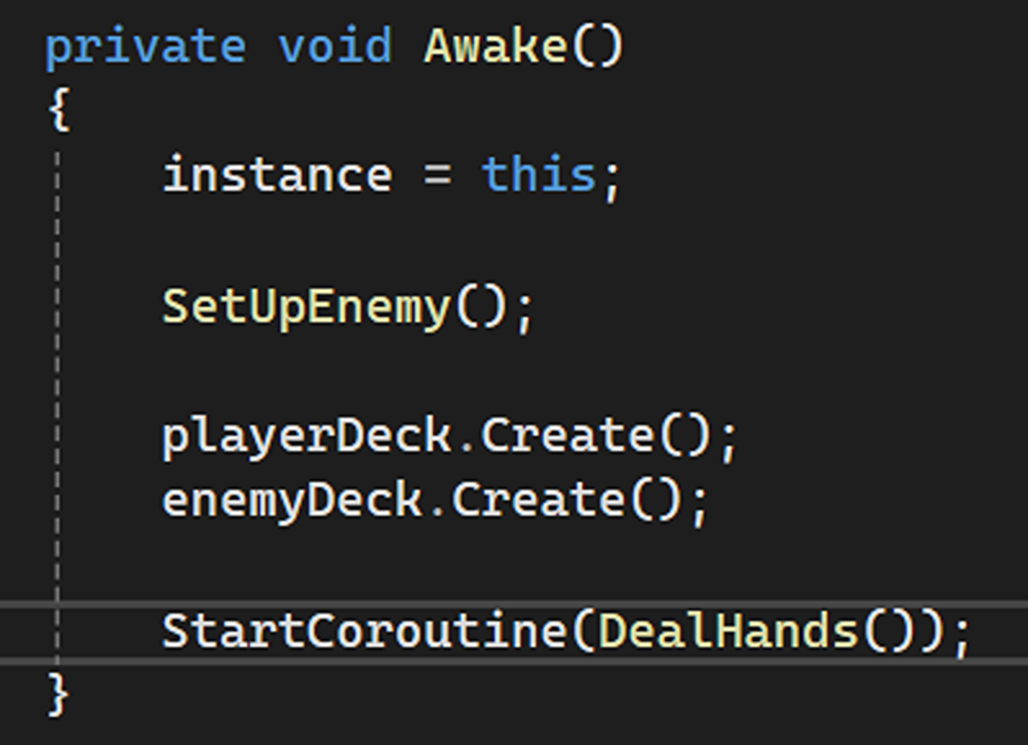
Used StartCoroutine() to control game mechanics instead of relying on Update().
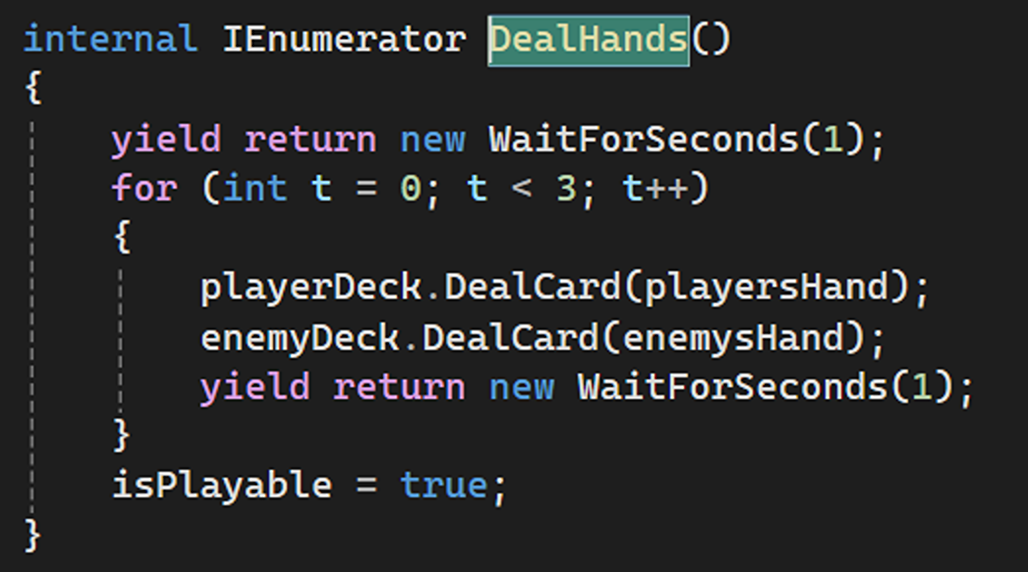
Object-Oriented Design with Classes
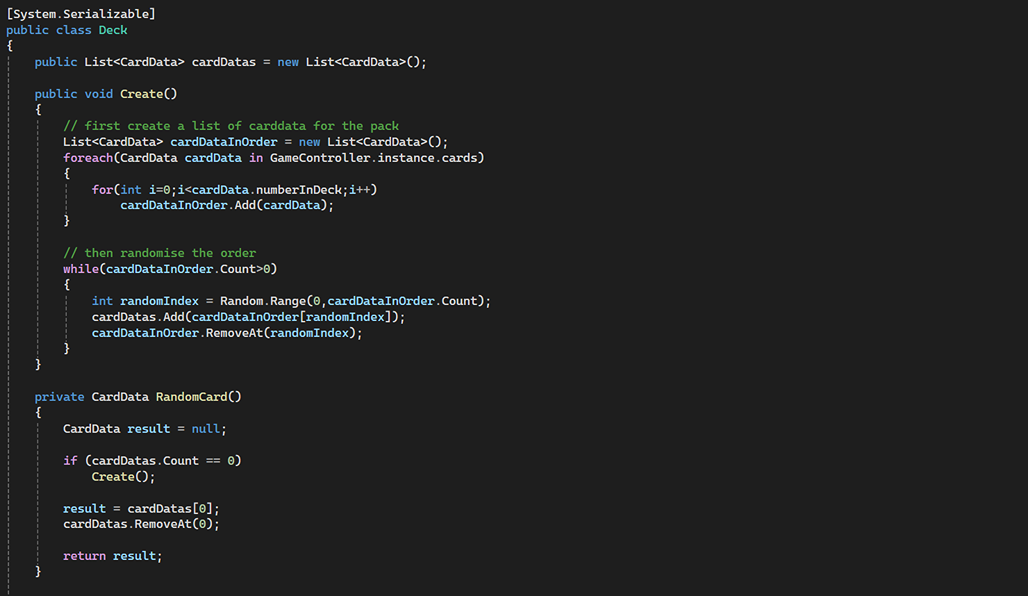
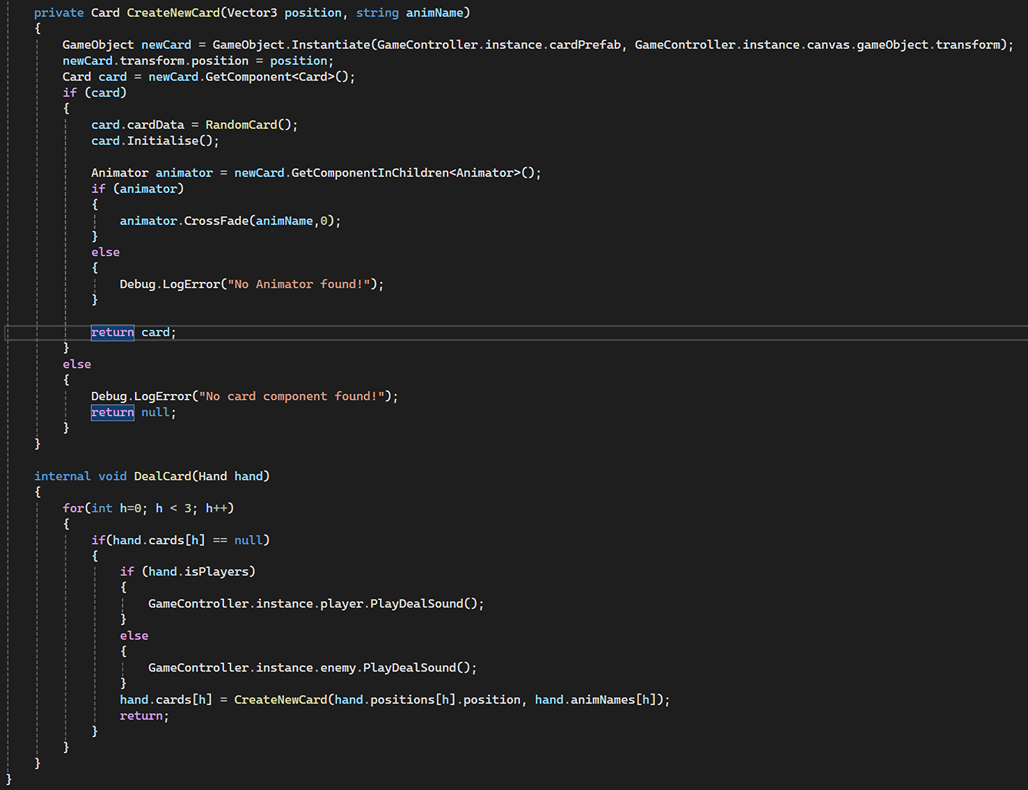
Created Deck and instantiated playerDeck and enemyDeck to manage card distribution.

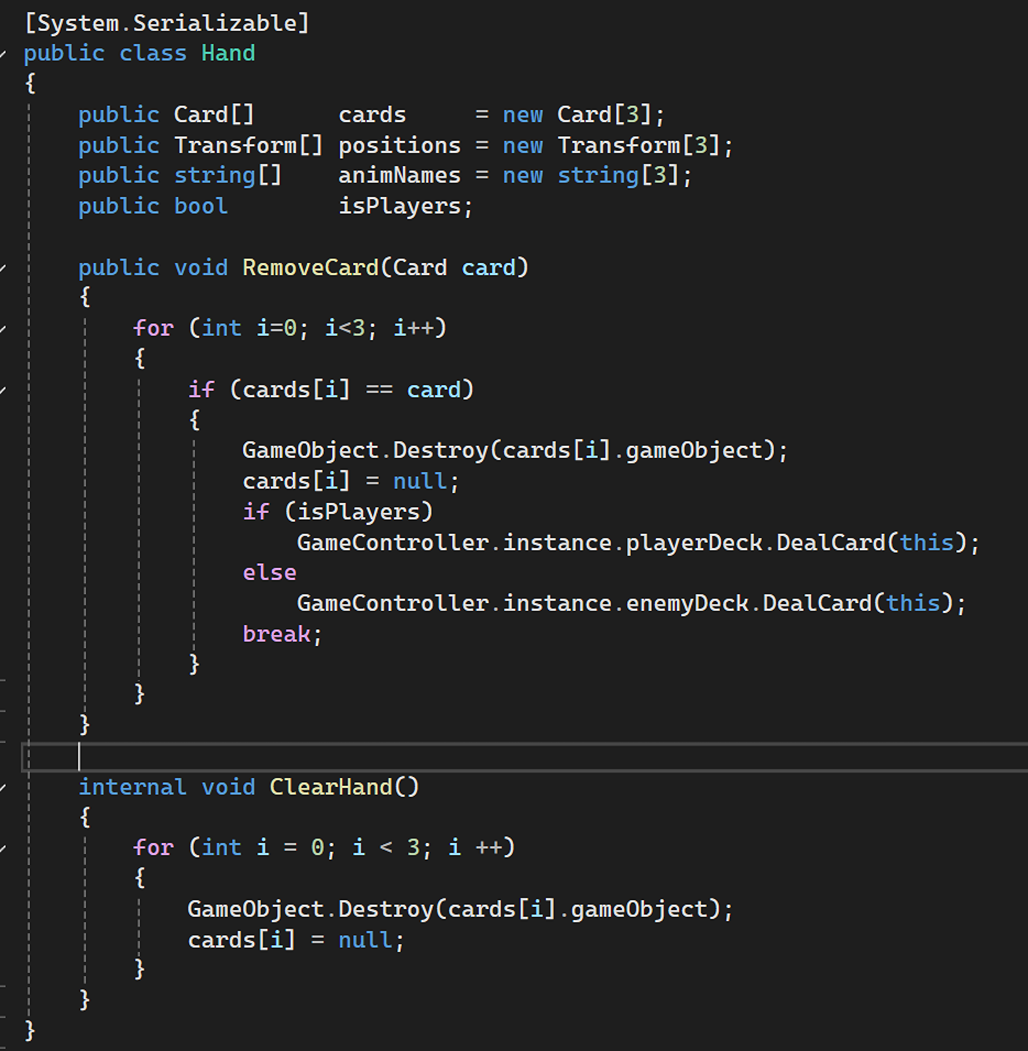
Created Hand to manage playerHand and enemyHand, tracking card positions, animations, and ownership (isPlayers).

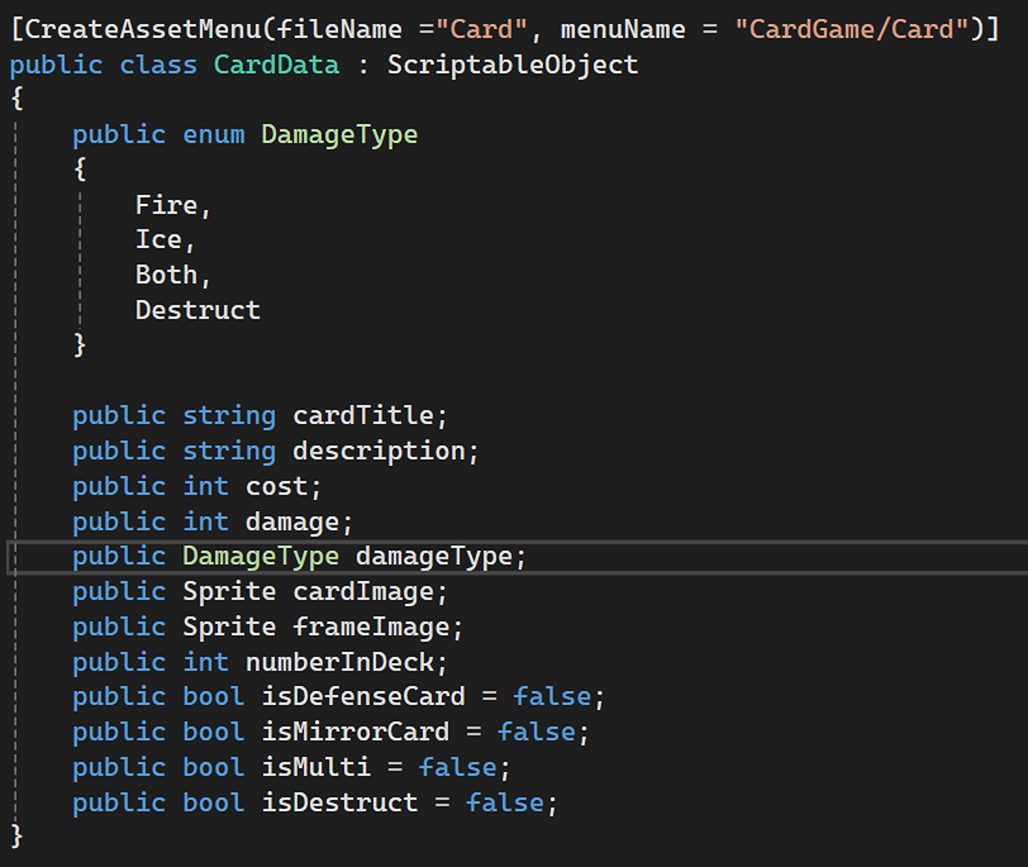
Implemented CardData as a ScriptableObject to store reusable card properties.
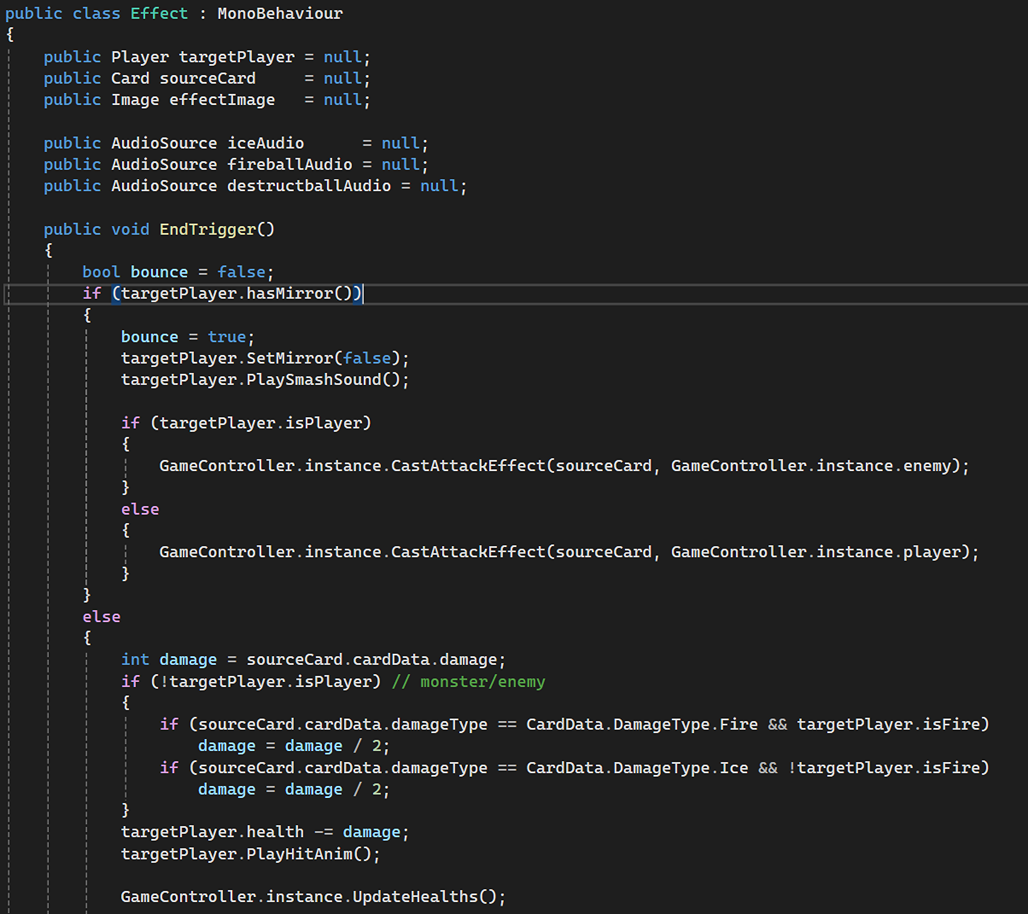
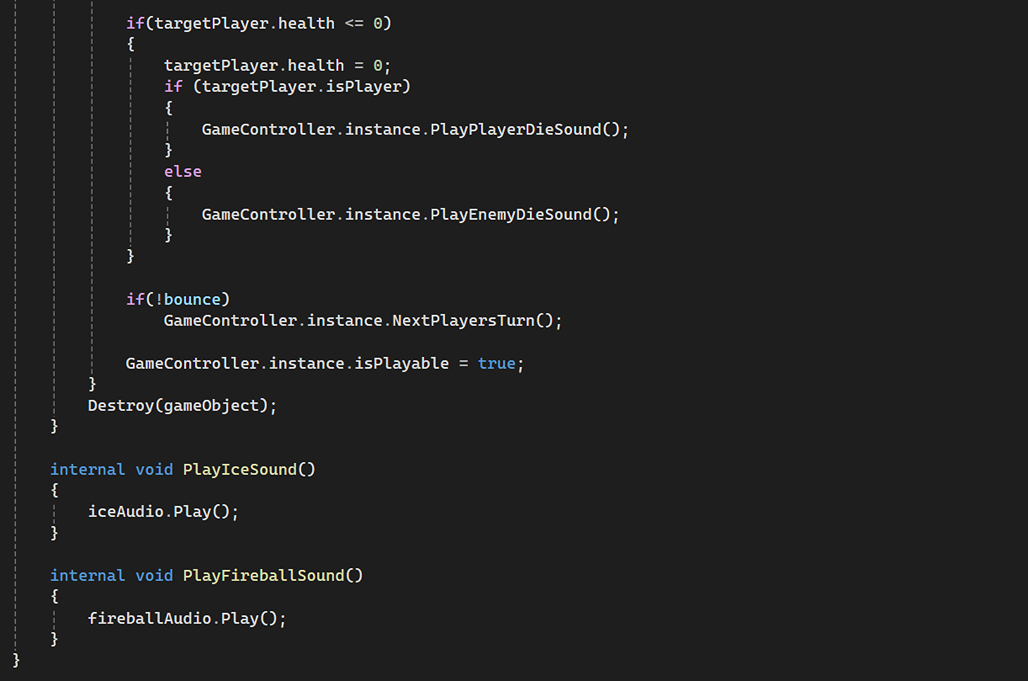
Designed an Effect class to trigger sprite and audio effects when a card is used.
Data Structures and List Management
Used List<CardData> in Deck.cs to maintain and randomize card order.

Managed Card[] arrays in Hand.cs to keep track of active cards in a player’s hand.

Drag-and-Drop System (UI and Input Handling)
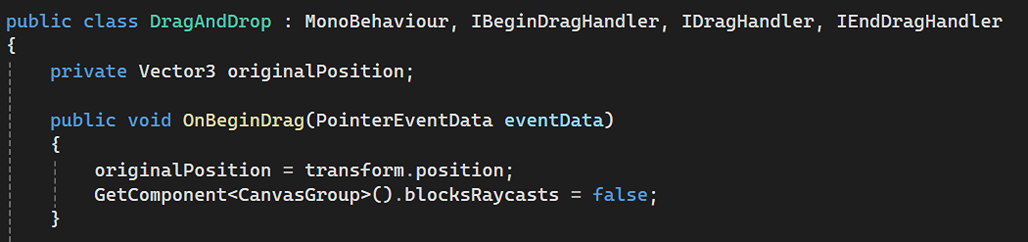
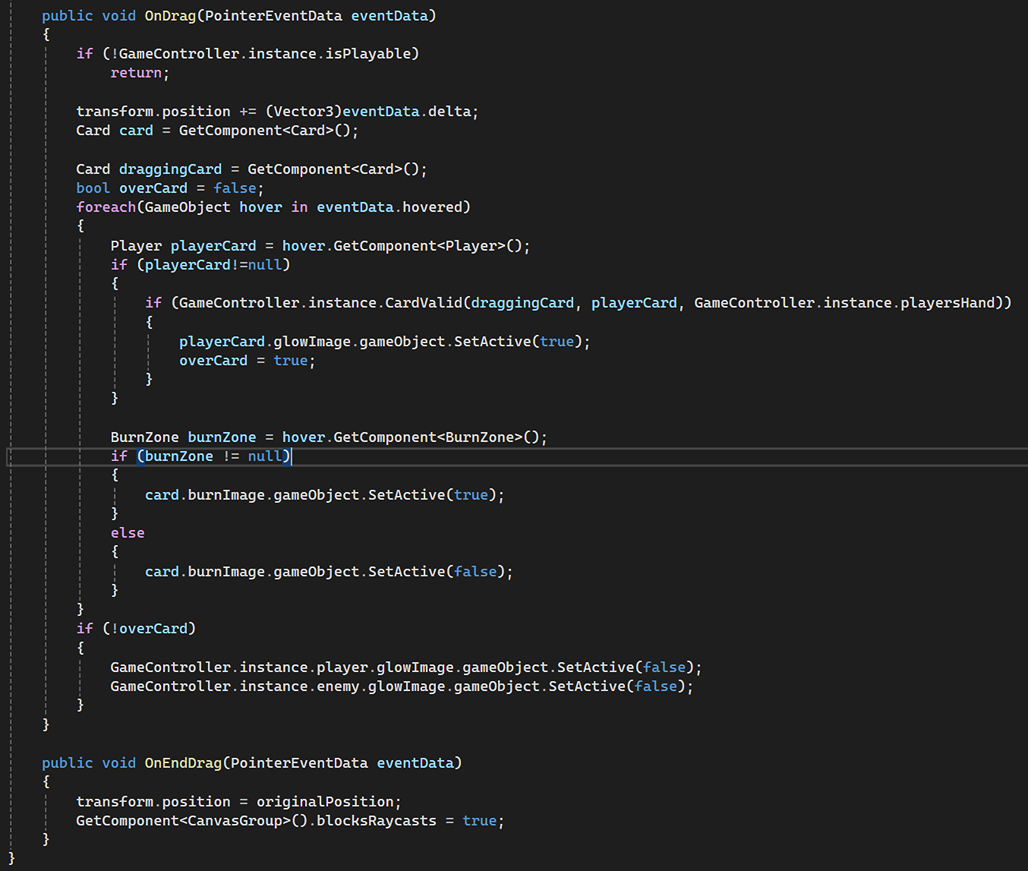
Implemented DragAndDrop.cs using IBeginDragHandler, IDragHandler, and IEndDragHandler for player interaction.
Added logic to highlight valid card placements and trigger effects upon dropping a card.
Card Interaction and Mechanics
Designed BurnZone.cs to allow players to discard cards by dragging them into the burn zone, triggering a sound effect.

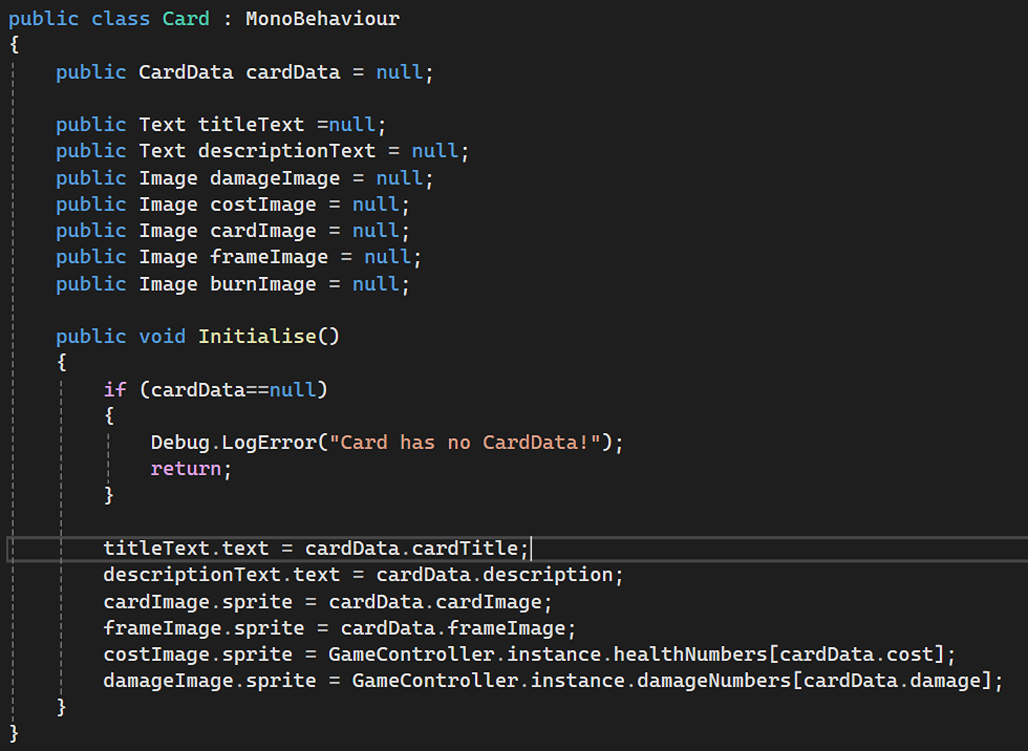
Implemented Card.cs to initialize and display card visuals (title, description, cost, damage, etc.).
Audio-Visual Effects System
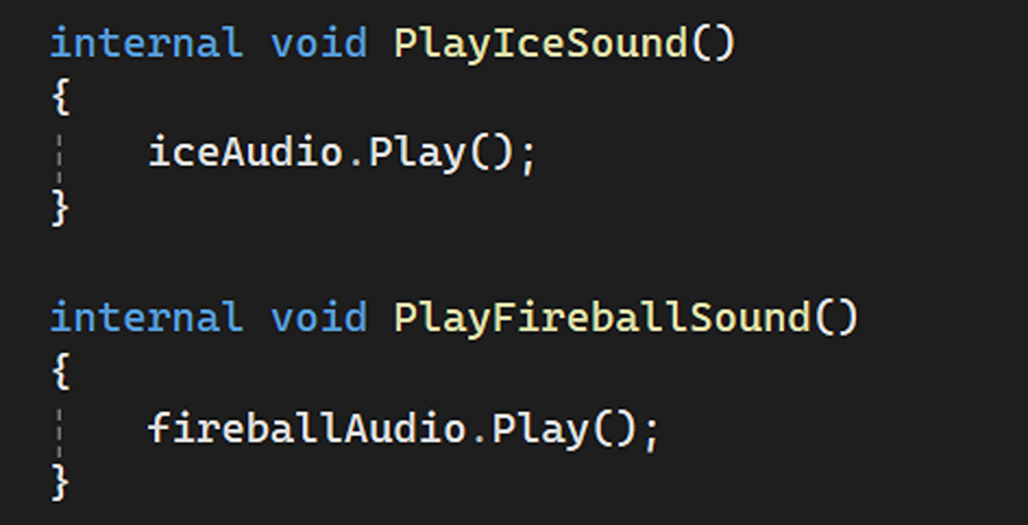
Used Effect.cs to trigger visual (sprite changes) and audio effects (PlayIceSound(), PlayFireballSound()).
Game Controller and Centralized Management
GameController likely acts as a singleton (GameController.instance), handling game state, turns, and interactions.

A snippet of code that shows how I used the instance of the GameController to handle the mana balls count for both the player and the enemy.
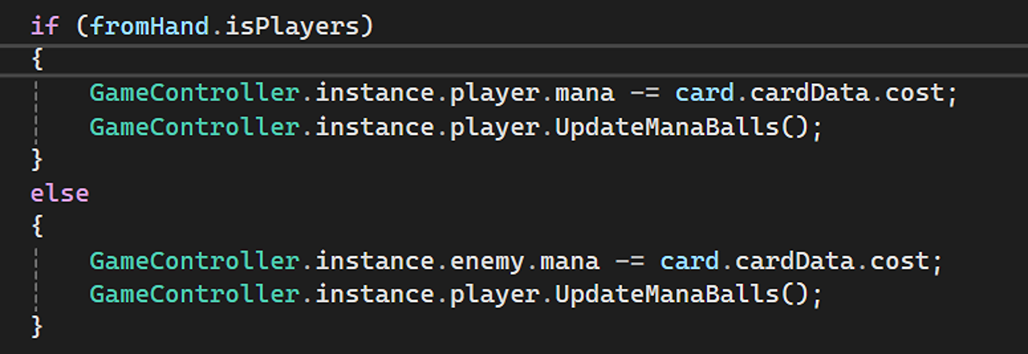
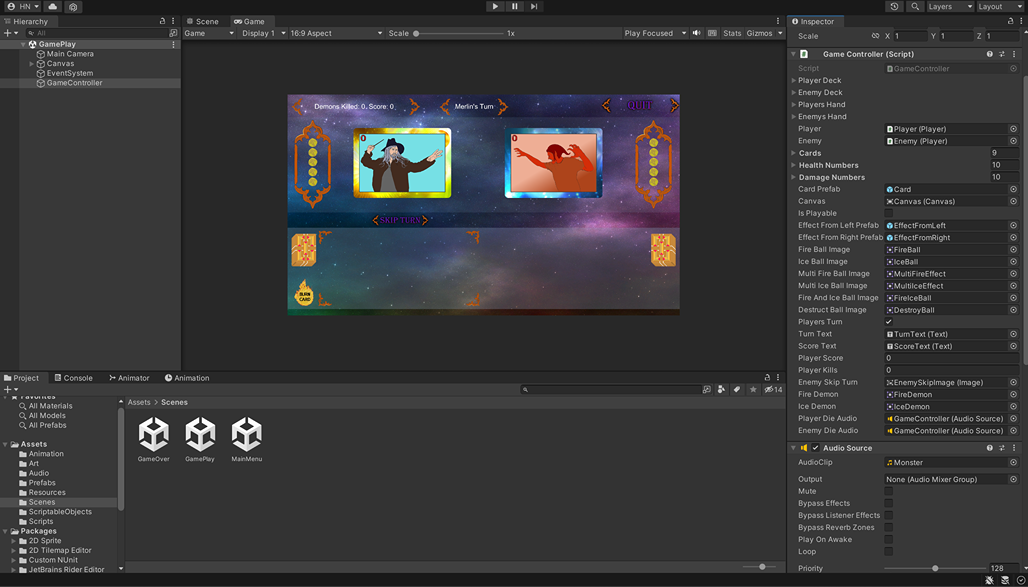
I also made some variables as public so I could assign them directly in the editor by dragging and dropping it.
Animation Control via Code
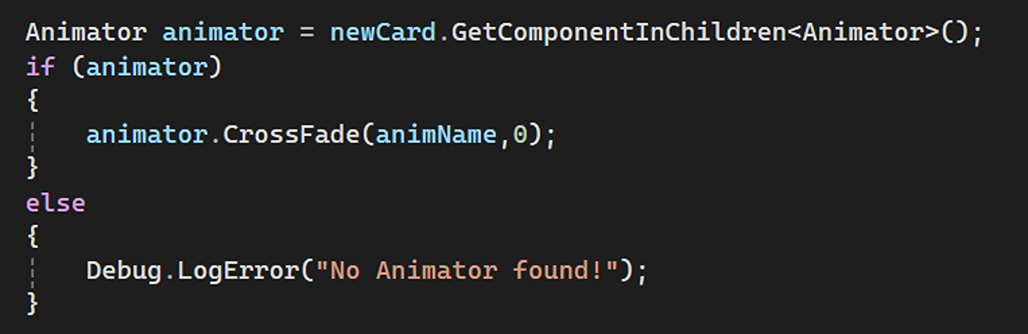
Used Animator.CrossFade() in Deck.cs to smoothly transition card animations when dealing new cards.
Turn-Based Gameplay Logic
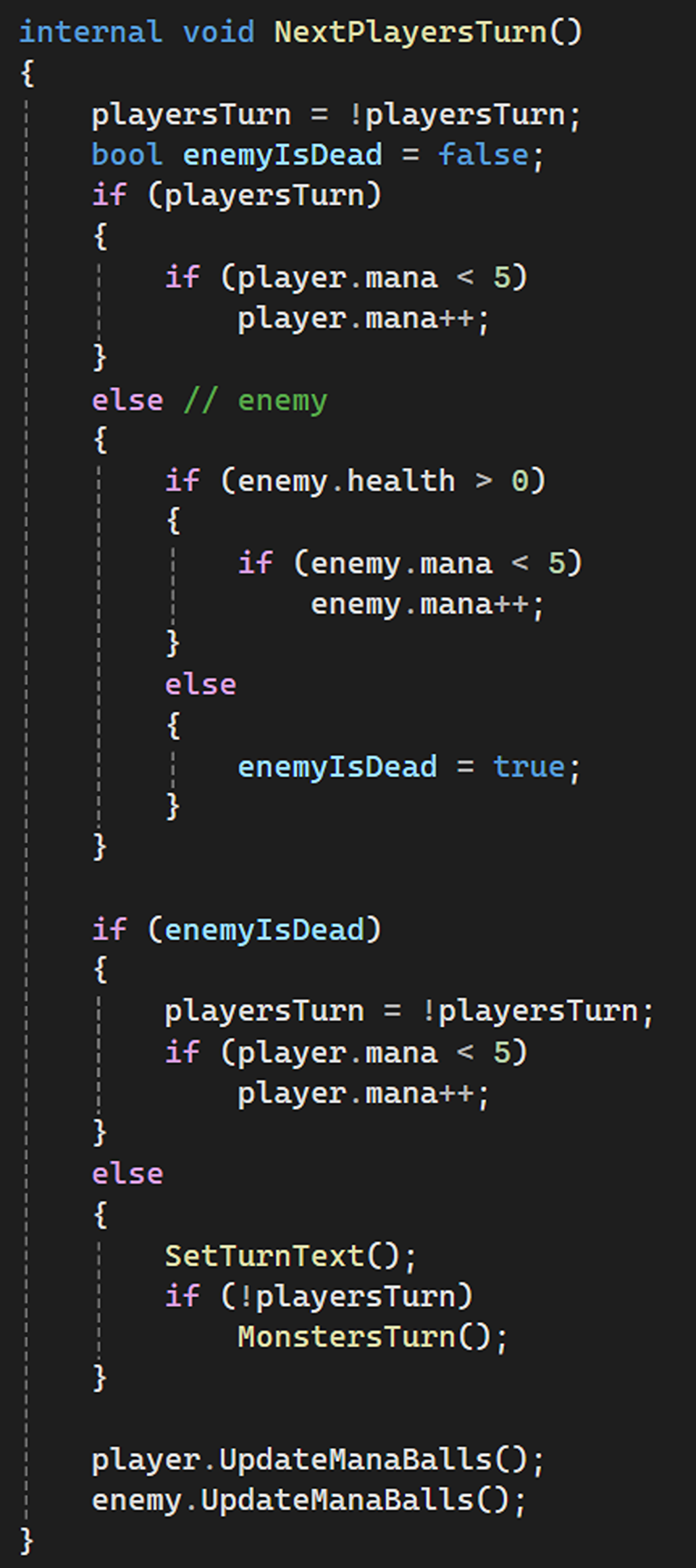
Implemented NextPlayersTurn() in GameController to handle switching between player and enemy turns.
Health and Damage Handling
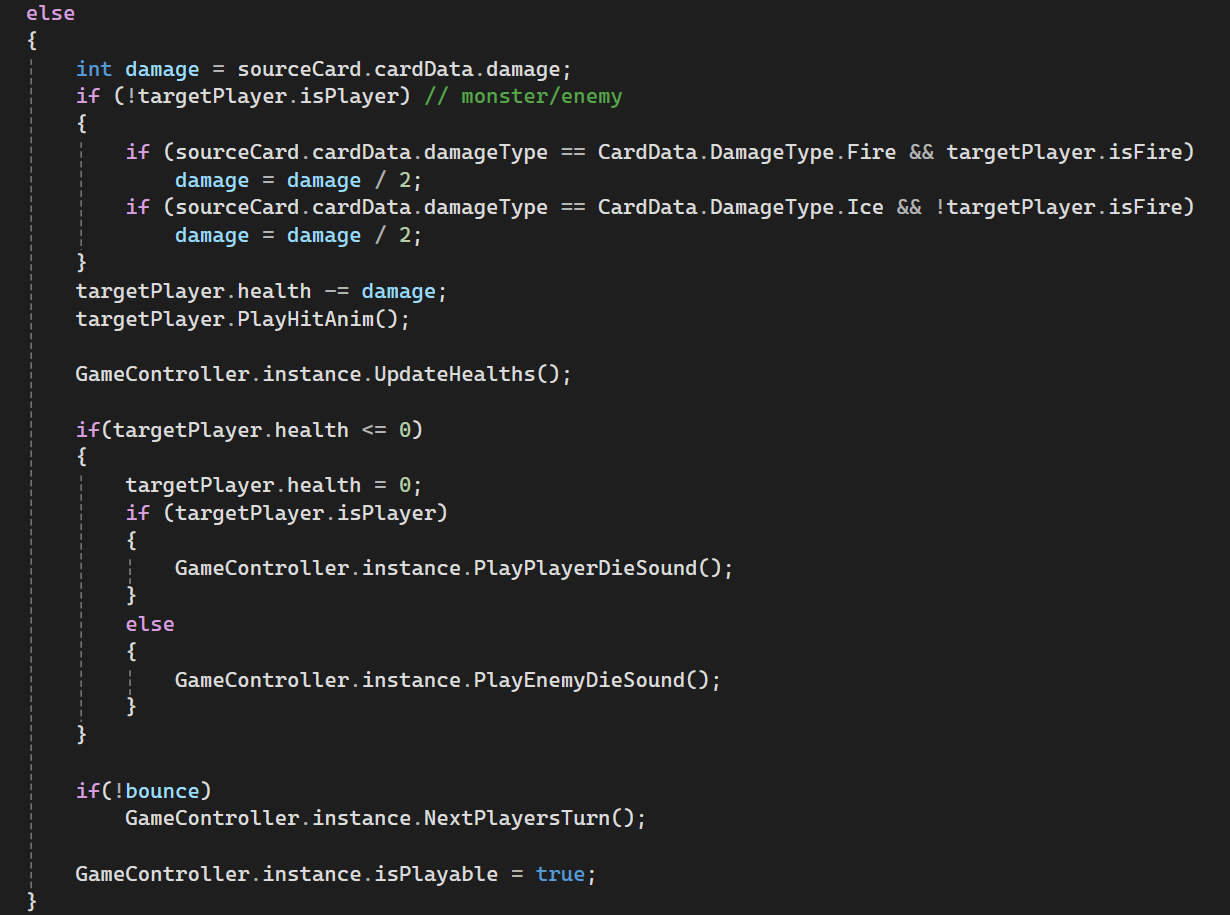
Applied different damage types (Fire, Ice, etc.) in Effect.cs, adjusting values based on target attributes (isFire).